Owner’s manual
 Error Codes


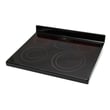
What model is my Samsung electric range?
Your Samsung electric range model number is printed on the appliance’s rating label; on the NE59M6850SG series, you’ll typically find it behind the storage drawer opening. Pull the storage drawer out, then read the model number exactly as shown (for example, NE59M6850SG).
Where to look for the model number
Check these common label locations first:
- Behind the storage drawer opening (remove or fully extend the drawer)
- Along the oven frame behind the oven door (door open)
- On the lower front frame near the door hinge area
- On the back panel (if you can safely access it)
How to read the model number correctly
Samsung ranges often include extra characters after the base model. Use the full model when ordering parts.
- Write it exactly as printed (letters, numbers, slashes, and dashes)
- Include the revision suffix when present (example format: NE59M6850SG/AA-00)
- Use the model number, not the serial number
Quick example
| What you see on the label | What it means | What to use for parts |
|---|---|---|
| NE59M6850SG | Base model series | Good starting point |
| NE59M6850SG/AA-00 | Full model and revision | Best for exact-match parts |
Why it matters
We use your exact model number to match the correct Samsung parts, diagrams, and wiring information. Small suffix differences can change which control board, oven sensor, or door latch fits.
For diagrams and model-specific details, use the NE59M6850SG user manual.
Last updated: February 2026
Does the NE59M6850SG have a self-cleaning feature?
Yes. The Samsung NE59M6850SG electric freestanding range includes a self-cleaning oven mode with selectable clean times (typically 2, 3, or 5 hours) and an automatic, motor-driven door lock. See the NE59M6850SG owner's manual for the exact button sequence and safety steps.
How self-clean works on this range
During self-clean, the oven heats to very high temperatures to burn off baked-on soil; the door locks until the oven cools.
- Choose a clean duration (2, 3, or 5 hours, depending on soil level)
- Press START/SET to begin; the door lock engages automatically
- Remove racks and accessories first (they can discolor and get harder to slide)
- Wipe heavy spillovers before starting for better results
- Keep the kitchen ventilated; some smoke or odor is normal with heavy soil
Quick settings guide (typical)
| Soil level | Suggested time | What to do first |
|---|---|---|
| Light | 2 hours | Remove loose crumbs, remove racks |
| Moderate | 3 hours | Wipe up spillovers, remove accessories |
| Heavy | 5 hours | Remove heavy soil first; expect more smoke |
Important do’s and don’ts
Self-clean is safe when used correctly, but a few items matter on the NE59M6850SG:
- Do not clean or scrub the door gasket; it is needed for a proper seal
- Do hand-clean residue on the front frame and outside the gasket area
- Do not force the door open if there is a fire during self-clean; turn the oven off and wait
- Do confirm the oven light is off and the bulb cover is in place
- Do wait for the oven to cool if the door will not open after the cycle
Why it matters
Using self-clean correctly helps prevent smoke, reduces the chance of baked-on spillovers becoming a fire risk, and protects key sealing surfaces like the door gasket so your Samsung range maintains consistent baking and roasting performance.
Last updated: February 2026
Why is my Samsung stove working but not the oven?
If your Samsung NE59M6850SG electric range cooktop works but the oven will not heat, the most common causes are a failed heating element, a bad oven temperature sensor, a door switch or latch issue, or a control problem. Start with basic settings and a quick reset, then test the heat circuit.
Quick checks first (no tools)
- Confirm you are using Bake or Broil, then press START/SET (some modes will not heat until Start is pressed).
- Make sure Control Lock is off.
- If you use Smart Control, note that opening the oven door can prevent remote start; use the panel to start a test bake. See the NE59M6850SG owner's manual.
- Power-cycle the range: turn the breaker off for 2 minutes, then back on.
- If the oven door is not fully closed, some functions can be interrupted; inspect the latch area.
Parts that commonly cause “cooktop works, oven doesn’t”
On an electric freestanding range like the NE59M6850SG, the cooktop and oven use different heating circuits. These are the most frequent oven-side failures:
- Oven temperature sensor: can cause no-heat or incorrect temperature regulation.
- Broil or bake heating element: a break or hot spot can stop heating.
- Door switch or latch: can affect certain modes and safety logic.
- User interface or control board: may not send power to the elements.
Common symptom-to-part map
| Symptom | Most likely area | What to check |
|---|---|---|
| No heat in Bake and Broil | Control, wiring, power supply | Breaker, terminal block, harness connections |
| Broil works, Bake doesn’t | Bake element circuit | Element continuity, wiring |
| Bake works, Broil doesn’t | Broil element circuit | Element continuity, wiring |
| Heats but temp is way off | Sensor | Sensor resistance and connector fit |
Recommended next step (best first test)
Test the oven temperature sensor and its connection. If it is out of spec or open, replace it with the correct sensor for this model, such as the range oven temperature sensor DG32-00002B.
Why it matters
When the oven does not heat, replacing the wrong part can be expensive. A quick sensor and element check narrows the problem to either the heat circuit (sensor, element, wiring) or the controls, which saves time and avoids repeat repairs.
Last updated: February 2026
Is the NE59M6850SG a freestanding range?
Yes. The Samsung NE59M6850SG is a freestanding electric range; the user manual describes it as an electric range with a storage drawer, oven door, and glass cooktop surface typical of freestanding designs. For model-specific features and safety setup, use the NE59M6850SG user manual.
How we identify it as freestanding
In the NE59M6850SG manual, the “Overview” section shows key freestanding range components (cooktop surface, oven door, storage drawer, control panel). Those features align with a standard freestanding installation.
What you should see on a freestanding range:
- Finished side panels (not meant to be enclosed like a wall oven)
- A full cooktop surface on top of the cabinet
- A front storage drawer at the bottom
- A rear anti-tip bracket requirement for stability
Installation notes that matter
Freestanding ranges must be secured to an anti-tip device after installation. This is a critical safety step any time the range is installed or moved.
We recommend these checks:
- Confirm the anti-tip device is installed and engaged
- Re-check engagement after pulling the range out for cleaning or service
- Keep leveling legs installed so the anti-tip device can work correctly
- Verify the range sits level so the door and racks operate properly
Quick comparison: freestanding vs slide-in
| Feature | Freestanding range | Slide-in range |
|---|---|---|
| Side panels | Finished | Often unfinished (meant to sit between cabinets) |
| Fit at countertop | May have small gaps | Designed for a tighter fit |
| Typical look | Classic range profile | Built-in style profile |
Why it matters
Knowing NE59M6850SG is freestanding helps you plan cabinet clearances, leveling, and anti-tip setup. It also helps ensure you select compatible parts (like a surface element switch or oven sensor) for the correct range style.
Last updated: February 2026
What type of plug does a Samsung electric range use?
Samsung electric freestanding ranges like model NE59M6850SG typically use a dedicated range cord that connects to either a 3-prong (3-wire) or 4-prong (4-wire) range outlet, depending on your home’s wiring. We recommend matching the cord to your outlet and following the grounding and circuit requirements in the NE59M6850SG owner's manual.
What plug type you likely need
Most U.S. electric ranges are set up for one of these two outlet styles:
- 4-prong (recommended/modern): common in homes built or updated since the mid-1990s
- 3-prong (older): common in older installations where the neutral and ground are bonded
- 240/120V supply: standard for electric ranges (provides power for bake, broil, and cooktop)
- Dedicated circuit: the range should be on its own properly sized breaker
- Proper grounding: never remove the ground prong or bypass grounding
Quick comparison: 3-prong vs 4-prong
| Outlet/cord type | Wires | Typical use case | Key safety note |
|---|---|---|---|
| 3-prong range cord | 3 | Older homes/outlets | Neutral and ground are combined in the cord connection |
| 4-prong range cord | 4 | Newer homes/outlets | Separate neutral and ground for improved safety |
How to choose the right cord (fast checklist)
- Look at your wall outlet: 3 slots = 3-prong, 4 slots = 4-prong
- Use a cord rated for electric ranges (heavy-duty, correct amperage rating)
- Confirm your breaker size matches the range’s electrical requirements
- Make sure the cord and outlet are not damaged or loose before use
- Follow the cord connection diagram and grounding instructions in the manual
Why it matters
Using the correct range cord and wiring method helps prevent nuisance breaker trips, poor performance (slow preheat or weak broil), and electrical shock risk. The manual’s grounding and circuit guidance is especially important for safe installation.
Last updated: February 2026
How do I reset my Samsung oven control board?
To reset the control board on your Samsung NE59M6850SG electric freestanding range, power-cycle the range by turning off power at the breaker (or unplugging it) for a few minutes, then restore power. This clears many temporary control glitches and restores normal operation.
Quick reset steps (power-cycle)
- Turn the oven off and cancel any active cooking cycle.
- If the range is plugged in: unplug it.
- If it is hardwired: switch the range circuit breaker OFF.
- Wait 2 to 5 minutes.
- Restore power (plug back in or turn breaker ON).
- Set the clock, then test Bake or Broil.
If it still will not respond: check for Control lockout
On this model, the controls can be locked so the touch pad will not work. To toggle Control lockout:
- Press START/SET for 3 seconds.
- Look for Loc and a lock icon on the display.
If the oven is above 400°F, let it cool below 400°F before trying to lock or unlock the controls.
Related settings that can look like a “bad board”
These features do not reset the board, but they commonly cause “dead” or confusing control behavior:
| Symptom | Likely cause | What to do |
|---|---|---|
| Buttons do nothing, “Loc” shows | Control lockout is on | Hold START/SET 3 seconds |
| Oven will not heat in a showroom-type setup | Demo mode is on | Use the demo mode steps in the NE59M6850SG user manual |
| Beeps stopped | Sound turned off | Turn sound back on in the NE59M6850SG user manual |
Why it matters
A breaker reset is the fastest way to clear a frozen user interface, Wi-Fi communication hiccups, or a stuck cooking state without replacing parts. If the problem returns often, the issue is usually a failing touch control panel, wiring connection, or a sensor-related fault.
If you are troubleshooting temperature problems after resetting, the oven temperature sensor is a common check item; see Samsung range oven temperature sensor DG32-00002B.
Last updated: February 2026