 Installation guide
 Owner’s manual
 Error Codes









Where is the filter on a Kenmore quiet guard dishwasher?
On the Kenmore dishwasher model 66513229N410, the ULTRA WASH® HE filters are located at the bottom center of the tub, underneath the lower rack. You access them by pulling out the lower rack and removing the upper filter assembly and lower filter as shown in the 66513229N410 owner's manual.
How to find and remove the filter (bottom center of tub)
- Pull the lower rack all the way out and set it aside.
- Look at the bottom center of the dishwasher tub.
- Turn the upper filter assembly about 1/4 turn counterclockwise and lift it out.
- Lift the lower filter slightly, then pull it forward to remove.
Cleaning tips (what we recommend)
- Rinse both filters under running water until most soil is removed.
- Use a soft brush only if you have stuck-on soil or hard-water deposits.
- Avoid wire brushes or scouring pads; they can damage the filter screens.
- Reinstall the lower filter under the locating tabs, then lock the upper filter by turning it clockwise.
- Run the dishwasher only when both filters are properly installed.
Filter location and parts overview
| Filter piece | Where you will see it | What it does |
|---|---|---|
| Upper filter assembly | Sits in the circular opening at bottom center | Helps keep larger items and fine particles out of the pump |
| Lower filter | Under the upper filter assembly at bottom center | Helps keep food from being recirculated onto dishes |
Why it matters
A clogged or incorrectly installed filter can cause poor cleaning, redeposit food on dishes, and strain the pump and motor. We suggest checking the filters about once a month, then adjusting based on how heavily soiled your loads are.
Last updated: January 2026
What are the common problems with Kenmore dishwashers?
Common problems we see on Kenmore dishwasher model 66513229N410 are not draining, not starting, poor cleaning, leaking, and poor drying. Most of these trace back to loading issues, a clogged filter or spray arm, a door that is not fully latched, or a failed component like the drain pump or heating element (see the 66513229N410 owner's manual).
Most common symptoms and what usually causes them
- Dishwasher will not start or stops mid-cycle: door not fully closed and latched, Control/Lock enabled, Start/Resume sequence not completed correctly.
- Won’t drain: blocked drain path, kinked drain hose, failed drain pump.
- Poor cleaning: clogged filter, blocked spray nozzles, overloading, low water temperature.
- Cloudy or spotted dishes: hard water, not enough rinse aid, incorrect detergent amount.
- Poor drying: rinse aid low, water not hot enough, heating circuit issue.
Quick checks you can do first (no parts needed)
- Confirm the door closes and latches firmly; large dishes can interfere with the wash system at the back and prevent latching.
- If Start/Resume is blinking, close the door and press START/RESUME, or press it and close the door within about 3 seconds.
- Make sure Control/Lock is off (indicator light off).
- Verify hot water is at 120°F (49°C) for best cleaning and drying.
- Use rinse aid to reduce spotting and improve drying.
Common part fixes for this model
| Symptom | Likely part to inspect/replace | Example part for 66513229N410 |
|---|---|---|
| Won’t drain | Drain pump, drain hose/check valve | Dishwasher drain pump WPW10348269 |
| Won’t start | Door latch | Dishwasher door latch WPW10653840 |
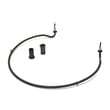
| Not drying, water stays cool | Heating element | Element assembly W10703867 |
| Poor wash coverage | Lower spray arm | Dishwasher spray arm, lower W10849471 |
Why it matters
These issues often look like a “bad control,” but simple causes like a door not latching, a clogged filter, or low incoming water temperature can stop the cycle, reduce cleaning power, and leave detergent undissolved.
Helpful DIY references
Last updated: January 2026
Why is the start button not working on my Kenmore Ultra Wash quiet guard?
On the Kenmore dishwasher model 66513229N410, the Start/Resume button commonly “doesn’t work” when the door is not fully latched or the door is not closed within 3 seconds after pressing START. Close the door firmly, then press START/RESUME and close the door within 3 seconds to begin or resume the cycle (see the 66513229N410 owner's manual).
Quick checks that fix most “Start button not working” issues
- Press START/RESUME, then close the door within 3 seconds.
- If you opened the door to add a dish, press START/RESUME again and close the door within 3 seconds.
- Push the door closed until you hear/feel the latch engage.
- If the START/RESUME light or status lights are blinking, treat it as a door-close or resume issue.
- If the dishwasher still will not run after the correct start sequence, check the latch and control next.
What to inspect if it still won’t start
A non-start condition usually comes down to the door latch not proving “door closed,” or the control not accepting the input.
- Door latch assembly: If the latch is loose, misaligned, or worn, the control may not allow a cycle to start.
- User interface (touchpad) or control: A dead key, moisture intrusion, or a failing interface can prevent START from registering.
- Wiring connections: Loose connections at the console can cause intermittent button response.
Parts that are commonly involved
| Symptom | Most likely area | Example part for this model |
|---|---|---|
| Door closes but cycle won’t start | Door latch/switch | Dishwasher door latch WPW10653840 |
| Buttons act erratic or unresponsive | User interface | Dishwasher user interface assembly W10620223 |
Why it matters
Your 66513229N410 is designed to prevent operation with an unlatched door. Following the exact START/RESUME and door-close timing avoids false “no start” symptoms and helps you pinpoint whether you have a latch problem or a control/input problem.
Helpful DIY guidance
- Use the troubleshooting steps and “blinking lights” guidance in the 66513229N410 owner's manual.
- If you’re seeing flashing indicators or an error code, match it using Kenmore 665 model dishwasher error codes.
Last updated: January 2026
How to hard reset a Kenmore dishwasher?
For Kenmore dishwasher model 66513229N410, the most reliable “hard reset” is to cancel the current cycle, let the dishwasher drain, then start a fresh cycle. This clears the active program and returns the controls to a normal ready state; follow the exact steps in the 66513229N410 owner's manual.
Hard reset (cancel and restart)
- Open the door slightly and wait for spraying to stop.
- Press and hold START/RESUME for about 3 seconds to cancel and begin draining.
- Close the door so the drain can run.
- Wait until draining stops and the Cancel/Drain indicator turns off.
- Select a new cycle and options, then press START/RESUME.
If the controls seem “stuck”
Use these checks before assuming a control failure:
- Make sure the door is fully closed and latched.
- If a Control Lock light is on, turn Control Lock off using the lock procedure shown in the 66513229N410 owner's manual.
- Power-cycle the dishwasher: switch the breaker off for 1 minute, then back on.
Quick check table
| Symptom | What it usually means | What to do |
|---|---|---|
| Cancel/Drain runs after you hold START/RESUME | Reset is working | Let it finish, then restart a cycle |
| Lights flash when you press buttons | Control Lock is on | Use the manual’s Control Lock steps |
| Won’t start after reset | Door not latched or cycle not selected | Close firmly; reselect cycle; press START/RESUME |
Why it matters
Canceling and draining stops wash action safely and clears the current cycle logic. That helps the next wash start normally and prevents water from sitting in the sump.
Related help
- If you are seeing a code or blinking pattern, match it to a fix using Kenmore 665 model dishwasher error codes.
Last updated: January 2026










