Owner’s manual
 Error Codes



What are the downsides of using a dehumidifier?
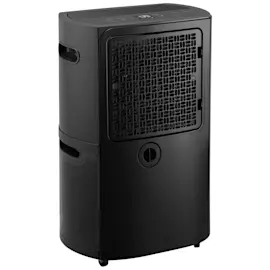
Using a Kenmore 58053650200 dehumidifier can make indoor air feel too dry if the humidity setting is too low, and it can add heat and fan noise to the room. It also needs regular cleaning and proper placement to avoid frost, leaks, or frequent shutoffs (like a full bucket).
- Air feels too dry: Set a higher target humidity; most homes feel best around 40% to 50% RH.
- Extra heat in the room: Dehumidifiers exhaust warm air; expect a noticeable temperature rise in small spaces.
- Noise and vibration: Fan and compressor noise is normal; place the unit on a solid, level floor.
- Frequent shutoffs: If the bucket is full or not seated correctly, the unit shuts off and the bucket-full light comes on.
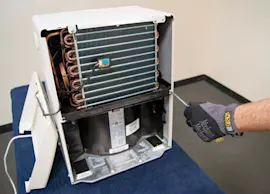
- Frost on the coil: If the room is below about 65°F, the coil can frost and the unit may cycle while it defrosts.
- Maintenance needs: The bucket should be rinsed periodically to reduce mold, mildew, and bacteria.
We recommend following the key operating rules in the owner's manual:
- Don’t use an extension cord or adapter plug.
- Keep 12 to 18 inches of clearance around the unit for airflow.
- Keep doors and windows closed so humid outdoor air doesn’t increase the workload.
- Operate in areas that stay 65°F or warmer for best performance.
| Downside you notice | Most effective fix |
|---|---|
| Dry skin, irritated throat | Raise humidity setting; avoid “constant” if it over-dries |
| Unit runs a lot | Close openings; improve airflow clearance |
| Frost on coils | Warm the room; let defrost cycle complete |
| Musty bucket odor | Rinse bucket with mild detergent every few weeks |
Running a dehumidifier too aggressively can make the space uncomfortable, while poor placement or low temperatures can reduce moisture removal and trigger frost and cycling. Correct settings and basic cleaning keep comfort high and protect the evaporator and condenser airflow.
Last updated: February 2026
What size dehumidifier do I need for a 2000 sq ft house?
For a 2,000 sq ft house, most homes need a 70 to 90 pint-per-day (PPD) dehumidifier in moderate humidity; in very humid or coastal climates, a 90 to 120 PPD unit is the typical target. Use your Kenmore 58053650200 Owner's manual to confirm operating limits and best placement.
Use these ranges as a practical starting point:
- Moderate humidity: 70 to 90 PPD
- High humidity, coastal, or frequent wet basement: 90 to 120 PPD
- Finished basement included in the 2,000 sq ft: size toward the higher end
- Higher ceilings or lots of occupants: size up one step
- Cool spaces below 65°F: performance drops; address temperature first
| Home conditions (2,000 sq ft) | Typical capacity target |
|---|---|
| Normal living areas, average humidity | 70 to 90 PPD |
| Very humid climate or damp basement | 90 to 120 PPD |
A correctly sized dehumidifier reaches your humidity setpoint faster, runs more efficiently, and helps prevent musty odors and moisture damage. An undersized unit tends to run constantly and still leaves the space damp.
Even the right PPD rating can underperform if airflow and conditions are off. For the Kenmore 58053650200, we recommend:
- Place it on a level floor that can support the unit with a full bucket
- Keep 12 to 18 inches of clearance on all sides for airflow
- Keep doors and windows closed while running
- Operate where the temperature stays 65°F or warmer to reduce coil frost and cycling
- If it is not running, check that the bucket is installed properly (the unit shuts off when it is full or out of position)
If you are comparing room units versus whole-home solutions, the article what size dehumidifier do i need helps match capacity to conditions.
Last updated: February 2026
What are the most common problems with dehumidifiers?
The most common problems we see on Kenmore dehumidifiers like model 58053650200 are: not starting (power or bucket-full/bucket-position shutoff), not removing moisture (restricted airflow or settings), frost on the coil (room below 65°F), leaks or no draining, and unusual noise from airflow or vibration. See the owner's manual for model-specific indicators and checks.
- Won’t start or shuts off: unplugged cord, tripped breaker, blown fuse, or the bucket is full or not seated correctly
- Runs but doesn’t dry: humidity setting too high, doors/windows open, restricted airflow at the grille, or the space is too large
- Runs “too much”: high humidity load, outside air leaking in, or unit undersized for the area
- Frost on the coil: room temperature below 65°F or the unit was just turned on; the unit may cycle during defrost
- Water on the floor / not draining: bucket not installed right, bucket overflow, or drain opening/hose connection issue
- Fan noise: normal air movement, loose panels, or vibration from placement
- Confirm the bucket is fully seated; if it is out of position, the unit will not run.
- Verify the humidity control is set lower than the current room humidity.
- Make sure airflow is not blocked at the front grille or rear intake.
- Close doors and windows to keep humid outside air from re-entering.
- If you see frost, turn the unit off/unplug it until the frost melts and the room warms above 65°F.
| What you notice | What it often means | What to do |
|---|---|---|
| Bucket full light on, unit off | Bucket full or not positioned | Empty and reinstall bucket correctly |
| Frost on coil, cycling | Defrost control protecting the coil | Let it defrost; use above 65°F |
| Fan running, compressor off | Defrost cycle or humidity satisfied | Wait and recheck settings |
These issues are usually caused by bucket position, airflow, humidity settings, and room temperature. Fixing those first prevents unnecessary wear on the compressor and helps the dehumidifier maintain steady moisture removal.
Last updated: February 2026
Why is my Kenmore dehumidifier not working?
If your Kenmore dehumidifier model 58053650200 is not working, the most common causes are a full or mispositioned bucket (the unit shuts off), a power supply issue, or frost on the evaporator coil when the room is below about 65°F. Use the checks below, then confirm operating details in the owner's manual.
- Push the plug fully into the outlet; reset the tripped breaker or replace a blown fuse.
- Empty the bucket and reinstall it fully; if it is not seated correctly, the unit will not run.
- If the Bucket Full light is on, the dehumidifier is shut down until the bucket is emptied and positioned correctly.
- If the room is cool (below about 65°F), frost can form; unplug or turn the unit off until frost melts and the room warms.
- Make sure airflow is not blocked by curtains, furniture, or a clogged filter area.
- Close doors and windows; outside air can keep humidity high and make the unit seem like it is not working.
| What you notice | Likely cause | What to do |
|---|---|---|
| No power, no operation | Unplugged cord, tripped breaker, blown fuse | Restore power; try a known-good outlet |
| Runs but collects little or no water | Not enough run time, humidity set too high, doors/windows open | Lower humidity setting; give it 3 to 4 days after setup |
| Cycles on and off, frost on coil | Room temperature below about 65°F; defrost control active | Let it defrost; warm the room |
| Water on the floor | Bucket not fully in, drain connection loose | Reseat bucket; check drain setup |
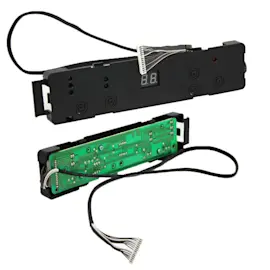
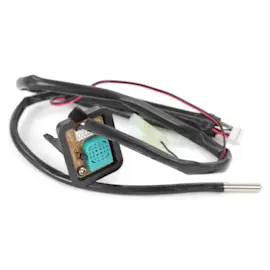
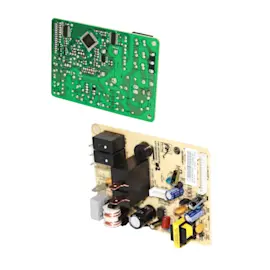
If power is good and the bucket is seated, a failed sensor or electrical component can stop normal operation.
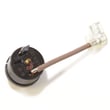
- Sensor assembly 6877A30013E (humidity/temperature sensing input)
- Ac power cord assembly 6411A20001L (power delivery to the unit)
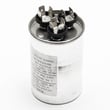
- Room air conditioner dual-motor run capacitor 0CZZA20001F (motor/compressor run support)
A dehumidifier depends on steady airflow across the evaporator coil and correct bucket or drain setup. When the bucket switch is open (bucket full or out of position) or the coil is frosted, the unit is designed to shut down or defrost to prevent leaks and protect the compressor.
Last updated: February 2026