 Installation guide
 Owner’s manual
 Error Codes







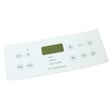
How do I reset my Kenmore electric range?
To reset your Kenmore electric range model 79095302100, turn the range off, then disconnect power at the breaker (or unplug it) for a few minutes and restore power. After power returns, reset the clock and reselect your oven function as needed (a reset clears many control glitches).
Quick reset steps (safe and effective)
- Turn all surface element knobs to OFF.
- If the oven is running, press Cancel/Off.
- Shut OFF the range circuit breaker (or unplug the cord if accessible).
- Wait 3 to 5 minutes.
- Restore power.
- Set the clock and test Bake and a surface element.
For control and clock steps specific to this model, use the 79095302100 owner's manual.
If the range was in a power failure
Your 79095302100 should not be operated during a power failure. If power drops, turn the range off; when power resumes, the range can begin operating again if it was left on. After power is restored, reset the clock and oven function.
What you should do right after power returns
| Situation | What we recommend | What to check next |
|---|---|---|
| Display is blank | Check breaker, then reset power | Clock operation and Bake heat |
| Display shows time but oven will not start | Perform the reset steps above | Try Bake at 350°F for 10 minutes |
| Surface element acts erratic | Reset power | Watch for cycling and normal heat |
When a reset is not enough
A reset helps with temporary electronic lockups. If the problem returns quickly, focus on the most common electrical and control-related causes.
- Loose or overheated power connections at the terminal block
- A failing surface element control switch (burner stays on, will not heat, or heats unpredictably)
- A temperature sensing issue that prevents stable oven heating
- A stuck latch condition after a clean cycle (if equipped)
If you are troubleshooting a burner control issue, the range surface element control switch 316436001 is a common replacement part for this model.
Why it matters
Resetting correctly protects the electronic control and helps you confirm whether the issue is a one-time glitch or an ongoing power, wiring, or control problem. It also ensures the oven does not resume heating unexpectedly after an outage.
Last updated: February 2026
What is the F1 code on a Kenmore stove?
On the Kenmore electric range model 79095302100, an F1 error means the electronic oven control has detected a fault and will typically stop operation and beep continuously. Press CANCEL to stop the beeping, then reprogram the oven; if the code returns, service is needed (see the 79095302100 owner's manual).
What to do right away
- Press CANCEL to clear the display and stop the beeping.
- Wait 30 to 60 seconds, then set BAKE and a temperature again.
- If the oven is stuck beeping, turn off the range breaker for 1 minute, then restore power.
- If F1 returns, write down the code and when it happens (preheat, after preheat, during broil).
- Stop using the oven if you smell burning insulation or see arcing.
What usually causes an F1 code
F1 is most commonly tied to a control-side failure, but the control can also react to a problem it detects in a monitored circuit.
| Likely cause | What you may notice | Typical fix |
|---|---|---|
| Electronic oven control fault | Random beeping, F1 returns quickly | Control diagnosis and replacement by a technician |
| Oven temperature sensor or wiring issue | Temperature swings, long preheat, intermittent faults | Check sensor circuit and harness connections |
| Keypad or control overlay issue | Beeping when not touching keys | Inspect keypad/overlay and control interface |
Parts that can be involved
These parts are not automatic replacements, but they are commonly checked during diagnosis on ranges like this:
- Oven probe 316233903 (temperature sensor circuit)
- Range control overlay 316220805 (keypad/overlay interface)
Why it matters
When the control detects a fault, it can shut down heating for safety and to prevent runaway temperatures. Clearing the code gets you back to a safe baseline, but a repeating F1 points to an electrical or control problem that needs proper testing.
Last updated: February 2026
Where can I find my Kenmore electric range model number?
On Kenmore electric range model 79095302100, the model number is printed on the serial plate located on the right-hand side of the oven front frame, typically behind the storage (or warmer) drawer or behind the lower panel. The exact spot is shown in the 79095302100 owner's manual.
Where to look on the range
Check these common label locations first:
- Open the storage drawer and look on the right side of the oven front frame
- If your range has a removable lower panel (instead of a drawer), check behind that panel
- Look for a metal or foil serial plate with model and serial information
- Write down the model number, serial number, and any lot number or letter shown
What the serial plate tells you (and why it matters)
The serial plate is more than a model tag; it helps us match the correct Kenmore range parts and electrical specs.
| On the serial plate | Why you need it |
|---|---|
| Model number | Ensures diagrams and parts match your exact range |
| Serial number | Helps confirm production details for correct replacement parts |
| Voltage and kilowatt rating | Confirms power requirements for safe installation and service |
Tips for reading and recording the number
- Copy the model number exactly as printed (all digits, no spaces)
- Take a clear photo before ordering parts
- Keep the information with your purchase records for future repairs
Why it matters
Kenmore ranges often share similar styling across multiple model series; using the exact model number (like 79095302100) prevents ordering the wrong bake element, surface element switch, or control overlay.
Last updated: February 2026
Why is my Kenmore electric oven not working?
If your Kenmore electric range model 79095302100 oven is not working, start by checking for a power interruption and then clear any control fault by pressing CANCEL. If the control beeps continuously or shows an F-code, the electronic oven control has detected a problem and will stop operation (see the 79095302100 owner's manual).
Quick checks we recommend first
- Confirm the range has power; check house lights and the breaker.
- Make sure the cord/plug is seated firmly (if accessible).
- Press CANCEL to stop beeping and clear the display.
- If the fault returns, write down the code (commonly F1, F3, or F9 on some versions).
- After any outage, reset the clock and reselect the cooking function.
What the beeping or error code usually means
Your range uses an electronic oven control that monitors key circuits. If it detects a fault, it can stop the oven and beep continuously until you press CANCEL.
| Symptom | What it points to | What to do next |
|---|---|---|
| No heat, no display | No power to range | Check breaker, outlet, wiring |
| Continuous beeping, may show F1/F3/F9 | Control detected a fault | Press CANCEL, retry; if it repeats, service is needed |
| Cooktop works but oven will not heat | Oven circuit issue (common) | Check bake/broil heating and sensor-related issues |
Parts that commonly fix “oven not heating” on this model
If the cooktop works but the oven will not heat, these are common repair paths for the 79095302100:
- Failed bake heating circuit; inspect the element for visible damage and test continuity.
- Failed broil heating circuit; broil may not heat or preheat properly.
- Temperature sensing problem; the oven may shut down or heat incorrectly.
Helpful model-matched parts to consider:
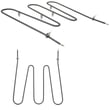
- Frigidaire range bake element 316202200
- Frigidaire range broil element 316203301
- Oven probe 316233903
Why it matters
When the oven control detects a fault, it can stop heating to prevent unsafe operation. Also, the manual warns not to operate the range during a power failure; if power returns and the range was left on, it can resume operation unexpectedly.
Last updated: February 2026






