 Owner’s manual
 Error Codes




How do I clear error codes on my Samsung oven?
On the Samsung NV51K7770DS wall oven, most information codes clear after you correct the cause and then press OFF/CLEAR; for some codes, you also need to shut power off at the breaker for at least 30 seconds to reset the control. Use the steps and code chart in the NV51K7770DS owner’s manual.
Quick reset steps (safe, common fixes)
- Press OFF/CLEAR, wait a few seconds, then try a normal bake cycle.
- If the code returns, turn power off at the circuit breaker for 30 seconds, then restore power.
- If the code relates to the keypad (for example, a stuck key), wipe the control panel dry and remove any residue.
- If the code relates to the door lock, stop the cycle, let the oven cool, then restart.
- If the code appears during cooking, note whether you were using convection, steam, or a divider (if equipped); that detail helps pinpoint the cause.
What specific codes usually mean on NV51K7770DS
These are common information codes shown in the manual and the first action we recommend.
| Code | What it points to | What to do first |
|---|---|---|
| C-d0 | Control key shorted for about 1 minute | Clean and dry the buttons; turn oven off and retry |
| C-d1 | Door lock mispositioned | Press OFF, restart; if it persists, power reset 30 seconds |
| C-20 / C-21 | Oven temperature sensor issue (open/short) | Stop cooking; power reset; check sensor circuit if it returns |
| C-23 | Temp probe sensor short | Press OFF, restart; power reset 30 seconds if needed |
| -dC- | Divider inserted/removed while operating | Insert divider properly, then restart |
When a part is likely involved
If the same code returns immediately after a power reset, a component may be failing.
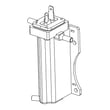
- Repeated temperature-related codes often involve the oven temperature sensor; see range oven temperature sensor DG32-00004C.
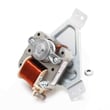
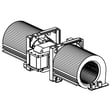
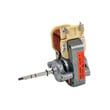
- Overheating or cooling-related symptoms can involve the cooling fan; see wall oven cooling fan assembly DG31-00005C.
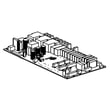
- Communication-related codes can point to an electronic control issue; see Samsung wall oven control board DE92-04045B.
Why it matters
Clearing the code without fixing the cause can lead to poor temperature control, longer preheat, or the oven shutting down mid-cycle. A quick OFF/CLEAR and a 30-second breaker reset restores normal operation when the issue is temporary (moisture on the keypad, a brief lock glitch, or a one-time sensor read error).
Last updated: February 2026
What is a double electric wall oven?
A double electric wall oven is a built-in oven setup with two separate oven cavities, each with its own controls, so you can cook multiple dishes at different temperatures at the same time. For Samsung NV51K7770DS, this can also include “twin cooking” in the upper oven using a removable divider (two compartments within the upper oven).
How it works on Samsung NV51K7770DS
This model is designed to give you flexible capacity:
- Two independent ovens: an upper oven and a lower oven, each with its own mode and temperature controls.
- Twin cooking in the upper oven: you can insert a divider to split the upper oven into flex upper and flex lower compartments.
- Different temperature ranges in twin mode: when the divider is in, the upper oven compartments have reduced max temperature compared to single-oven operation.
- Mode availability can change: some cooking modes are available in single mode but limited in twin mode.
For the exact mode and temperature ranges for your configuration, use the NV51K7770DS user manual.
Single vs. double vs. “twin” at a glance
| Setup | What you get | Best for |
|---|---|---|
| Single wall oven | One cavity | Everyday baking and roasting |
| Double wall oven | Two separate cavities | Cooking at two temps, big meals |
| Twin cooking (upper oven divider) | Two compartments inside the upper oven | Smaller dishes with separate settings in one cavity |
Why it matters
A double electric wall oven helps you manage timing and temperature conflicts, such as baking at 350 °F while roasting at 425 °F. On NV51K7770DS, the twin cooking divider adds flexibility, but it also introduces temperature and broil-setting limits in the split upper oven.
Last updated: February 2026
What is the average lifespan of NV51K7770DS?
A Samsung electric wall oven like model NV51K7770DS typically lasts 13 years with normal household use. Consistent cleaning, avoiding overheating, and fixing airflow or temperature issues early helps you reach (and often exceed) that average; see the NV51K7770DS owner's manual for care and safety guidance.
What affects lifespan most
- Heat management: repeated high-heat use and poor ventilation accelerate wear.
- Door seal condition: a leaking gasket forces longer heat cycles.
- Cooling and convection airflow: weak fans raise internal temperatures.
- Accurate temperature sensing: bad readings can cause overcooking and stress components.
- Electrical stability: surges and wiring issues shorten control life.
Quick “replace vs. maintain” guide
| Symptom | Most likely area | What we recommend |
|---|---|---|
| Oven runs hot or cooks unevenly | Temperature sensing | Check the sensor and wiring; consider range oven temperature sensor DG32-00004C if testing confirms failure |
| Loud fan, poor convection, uneven baking | Convection fan system | Inspect fan blade and motor; replace the failed component as needed |
| Oven stays very hot after use, cabinet feels hotter than normal | Cooling fan system | Verify the cooling fan runs during and after baking; replace the fan assembly if it does not |
| Heat escaping around door | Door gasket/door alignment | Inspect gasket for gaps, tears, or flattening |
Why it matters
A wall oven that cannot control temperature or airflow reliably runs longer and hotter than it should. That increases stress on the control board, wiring harness, door components, and heating system, which reduces overall service life.
Last updated: March 2026





