Error Codes

Why is my KitchenAid refrigerator not as cold as it used to be?
If your KitchenAid built-in refrigerator model KSSC36MFS05 is not as cold as it used to be, the most common causes are restricted airflow (blocked vents or frost buildup), dirty condenser coils, or a failing evaporator fan. Start with cleaning and airflow checks before replacing parts.
Quick checks we recommend first
- Set temperatures to 37°F (fresh food) and 0°F (freezer), then wait 24 hours for stabilization.
- Make sure food packages are not blocking interior air vents.
- Clean condenser coils and the grille area; built-in units often collect heavy dust.
- Confirm doors close fully and the gasket seals all the way around.
- Listen for the evaporator fan in the freezer; weak or intermittent airflow points to a fan issue.
Likely causes and what to do
| Symptom | Most likely cause | What to check next |
|---|---|---|
| Freezer cold, fridge warm | Airflow problem or evaporator fan issue | Check fan sound and airflow; inspect for frost blocking vents |
| Both sections warm | Dirty condenser coils or sealed-system/compressor issue | Clean coils; verify condenser fan (if equipped) runs |
| Temps swing up and down | Defrost system problem | Look for heavy frost on the evaporator cover |
Parts that commonly relate to “not cold enough”
If your troubleshooting points to a specific failure, these model-matched parts are commonly involved:
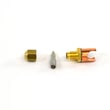
- Evaporator fan not moving air: refrigerator evaporator fan motor WP4389155
- Fan blade cracked or slipping: refrigerator evaporator fan blade WP2169142
- Heavy frost buildup from defrost issues: refrigerator defrost bi-metal WP4387499 or defrost timer WP2183400
- Temperature control not regulating well: refrigerator thermostat WP1113466
Why it matters
Low cooling is usually an airflow or heat-dissipation problem first; fixing that early prevents food spoilage and reduces strain on major components like the compressor.
For step-by-step help on a common airflow-related failure, use our guide: how to fix your evaporator cooling fan.
Last updated: February 2026
How to get KitchenAid fridge out of demo mode?
To take your KitchenAid KSSC36MFS05 built-in refrigerator out of demo mode, press and hold Fridge and Freezer at the same time for about 3 seconds, then confirm cooling starts (the unit should begin running and temperatures should begin dropping).
How to tell you are in demo mode
Demo mode makes the controls and lights work, but disables cooling.
- Interior lights work normally
- Display and buttons respond normally
- Compressor and fans do not run (no cooling)
- Temperatures do not drop after several hours
Steps to exit demo mode (most common method)
- Close both doors.
- Press and hold Fridge and Freezer together for about 3 seconds.
- Listen for the refrigerator to start up (fans or compressor may start within a minute).
- Give it time to stabilize; cooling performance is typically noticeable within a few hours.
If it still will not cool after demo mode is off
If the controls respond but the refrigerator still does not cool, focus on airflow and cooling-system components.
- Make sure the condenser area is not blocked and the unit has ventilation
- Confirm the evaporator fan is running; a damaged blade can reduce airflow (see refrigerator evaporator fan blade WP2169142)
- Check for heavy frost buildup that can block airflow (defrost system issue)
- If the compressor is not running and the unit stays warm, the sealed system may need service (the compressor for this model is refrigerator compressor W10309990)
Quick reference: demo mode vs. cooling failure
| Symptom | More likely cause | What to do next |
|---|---|---|
| Display works, lights work, no cooling at all | Demo mode | Hold Fridge + Freezer 3 seconds |
| Some cooling, then warms up, frost on back wall | Defrost/airflow issue | Check evaporator fan and frost pattern |
| No cooling, compressor silent, fans not running | Control or sealed-system issue | Check power, then inspect cooling components |
Why it matters
Demo mode is designed for showroom display. Turning it off restores normal operation so the compressor and fans can run and keep food safe.
Last updated: February 2026
Is KitchenAid a good quality refrigerator?
Yes. KitchenAid refrigerators are a good-quality choice overall, especially in the built-in category like the KitchenAid KSSC36MFS05; they’re known for strong cooling performance, solid fit-and-finish, and long service life when maintained. Most refrigerators in this class typically last about 10 to 15 years.
What “good quality” means for a built-in KitchenAid
Quality shows up in day-to-day performance and how well the refrigerator holds up over time.
- Consistent temperatures in the fresh food and freezer sections
- Tight door sealing to prevent frost and warm spots
- Reliable airflow from the evaporator fan system
- Dependable ice production (when the ice maker system is maintained)
- Serviceable design with replaceable components
Common issues we see (and the parts that often solve them)
Even good refrigerators can develop wear-and-tear problems. On the KSSC36MFS05, these are common repair areas:
- No ice or slow ice: ice maker components can fail over time; consider the ice maker assembly - refrigerator ice maker by whirlpool 4317943
- Warm refrigerator section: airflow problems often point to the evaporator fan area; check the refrigerator evaporator fan motor WP4389155 and the refrigerator evaporator fan blade WP2169142
- Frost buildup or temperature swings: defrost system issues can involve the defrost timer WP2183400 or the refrigerator defrost bi-metal WP4387499
- Interior light problems: a failed door switch is common; see the refrigerator light switch W11384469
Quick “quality check” you can do at home
These checks help confirm your KitchenAid is operating like it should.
| Check | What you want to see | What it suggests if it fails |
|---|---|---|
| Door seal test (paper strip) | Firm drag when pulling paper | Worn gasket, air leaks, frost |
| Temperature targets | 37°F fresh food, 0°F freezer | Control, airflow, or defrost issue |
| Fan sound | Smooth, steady airflow noise | Fan motor/blade problem |
| Ice production | Regular cycles, full bin over time | Ice maker or water supply issue |
Why it matters
A built-in refrigerator like the KitchenAid KSSC36MFS05 is designed for long-term use; keeping airflow, defrost, and door sealing in good shape protects food quality, reduces energy waste, and prevents expensive cooling-system strain.
For step-by-step DIY guidance on a common KitchenAid maintenance item, use how to replace the water filter in a KitchenAid refrigerator.
Last updated: February 2026
What is the most common problem with KitchenAid refrigerators?
The most common KitchenAid refrigerator problems are ice maker issues and cooling or temperature swings. On a KitchenAid built-in refrigerator like model KSSC36MFS05, the most frequent root causes are restricted airflow (dirty coils or a weak evaporator fan), defrost system trouble that leads to frost buildup, or water-supply problems that stop ice production.
Most common symptoms and what they usually point to
- Ice maker not making ice or slow ice: water supply restriction, ice maker component failure, or freezer temperature too warm
- Fridge warm but freezer cold: evaporator fan not moving air, blocked vents, or heavy frost on the evaporator
- Frost buildup or leaking/puddles: defrost problem or a drain issue
- Clicking, buzzing, or unusual fan noise: fan blade rubbing ice or a failing fan motor
- Lights not working when door opens: door switch issue
Quick checks we recommend first (no parts swapping)
- Confirm freezer is set cold enough for ice production (typical target is 0°F).
- Make sure air vents inside both compartments are not blocked by food packages.
- Listen for the evaporator fan; it should run when the compressor is running (door switch may need to be held closed to test).
- Check for heavy frost on the back freezer panel; that often signals a defrost system issue.
- If ice is the problem, verify the household shutoff valve is fully open and the water line is not kinked.
Parts that commonly solve these problems on KSSC36MFS05
| Symptom | Common part to check/replace | Why it matters |
|---|---|---|
| Warm fridge, weak airflow | Refrigerator evaporator fan motor WP4389155 | Moves cold air from the freezer to the fresh-food section |
| Fan noise, rubbing | Refrigerator evaporator fan blade WP2169142 | A cracked or warped blade can vibrate or hit ice/shroud |
| Frost buildup, defrost not working | Refrigerator defrost bi-metal WP4387499 or defrost timer WP2183400 | Defrost components prevent ice from choking airflow |
| No ice | Ice maker assembly - refrigerator ice maker by whirlpool 4317943 | Replaces the complete ice maker when internal components fail |
| Light stays off or stays on | Refrigerator light switch W11384469 | Door switch controls interior lights and can affect fan operation on some designs |
Why it matters
Ice maker and temperature problems usually get worse over time. Poor airflow and frost buildup can force longer run times, cause food temperature issues, and increase wear on major sealed-system components like the compressor.
Last updated: February 2026