Installation guide
 Owner’s manual
 Error Codes


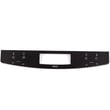
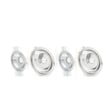
How do I reset my Kenmore Elite electric oven?
To reset a Kenmore electric range like model 79046769908, we recommend doing a simple power reset first: turn the range off, shut off power at the breaker for 1 to 5 minutes, then restore power and set the clock. This clears many control glitches.
- Power reset (recommended): switch the range circuit breaker OFF for 1 to 5 minutes, then ON.
- Cancel/Stop reset: press Cancel/Stop once to clear an active cooking cycle.
- After a timed cook: confirm all controls are returned to OFF.
- After self-clean: allow the oven to cool fully; the door lock must release before normal operation.
- Turn all surface element knobs to OFF.
- Turn the range breaker OFF (or unplug if accessible).
- Wait at least 60 seconds (up to 5 minutes is fine).
- Restore power.
- Re-set the clock and test Bake at 350°F.
A reset will not fix a failed heating or sensing part. These checks narrow it down:
- Bake does not heat but broil does: bake circuit or element issue.
- Temperature is wildly inaccurate: sensor issue is common.
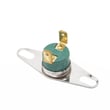
- Works until it gets hot, then shuts down: high-limit thermostat or cooling/airflow issue.
- Display shows an error code: use the model-family error code guide.
| Symptom | Likely area | Example part for this model |
|---|---|---|
| Oven temp swings or error codes | Temperature sensing | Range oven temperature sensor 5304504897 |
| No bake heat | Heating circuit | Element 318255401 |
Resetting the control restores normal operation after power blips and stuck keypads, but heating problems usually point to a component (sensor, element, thermostat) that needs testing and replacement.
For control functions, error codes, and operating steps specific to your range, use the 79046769908 owner's manual. For electrical connection and safety basics (breaker, terminal block access, anti-tip requirements), use the installation guide.
Last updated: February 2026
How many cubic feet is a Kenmore 79046769908 range?
We treat the Kenmore 79046769908 oven capacity as a measurement-based spec; the installation instructions focus on cutout and exterior fit, not interior cubic feet. Most 30-inch Kenmore electric ranges of this style are typically about 4.8 to 5.0 cu. ft., and you can confirm yours by measuring the oven cavity.
- Remove racks and measure the usable oven cavity:
- Width (left to right)
- Height (bottom to top, excluding the broil element area)
- Depth (back wall to inside of door, not the door itself)
- Multiply: width x height x depth (in inches)
- Divide by 1,728 to convert cubic inches to cubic feet.
- Measure the interior metal cavity, not the exterior range width.
- Do not include the door thickness.
- If there is a convection fan cover, measure to the cover, not behind it.
Most 30-inch electric ranges similar to Kenmore 790-series models land in this range:
| Range type | Typical oven capacity |
|---|---|
| 30-inch freestanding electric range | 4.8 to 5.3 cu. ft. |
| 30-inch slide-in electric range | 4.6 to 5.2 cu. ft. |
Oven cubic feet affects how many racks and large pans you can use at once, preheat time, and how evenly heat circulates. It also helps when comparing replacement ranges or choosing accessories like roasting pans.
- Use the 79046769908 installation guide for the confirmed 30-inch cutout and fit dimensions; it is the best source for cabinet opening requirements and overall range placement.
Last updated: February 2026
Where can I find my Kenmore electric range model number?
On Kenmore electric range model 79046769908, the model and serial number are printed on the serial plate. You can typically find that plate on the oven front frame behind the oven door, or behind the storage drawer (depending on the exact configuration). See the installation guide for the serial plate location diagram.
Check these common spots in this order:
- Open the oven door and look along the front frame (door jamb area)
- Pull out the bottom storage drawer and look on the frame behind it
- Look for a sticker or metal tag labeled Model and Serial
- Wipe the area with a damp cloth if the label is greasy or dusty
- Use a flashlight; the plate is often low and hard to see
Most Kenmore ranges use a small label or metal plate with several fields. Here is what you will usually see:
| Label field | What it means | Why you need it |
|---|---|---|
| Model | The full model number (example: 79046769908) | Matches the correct diagrams and parts |
| Serial | Unique unit identifier | Helps confirm production details |
| Lot/letter (if shown) | Manufacturing code | Sometimes requested for service |
We use the full model number to match the correct Kenmore parts list, wiring layout, and installation details. Even one missing digit can point to a different bake element, surface element receptacle, or control panel.
Last updated: February 2026
Why is my Kenmore electric range not heating up?
If your Kenmore electric range model 79046769908 is not heating, the most common causes are a failed bake element, a bad oven temperature sensor, or a wiring or control issue that prevents power from reaching the heating circuit. Use the steps in the 79046769908 owner's manual to confirm settings and run basic checks.
- Confirm the oven is in Bake (not Delay Start, Sabbath, or a timed mode).
- Make sure the range has full power (a tripped double-pole breaker can leave the oven partially powered).
- Verify the oven is not in a lockout mode after self-clean (if equipped).
- Check for obvious damage: burning smell, arcing, or a visibly broken element.
- After any install or move, confirm the power connection is correct per the 79046769908 installation guide.
If the oven won’t heat at all, these parts are frequent culprits on electric ranges:
- Bake element: if it is cracked, blistered, or has no continuity, replace it.
- Oven temperature sensor: a failed sensor can prevent normal heating or cause erratic temps; consider the range oven temperature sensor 5304504897.
- High-limit thermostat: if it opens, it can interrupt heating; check the frigidaire range high-limit thermostat 318578506.
- Control or wiring: loose or overheated connections can stop power to the element.
Turn off power at the breaker before accessing internal components.
| Symptom | Most likely checks | What it points to |
|---|---|---|
| Oven does not heat in Bake or Broil | Power supply, wiring, control | Supply or control issue |
| Broil works, Bake does not | Bake element, bake relay, wiring | Bake circuit failure |
| Heats but temperature is wrong | Sensor, calibration, airflow | Sensor or control calibration |
An oven that will not heat is often a straightforward electrical failure (element, sensor, thermostat, or connection). Catching a weak connection early also helps prevent heat damage to terminals and wiring.
Last updated: February 2026