Owner’s manual
 Error Codes



Do you have to soak a Samsung water filter before you put it in the fridge?
No. For the Samsung RF26J7500BC refrigerator, you do not soak the water filter before installation; you install it dry, then flush water through the dispenser to purge air and carbon fines so the flow turns steady and clear (this is normal after a filter change).
What to do instead (the right “prep”)
- Install the new filter fully seated and locked in place.
- Dispense and discard several minutes of water right after installation.
- Expect brief sputtering or cloudy water at first (air and carbon dust).
- Keep flushing until the stream is smooth and the water runs clear.
- Reset the filter indicator if your dispenser has a filter light (steps vary by model).
Quick flush guide
| Step | What you’ll see | What it means |
|---|---|---|
| First cups | Sputtering, spurts | Air is purging from the filter and lines |
| First 1 to 2 minutes | Cloudy water | Carbon fines are rinsing out |
| After continued flushing | Clear, steady stream | Filter is ready for normal use |
If water flow stays weak after the change
- Confirm the filter is installed in the correct orientation and fully locked.
- Dispense water for a longer period to finish priming.
- Check the household shutoff valve is fully open.
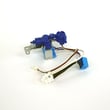
- If the dispenser still struggles, a restricted valve can be a cause; see refrigerator water inlet valve DA62-04027A.
Why it matters
Soaking can introduce contaminants and does not remove trapped air from the refrigerator’s water lines. Flushing after installation protects taste, improves flow, and prevents nuisance sputtering.
For model-specific filter and indicator details, follow the steps in the RF26J7500BC owner's manual.
Last updated: February 2026
How to read Samsung fridge model number?
On your Samsung refrigerator, the model number is the exact identifier you use to match parts and documentation; for this page, the model is RF26J7500BC. We recommend copying the model number exactly as printed on the rating label, then confirming it against the RF26J7500BC owner's manual.
Where to find the model number on the refrigerator
Most Samsung refrigerators place the rating label in one of these common spots:
- Inside the fresh food compartment on a side wall
- Along the ceiling area inside the refrigerator compartment
- On or near the crisper drawer frame
- On a label that also shows the serial number (often marked S/N) and electrical ratings
How to read it correctly (and avoid common mistakes)
When you write down the model number, use these checks so you get the right parts list and diagrams:
- Copy every character in order; do not drop letters or swap numbers (for example, 0 vs O)
- Keep hyphens and suffixes if they appear on the label (they can matter for revisions)
- Use the model number (not the serial number) when searching for parts
- Match the model number to the parts list before ordering items like a control board or sensor
- If the label is worn, take a clear photo and zoom in to confirm each character
Model number vs. serial number: quick comparison
| What it is | What it’s used for | Typical label clue |
|---|---|---|
| Model number (example: RF26J7500BC) | Finding correct parts diagrams and compatible replacement parts | Labeled as Model or Model No. |
| Serial number | Identifying the specific unit and its production run | Often labeled S/N |
Why it matters for parts and troubleshooting
Samsung refrigerators can have multiple versions that look similar, but use different components. Entering the exact model number helps you avoid ordering the wrong items, especially for electrical and cooling parts such as the refrigerator temperature sensor or refrigerator power control board.
Last updated: February 2026
What is the most common problem with Samsung refrigerators ice?
The most common ice problem we see on Samsung refrigerators like model RF26J7500BC is the ice maker or ice path freezing up from frost or ice buildup. That buildup can jam the ice mechanism, reduce ice production, or cause dispensing issues; a full defrost and airflow checks usually restore operation.
Most common causes (and what to check first)
- Ice buildup in the ice room or around the ice maker (jams the mechanism)
- Door not sealing tightly, letting warm, humid air in
- Freezer or ice room temperature too warm (slow ice, clumping, melting and refreezing)
- Low water flow to the ice maker (small cubes, hollow cubes, no ice)
- Ice container not seated correctly or packed with clumped ice
- Fan or sensor issues that prevent proper cooling in the fresh food or ice area
Quick troubleshooting steps for RF26J7500BC
- Empty the bin and break up clumps; reinstall the bin fully.
- Defrost the ice area: unplug the refrigerator and leave doors open until all visible ice is melted; dry everything before restarting.
- Confirm temperatures: freezer should be about 0°F; fresh food about 37°F.
- Check dispenser performance: slow water dispensing often points to a supply or valve issue.
- Listen for fans: you should hear airflow when the unit is running; weak airflow often leads to icing.
Parts that commonly relate to ice and cooling symptoms
| Symptom you notice | Common system involved | Example part for this model |
|---|---|---|
| No ice or small/hollow cubes | Water supply and fill | Refrigerator water inlet valve DA62-04027A |
| Ice clumps, frost, warm spots | Temperature feedback | Refrigerator temperature sensor DA32-10104N |
| Ice won’t dispense or jams | Ice bucket and auger drive | Refrigerator auger motor assembly DA97-12540G |
Why it matters
Ice buildup is more than an inconvenience; it usually signals warm air intrusion or weak cooling/airflow. Fixing the root cause helps prevent repeat freeze-ups, protects food temperatures, and reduces strain on components like the evaporator fan and compressor.
Helpful references
- Use the RF26J7500BC owner's manual for the exact control settings, ice maker operating notes, and any model-specific reset steps.
- For deeper ice-maker diagnostics, follow our guide: why your Samsung fridge stopped making ice and how to fix it.
Last updated: February 2026