Owner’s manual
 Error Codes


How to move a JennAir fridge?
To move your Jenn-Air JCD2290HES side-by-side refrigerator safely, we recommend keeping it upright, using an appliance dolly, and trucking it from the side or back (never the front). If it must be laid down, place it on its back and let it stand upright about 30 minutes before plugging in.
Before you move it
- Unplug the power cord.
- Remove or tape down loose items (shelves, bins, drawers) so they cannot slide.
- Tape the doors shut to prevent swinging.
- Protect the finish with blankets or padding between the cabinet and dolly.
- Strap the refrigerator firmly to the dolly; do not overtighten straps.
How to roll it out and transport it
Use the leveling and roller adjustment procedure to help gain clearance and get the refrigerator ready to move.
- Use an appliance dolly; keep the refrigerator as upright as possible.
- Always truck the refrigerator from its side or back, never from its front.
- If you need extra clearance, adjust the front and rear leveling/adjustment screws (clockwise raises, counterclockwise lowers).
Upright vs. laid down (what to do)
| Position during move | Allowed | How to do it | What to do before plugging in |
|---|---|---|---|
| Upright | Best | Dolly from side/back | Plug in normally once in place |
| On its back | If upright is not possible | Lay it on its back (not on its side) | Stand upright about 30 minutes |
If doors must come off to fit through a doorway
Some installations require door and hinge removal to reach the final location.
- Unplug the refrigerator.
- Remove the toe grille.
- Remove the bottom hinge cover(s).
- Follow the step-by-step door/hinge instructions in the JCD2290HES owner's manual.
Why it matters
Moving a refrigerator incorrectly can damage the cabinet finish, bend hinges, and (most importantly) cause compressor oil to shift. Letting the unit sit upright before powering it back on helps oil return to the compressor for normal operation.
Last updated: January 2026
What is the life expectancy of a JennAir refrigerator?
Most Jenn-Air refrigerators typically last 12 to 20 years with normal household use and basic maintenance. For the Jenn-Air JCD2290HES side-by-side refrigerator, keeping airflow clear, temperatures stable, and seals tight is what most directly extends real-world lifespan; see the JCD2290HES owner's manual for care and cleaning guidance.
Typical lifespan and what affects it
A refrigerator’s life is driven more by usage and maintenance than the badge on the door.
- Condenser cleanliness: Dust buildup makes the compressor run hotter and longer.
- Door gasket condition: Air leaks force longer run times and can cause frost issues.
- Ice and water usage: Heavy dispenser use increases wear on valves, motors, and the ice maker.
- Stable temperatures: Frequent warm-ups (door left open, overloading) add stress.
- Water quality: Poor water can shorten filter life and affect dispenser performance.
Maintenance that helps a Jenn-Air side-by-side last longer
Use these habits to reduce strain on the sealed system and controls.
- Vacuum dust from the condenser area regularly.
- Keep door gaskets clean and ensure doors close squarely.
- Avoid blocking interior vents with food packages.
- Replace the water filter on schedule (the manual recommends at least every 12 months).
- Fix small issues early (slow ice production, warm spots, noisy fan) before they cascade.
Common “wear” parts vs. “big ticket” parts
These are examples of parts that often come up as a refrigerator ages.
| Category | Examples on JCD2290HES | What you may notice |
|---|---|---|
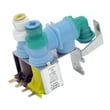
| Ice and water | Refrigerator ice maker D7824706Q, refrigerator water inlet valve assembly WP67006531 | No ice, small cubes, slow fill, leaks |
| Airflow and cooling support | Evaporator fan components, damper control | Warm fresh food, uneven temps, noise |
| Electrical and sensing | Control board, temperature sensor | Erratic temps, intermittent operation |
Why it matters
If your JCD2290HES is approaching the 12 to 20 year range, proactive maintenance and timely replacement of common parts (ice maker, inlet valve, sensors) often prevents food loss and reduces the chance of a major cooling failure.
Last updated: January 2026
What are common problems with JennAir refrigerators?
Common problems we see on the Jenn-Air JCD2290HES side-by-side refrigerator include warm temperatures (freezer cold but fresh food warm), ice maker or dispenser issues, water leaks, and unusual noises. Many of these trace back to dirty condenser coils, blocked air flow, door sealing problems, or a failed fan, sensor, or control.
Most common symptoms and what they usually point to
- Fresh food warm, freezer OK: blocked air inlet/return, damper issue, evaporator fan problem
- Both sections warm or unit not running: power issue, control setting issue, compressor start components, control board
- Runs too often: dirty condenser coils, doors opened frequently, door not closing or sealing
- Noisy operation: normal defrost/ice maker sounds, fan blade interference, unit not level
- Water or dispenser complaints: air trapped after filter change, filter head or valve issues
Quick checks we recommend first (safe, no parts guessing)
- Confirm controls are set correctly and give the refrigerator time to stabilize after changes.
- Check air flow: keep packages away from vents and the rear air grille so cold air can circulate.
- Inspect door closing and gaskets: a poor seal can cause warm temps and frequent running.
- Clean condenser coils: dirty coils are a top cause of poor cooling and long run times.
- If the unit seems “off” but lights work: remember defrost can pause the compressor; waiting about 40 minutes can be normal.
Common causes and related parts (when a repair is needed)
| Problem area | What you may notice | Example part for this model |
|---|---|---|
| Cooling air movement | Warm fridge, uneven temps, noise | Refrigerator evaporator motor 12002744 |
| Temperature sensing | Temps swing, food too warm or too cold | Refrigerator temperature sensor 12002355 |
| Ice production | No ice, intermittent ice | Refrigerator ice maker D7824706Q |
| Electronic control | Erratic operation, cooling issues | Refrigerator control board WPW10503278 |
Why it matters
A side-by-side like the JCD2290HES depends on steady air circulation and clean heat transfer. When coils are dirty, vents are blocked, or a door gasket leaks, the refrigerator can run longer, struggle to hold temperature, and create extra noise.
For model-specific operating tips (including troubleshooting guidance, control adjustments, and water filter handling), use the JCD2290HES owner's manual.
Last updated: January 2026
Why is my JennAir refrigerator not cooling?
If your JENN-AIR JCD2290HES refrigerator is not cooling, the most common causes are incorrect temperature settings, poor airflow from overcrowding or blocked grilles, dirty condenser coils, or a door that is not sealing. Start with the quick checks in the JCD2290HES owner's manual before replacing parts.
Quick checks that fix many “not cooling” complaints
- Confirm the refrigerator is plugged in and the house breaker is on.
- Verify the temperature controls are not set too low or to an off-style setting.
- Check for overcrowded shelves; packed food blocks air circulation and causes uneven cooling.
- Make sure the rear air grille is not blocked by containers or bags.
- Confirm doors close fully and stay closed; a poor seal quickly warms both sections.
- Clean the condenser coils; dirty coils are a common reason for warm temperatures.
How to verify temperature the right way
The manual method is more reliable than guessing by feel.
| What to check | How to check it | What you want to see |
|---|---|---|
| Fresh food temperature | Put an appliance thermometer in a glass of water in the center of the refrigerator; check after 24 hours | 34°F to 40°F (optimum about 37°F) |
| Cooling recovery | After adjusting controls or loading groceries, allow time for temperatures to stabilize | Gradual improvement over several hours |
When it points to a part problem
If the settings, airflow, coils, and door seal are all good but temperatures stay above target, a failed component becomes more likely.
Common suspects on this model include:
- Main control issues (cooling system not being managed correctly): refrigerator control board WPW10503278
- Compressor start problems (compressor tries but cannot start): refrigerator overload release W10613606
- Temperature feedback problems (controls get bad temperature information): refrigerator temperature sensor 12002355
Why it matters
Running warm can spoil food quickly and forces the refrigerator to run longer, which increases wear on the compressor and can raise energy use. Keeping airflow clear and coils clean helps the JCD2290HES cool evenly and efficiently.
Last updated: January 2026