 Owner’s manual
 Error Codes


How do I clear error codes on my Samsung oven?
On our Samsung NE58H9950WS electric slide-in range, you can clear many control error codes by pressing OVEN OFF to stop the function, then restarting. If the code returns, disconnect power to the range for at least 30 seconds, restore power, and try again; see the NE58H9950WS owner's manual for model-specific codes and steps.
Quick reset steps (safe, first)
- Press OVEN OFF to cancel the current cooking mode.
- Wait 10 seconds, then set BAKE (or another function) and press START SET.
- If the code comes back, turn power OFF at the breaker (or unplug if accessible).
- Leave power off for 30 seconds minimum, then restore power.
- If the display is unresponsive, use TOUCH TO WAKE-UP (if your panel has it), then try CLEAR.
If the issue is a mode setting (not a failure)
Some “errors” are actually settings that block operation.
| What you see | What it usually means | What to do |
|---|---|---|
| Loc with a lock icon | Control lockout is on | Turn off CONTROL LOCKOUT (per the manual) |
| Oven will not heat in a showroom-style setting | Demo mode is enabled | Use OPTIONS then 8, choose 1 (Off), press START SET |
| Timer shows End | Timer finished | Press the timer pad or CLEAR |
Why it matters
Resetting the control clears temporary glitches, but repeated error codes often point to a real problem (sensor, door lock, communication, or probe). Clearing the code without fixing the cause can lead to poor baking performance or a no-heat condition.
Parts that commonly relate to recurring oven errors
If the same code keeps returning after a power reset, these model-matched parts are common suspects:
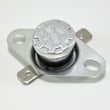
- Range oven temperature sensor DG32-00004C (temperature sensing and regulation)
- Range oven door switch DG34-00006A (door status for certain modes)
- Range oven control board DE92-02439H (control logic and error detection)
You can order replacement parts for your NE58H9950WS from the parts list for this model, or search by model number on Sears PartsDirect.
Last updated: February 2026
What are the most common issues with NE58H9950WS?
For the Samsung NE58H9950WS electric slide-in range, the most common problems we see involve uneven oven temperatures, a surface burner that will not heat or overheats, convection fan noise or no-convection operation, and control or display issues. Your NE58H9950WS owner's manual covers basic operation checks and settings that can prevent repeat problems.
Common symptoms and what they usually point to
- Oven bakes unevenly or runs hot/cold: temperature sensor out of range, calibration/settings issue, or a heating circuit problem.
- Broil works but bake is weak (or vice versa): a failed heating element or wiring connection.
- Convection not working or noisy: convection fan motor or fan blade/spacer issue.
- One radiant element will not heat: failed surface element, infinite switch, or a loose/burned wire.
- Element stays on high or cycles incorrectly: surface element control switch problem.
- Dead display, beeping, or unresponsive touch panel: control board, touch control panel, or harness connection issue.
Model-matched parts that commonly fix these issues
These are frequent repair paths for NE58H9950WS when symptoms match:
| Symptom | Common part to check | Example part on this model page |
|---|---|---|
| Oven temperature inaccurate | Oven temperature sensor | Range oven temperature sensor DG32-00004C |
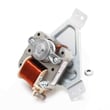
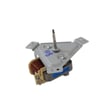
| Convection fan not running/noisy | Convection fan motor assembly | Samsung range convection fan motor assembly DG96-00110E |
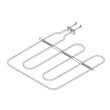
| No broil | Broil element | Samsung range broil element DG47-00058A |
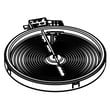
| Surface element not heating | Radiant surface element | Range radiant surface element, 6-in DG47-00060A |
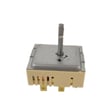
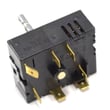
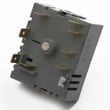
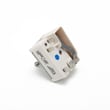
| Burner overheats/won’t regulate | Surface element control switch | Range surface element control switch DG44-01006A |
Quick checks we recommend before replacing parts
- Confirm the range is getting full power (a range typically needs 240 VAC; a tripped breaker can leave it with partial power).
- For oven issues, verify you are using the correct mode (Bake vs Convection Bake) and allow full preheat.
- Inspect the cooktop element and receptacle area for scorching, melted connectors, or loose terminals.
- If the control is acting up, reset power for 1 minute, then retry.
- If you test electrical parts, use safe meter practices; our how to use a multimeter to test electrical parts video is a good refresher.
Why it matters
On an electric range, a single failed sensor, element, switch, or harness connection can cause big performance changes. Matching the symptom to the correct circuit prevents repeat failures and unnecessary part swaps.
Last updated: March 2026
How do I find the model number on my NE58H9950WS?
For your Samsung NE58H9950WS electric slide-in range, the model number is printed on the appliance’s rating label. We typically see that label on the oven frame behind the storage or warming drawer, or around the door frame area; confirm the exact location in the NE58H9950WS owner's manual.
Where to look on the range
Check these common label locations (use a flashlight):
- Behind the bottom drawer (storage or warming drawer): look on the frame rails or side trim
- Along the oven door frame: open the oven door and inspect the front frame
- On the side panel edge near the front (less common)
- On the back panel (usually easiest if the range is already pulled out)
How to read the label correctly
Samsung labels often show several identifiers. Use these tips so you capture the right one for parts and diagrams:
- Write down the full model number exactly as shown (letters, numbers, and dashes)
- Also record the version code (often shown after a slash, such as “/AA-02”)
- Take a clear photo of the label for reference when ordering parts
- If the label is worn, look for a second label in another location listed above
Model number vs. serial number (quick guide)
| What you see on the label | What it’s used for | Example format |
|---|---|---|
| Model number | Matching parts and manuals | NE58H9950WS |
| Version code | Exact configuration for your unit | /AA-02 |
| Serial number | Manufacturing identifier | Varies |
Why it matters
On ranges like the NE58H9950WS, the version code can affect which control board, radiant surface element, or door parts fit. Using the complete model and version helps ensure the correct Samsung range parts the first time.
Last updated: March 2026




