Owner’s manual
 Error Codes



How do I reset my Kenmore oven control board?
For Kenmore model 66495123611, the most reliable “reset” for the oven control board is a power reset: turn the range OFF, then shut OFF the range circuit breaker for 5 minutes and turn it back ON. After power is restored, press STOP to clear any message and re-set the clock if needed (see the 66495123611 owner’s manual).
Quick reset steps (recommended)
- Press STOP once to end any active cycle.
- Turn OFF the range breaker (or unplug the range if accessible).
- Wait 5 minutes.
- Restore power.
- If the display is flashing after a power failure, set the clock.
- If an error code returns, press STOP to clear it; if it reappears, service is typically needed.
If it still acts “frozen”: check these control settings
Some “control board problems” are actually a mode or setting that disables heating.
| What you see | Common cause | What to do |
|---|---|---|
| Display looks normal but oven will not heat | Demo mode or a control setting | Use the Settings/Clock menu in the manual to confirm modes and settings |
| “Locked” or “Control Locked” | Control lockout is ON | Press and hold START (hold 3 sec) for 3 seconds to toggle lockout |
| No tones, limited operation | Sabbath capability enabled/active | Use SETTINGS/CLOCK to review Sabbath settings |
Why it matters
A power reset clears temporary glitches after a surge or outage and forces the electronic oven control to reboot. If the control immediately shows the same error code after a reset, that points to a persistent issue such as a keypad input problem, wiring connection issue, or a failing electronic control.
When a part may be involved
If the display is erratic, buttons do not respond, or errors return right after a reset, the user interface or control components may need attention.
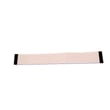
- For touch input issues, the keypad is a common suspect: keypad W11025616.
- For display/control failures, the control/display assembly may be involved.
Last updated: January 2026
How do I tell what model Kenmore stove I have?
To tell what model Kenmore stove you have, find the model/serial tag on the range and match it to the number format shown in the 66495123611 use and care guide. For this Kenmore electric slide-in range family, the model is commonly shown as 664.9512* (the * indicates a color code).
Where to look for the model number label
Check these common locations on Kenmore ranges first:
- Inside the oven door opening (door jamb area)
- Behind the storage or warming drawer (on the frame)
- On the back of the range near the vent or rear panel
- Along the side frame behind the lower access area
How to read the number once you find it
Kenmore model numbers often include punctuation or a color digit on the tag. Use this quick guide:
- If you see 664.9512*, the 664 prefix identifies the Kenmore model family
- The * is a placeholder for the color code on the label
- For parts lookup, we use the full model as 66495123611 (no dots)
Common label formats vs. what we use for parts
| On the label | What to enter for parts | What it means |
|---|---|---|
| 664.9512* | 6649512 (plus the remaining digits) | Model family with color placeholder |
| 66495123611 | 66495123611 | Full model number for exact parts match |
Why it matters
Using the exact model number ensures you get the correct Kenmore parts for your range, especially for items that vary by revision, such as the control panel, wiring harness, or oven heating components.
Last updated: January 2026
What is the average lifespan of 66495123611?
A Kenmore electric slide-in range like model 66495123611 typically lasts 13 to 15 years with normal use and basic maintenance. Keeping the cooktop clean, ensuring proper airflow, and addressing heating issues early helps you reach that lifespan.
What affects lifespan most
- Heating load: frequent high-heat baking or broiling accelerates wear on elements
- Power quality: loose connections or overheating at the terminal block can damage wiring
- Ventilation: restricted airflow can stress the cooling system and controls
- Cleaning habits: spills left to bake on can damage finishes and make parts run hotter
- Timely repairs: replacing a failing part early prevents secondary damage
Parts that commonly drive “end of life” decisions
If performance drops, these are often the first components to check on an electric range:
| Symptom | Common cause | Example part for 66495123611 |
|---|---|---|
| Oven not heating evenly | Weak or broken bake element | Bake element W10779716 |
| Surface element won’t regulate heat | Worn infinite switch | Range infinite switch W10917724 |
| No power or intermittent power | Loose/burned power connection | Range terminal block WPW10245259 |
Why it matters
Knowing the typical 13 to 15 year lifespan helps you decide whether to repair or replace. On a range near the end of that window, a control or wiring repair may not make sense compared to replacing a simpler wear part like an element or knob.
Quick maintenance checklist
- Keep the cooktop free of baked-on residue (use the right tools and cleaners)
- Avoid slamming the oven door; it stresses hinges and glass
- If you smell hot plastic or see flickering power, stop using the range and inspect the power connection
- Review cleaning and care steps in the owner's manual
Last updated: March 2026