 Owner’s manual


How to hard reset LG washer?
To hard reset your LG WM3001HWA washer, we unplug it for 5 minutes to reboot the control, then restore power and start a new cycle. This clears many temporary control glitches; it does not fix a recurring drain, fill, or door-lock failure.
Hard reset steps (WM3001HWA)
- Press POWER to turn the washer off.
- Unplug the washer from the outlet.
- Wait 5 minutes.
- Plug the washer back in.
- Press POWER, select a cycle, then press START/PAUSE.
If the washer still will not start after the reset
These checks match common “won’t run” conditions for this model’s control and door lock behavior.
- Confirm the cord is firmly plugged into a grounded 120-VAC, 60-Hz outlet.
- Make sure the door closes easily and fully; the washer will not spin unless the door locks.
- Press START/PAUSE after selecting a cycle (the washer can turn off if it sits too long without starting).
- If the tub is full of water, run DRAIN & SPIN to clear it before restarting.
- If an error code returns immediately, troubleshoot that specific code instead of repeating resets.
Quick guide: reset vs. troubleshoot
| What you see | Best next step | Likely area |
|---|---|---|
| Random freeze, buttons unresponsive | Hard reset (unplug 5 minutes) | Control logic glitch |
| Won’t fill, slow fill | Clean inlet filters | Water supply, inlet screens |
| Won’t drain, water left in tub | Clean drain filter, check pump | Drain path, pump |
| Door won’t lock, won’t spin | Check door closure, lock | Door lock system |
Why it matters
A hard reset is a fast way to clear a temporary control-board state. If the same symptom keeps coming back, the washer is usually reacting to a real condition (door not locking, restricted drain, restricted water inlet), and fixing that root cause prevents repeat shutdowns.
For model-specific control panel behavior and cycle details, use the WM3001HWA owner's manual.
Last updated: February 2026
What are the common errors on an LG washing machine?
Common error codes on the LG WM3001HWA washer usually point to a few problem areas: filling (water not entering), draining, load balance during spin, door lock operation, or a control or motor protection issue. Many are resolved by cleaning filters, correcting the load, and checking hoses; some require part replacement.
Common LG washer error types (what they usually mean)
- Fill problems: The washer senses water is not entering the dispenser; clogged inlet screens are a common cause.
- Drain problems: The washer cannot pump water out fast enough; a clogged filter or a failing pump can cause this.
- Unbalanced load during spin: The washer detects an imbalance and may stop and display an error after several restart attempts.
- Door lock related: The door lock relay engages and releases during operation; if the lock does not engage correctly, cycles can stop.
- Control, valve, sensor, or motor protection: The manual notes examples such as control error, water level too high due to a faulty valve, a water level sensor issue, or motor thermal overload protection tripping.
What we recommend you do first (fast checks)
- Power reset: Unplug the washer (or switch off the breaker) for 1 minute, then restore power.
- Fix load balance: Add 1 or 2 similar items and redistribute the load before restarting spin.
- Check water supply: Confirm both taps are fully open and hoses are not kinked.
- Clean inlet filters: If the display indicates water is not entering, follow the cleaning steps in the WM3001HWA owner's manual.
- Check draining: Clean the drain pump filter and look for small items (coins, pins) that can rattle and block draining.
Parts that commonly relate to these symptoms
| Symptom you see | Common cause | Example part for WM3001HWA |
|---|---|---|
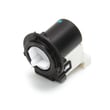
| Won’t drain, gurgling/humming at end of cycle | Pump or restriction | Washer drain pump assembly 4681EA2001T |
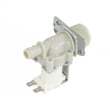
| Slow fill, fill-related error | Inlet valve or restricted inlet screens | LG washer single-solenoid water inlet valve 5220FR2006H |
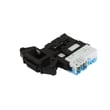
| Door won’t lock, cycle won’t start/continue | Door lock mechanism | LG washer door lock assembly EBF49827801 |
Why it matters
LG washers use automatic error monitoring to stop the cycle early when they detect a fill, drain, balance, or safety issue. Addressing the root cause quickly helps prevent leaks, excessive sudsing, and repeat shutdowns.
Last updated: February 2026
What is the average lifespan of an LG washer?
An LG washer typically lasts 10 to 15 years with normal household use and basic maintenance. For the LG WM3001HWA, following the care, cleaning, and installation guidance in the WM3001HWA owner's manual helps you get the longest service life from key systems like the drain pump, door lock, and direct-drive motor.
What affects washer lifespan most
- Load size and balance (frequent overloading shortens bearing, suspension, and motor life)
- Detergent choice (use HE detergent as specified for this washer)
- Water quality and pressure (high pressure can stress inlet valves and hoses)
- Moisture control (reduces odor, mold, and door boot wear)
- Routine cleaning (keeps the drain path and dispenser system flowing)
Maintenance habits that add years
Use these as a simple checklist:
- Leave the door slightly open between loads to dry the door boot area
- Clean the dispenser area periodically to prevent buildup
- Check fill hoses for cracking or bulging and replace when worn
- Keep the washer level to reduce vibration and tub bearing stress
- If draining slows, inspect and clean the pump filter; replace it if damaged (see washer drain pump filter 383EER2001A)
Quick reference: common wear items vs. what you’ll notice
| Area | Common symptom | Example part for WM3001HWA |
|---|---|---|
| Draining | Water left in tub, long drain times | Washer drain pump assembly 4681EA2001T |
| Filling | Slow fill, no fill, fill errors | LG washer single-solenoid water inlet valve 5220FR2006H |
| Door locking | Door will not lock or unlock, cycle won’t start | LG washer door lock assembly EBF49827801 |
| Leaks at door | Water at front, torn or stiff gasket | LG washer door boot MDS47123601 |
Why it matters
A washer that is kept clean, properly installed, and not overloaded runs with less strain. That reduces premature failures in high-impact components like the drain pump, inlet valve, door lock, and tub bearing, which are the parts that most often determine whether a washer reaches the 10 to 15 year mark.
Last updated: February 2026
Do LG washers have a filter that needs to be cleaned?
Yes. Your LG WM3001HWA washer has filters that need periodic cleaning, especially the drain pump filter behind the lower front access panel; keeping it clear helps prevent slow draining and drain-related error codes. The water inlet filters at the hose connections also need cleaning.
What filters to clean on the WM3001HWA
- Drain pump filter: Catches lint and small items (coins, buttons) before they reach the drain pump.
- Water inlet filters: Small screens in the hot and cold water inlets that trap sediment.
- Dispenser area: Not a “filter,” but buildup in the drawer and opening can affect dispensing and odors.
How to clean the drain pump filter
Follow the steps in the WM3001HWA owner's manual. In general, we recommend:
- Unplug the washer.
- Open the lower front access panel.
- Pull out the small drain hose, drain water into a shallow pan.
- Twist the pump filter counterclockwise, remove it, and clear debris.
- Reinstall the filter and hose, then close the access panel.
Parts that commonly relate to draining issues
If the washer still will not drain after cleaning, these model-compatible parts are common suspects:
- Washer drain pump assembly 4681EA2001T
- Washer drain pump filter 383EER2001A
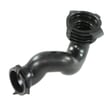
- Washer tub-to-pump hose 4738ER1002A
How to clean the water inlet filters
Use the process in the WM3001HWA owner's manual. Typical steps:
- Turn off both water taps.
- Remove the hot and cold inlet hoses from the back of the washer.
- Carefully pull out the inlet screens.
- Soak screens in white vinegar or a lime scale remover, then rinse thoroughly.
- Reinstall screens and reconnect hoses (do not run the washer without the inlet filters installed).
Quick guide: which filter affects which symptom
| Symptom | Most likely filter to check first | What you will notice |
|---|---|---|
| Slow drain, standing water | Drain pump filter | Debris in filter, water drains slowly |
| Fill is slow or stops | Water inlet filters | Sediment on screens, weak fill |
| Poor dispensing, residue | Dispenser area | Buildup in drawer/opening |
Why it matters
A clean drain pump filter protects the drain pump motor and helps the washer complete the drain and spin portions of the cycle. Clean inlet filters help the washer fill at the correct rate, which supports proper wash performance.
Last updated: February 2026


