Owner’s manual
 Error Codes


What size breaker do I need for a Kenmore electric stove?
For a Kenmore electric range like model 79095748991, most installations use a dedicated 240-volt, double-pole breaker sized 40 to 50 amps; 40 amps is common when the range is on a properly sized circuit. For the exact requirement, follow the electrical specifications in the 79095748991 owner's manual.
- Use a dedicated 240V circuit (range only, no other loads).
- Use a double-pole breaker (ties both hot legs).
- Match the breaker size to the range rating and wire gauge.
- Replace any heat-damaged connections at the power cord terminal area; a loose connection can overheat.
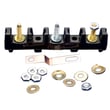
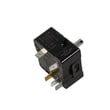
- If you see discoloration or melting at the cord connection, inspect the terminal block 5304409888 and wiring before restoring power.
| Breaker size | Typical copper wire size | When it’s commonly used |
|---|---|---|
| 40 amp | 8 AWG | Many standard electric ranges on a shorter run |
| 50 amp | 6 AWG | Higher-wattage ranges or longer runs with more load |
- Check the range’s rating label (often behind the storage drawer or on the frame).
- Compare the listed kW at 240V to the circuit size.
- Verify the home wiring is the correct gauge and type for the breaker.
- Confirm the range is properly grounded and power can be shut off at the breaker (as noted in the safety section of the manual).
An undersized breaker can trip during baking or self-clean; an oversized breaker paired with undersized wire can overheat the wiring. Correct breaker and wire sizing protects the control, bake element, and terminal connections.
Last updated: February 2026
Where is the model number on my Kenmore electric stove?
On Kenmore electric range model 79095748991, the model and serial number are on the appliance identification plate. For this model, the plate is located on the right side of the oven front frame inside the storage compartment (the area behind the bottom storage drawer). See the 79095748991 owner's manual for the product record and identification-plate location.
- Pull out the bottom storage drawer and look inside the opening.
- Check the right side of the oven front frame (a vertical metal surface).
- Use a flashlight; the plate can be easy to miss.
- Wipe off grease or dust so the numbers are readable.
- Write down both the model and serial number for parts lookup.
- Make sure the range is off and completely cool.
- Remove items from the storage drawer.
- Slide the drawer out and look along the frame inside the drawer opening.
- Record the model and serial number exactly as shown.
| Location to check | What it looks like | Typical use |
|---|---|---|
| Oven door frame/door jamb | Sticker or metal plate | Model/serial and ratings |
| Back panel near the power cord | Rating label | Electrical information, sometimes model |
| Under the cooktop (service area) | Sticker/plate | Service reference on some ranges |
Using the exact model number helps us match the correct Kenmore range parts and diagrams, especially for fit-critical items like a heating element, control switch, or oven light components.
Last updated: February 2026
Why is my Kenmore electric oven not getting hot?
If your Kenmore electric range model 79095748991 oven is not getting hot, the most common causes are a failed bake heating element, a bad temperature sensor probe, or a power supply issue (one leg of 240V missing). Start with safe power checks, then test the heating circuit components.
- Confirm the range is not in a power failure state; if power was interrupted, reset the clock and try Bake again (the manual notes the oven should not be operated during a power failure). See the 79095748991 owner's manual.
- Make sure the oven vent area below the backguard is not blocked; restricted airflow can cause poor performance.
- Verify you are using a normal Bake cycle (not a delayed start or special mode).
- If the control is beeping and shows F1 or F3, press CANCEL to stop the beeping; if the code returns, follow the error-code guidance.
A cracked, blistered, or separated bake element often causes little to no heat.
- Inspect for visible damage.
- Unplug the range or switch off the breaker before testing.
- Check continuity with a multimeter; replace if open.
Helpful replacement part for this model:
If the sensor reads wrong, the control may limit heat or shut heating down.
- Look for loose connections at the sensor harness.
- If the oven heats inconsistently or never reaches set temp, test the sensor resistance per the manual’s service guidance.
Helpful replacement part for this model:
Electric ovens need 240V. If one breaker leg trips, the cooktop may still work but the oven will not heat correctly.
| Symptom | What it usually points to |
|---|---|
| Cooktop works, oven will not heat | Missing 240V leg, wiring, or terminal block issue |
| Broil works but Bake does not | Failed bake element or bake relay/control issue |
| Error code F1/F3 with beeping | Electronic control fault condition |
An oven that will not heat is often a simple heating-circuit failure (element or sensor). Checking power and the bake circuit first prevents unnecessary control board replacement and gets your Kenmore range baking safely again.
Related help: Kenmore 790 range 4-digit error codes
Last updated: February 2026