Installation guide
 Owner’s manual
 Error Codes


Does a side-by-side refrigerator have a freezer?
Yes. A side-by-side refrigerator like the Frigidaire LGHK2336TF4 has a freezer compartment; the cabinet is split into two full-height sections with the refrigerator on one side and the freezer on the other. For feature and control details, use the LGHK2336TF4 owner’s manual.
Most side-by-side designs use this left-right split so you can access both fresh food and frozen food from standing height.
- One vertical compartment is refrigerator (fresh food)
- The other vertical compartment is freezer
- Both doors open independently
- Many models include in-door ice and water dispensing (if equipped and connected)
- Door bins, shelves, and drawers are arranged to match each side’s temperature zone
| Refrigerator style | Freezer location | What it’s best for |
|---|---|---|
| Side-by-side | Full-height compartment on one side | Easy access to both sections; narrow door swing |
| Top-freezer | Freezer on top | Simple layout; often more usable freezer width |
| Bottom-freezer | Freezer on bottom | Fresh food at eye level; larger refrigerator shelves |
Knowing that your LGHK2336TF4 has a dedicated freezer section helps when you are troubleshooting temperature issues, organizing airflow, or planning installation clearances so both doors can fully open. The installation guidance and door-opening requirements are covered in the LGHK2336TF4 installation guide.
Last updated: February 2026
What does H mean on a Frigidaire?
On the Frigidaire LGHK2336TF4 side-by-side refrigerator, “H” or “HI” on the temperature display means the High Temp alarm. It indicates the refrigerator or freezer temperature has been too warm for a period of time, commonly after a door is left open or right after first power-up.
- Make sure both doors are fully closed and not blocked by bins or food packages.
- Check the door gaskets for gaps, tears, or areas not sealing.
- Press MUTE ALARM to silence the alarm after you correct the cause.
- If the unit was just plugged in, allow time for temperatures to stabilize.
- Confirm the temperature settings are at normal targets (typically 37°F fresh food and 0°F freezer).
| When you see “H/HI” | What it usually means | What we recommend |
|---|---|---|
| Right after power is turned on | The display can show “HI” during the initial startup period | Wait for the unit to pull down to temperature; avoid frequent door openings |
| After a door was left open | Warm air entered the cabinet | Close the door, check gasket seal, press MUTE ALARM |
| Ongoing, even with doors closed | Cooling performance issue | Check airflow, condenser area, and consider diagnosis steps below |
- Airflow: Do not block vents inside the refrigerator or freezer.
- Room temperature: Very hot or very cold rooms can affect cooling performance.
- Condenser area: Clean dust from the condenser area so heat can dissipate.
- Fan operation: If you suspect weak airflow in the freezer, review how to fix your evaporator cooling fan.
- Error indicators: If the display flashes codes or behaves unusually, use Frigidaire refrigerator error codes to identify what the control is reporting.
High temperatures can lead to food safety issues and can also point to a door-seal problem, airflow restriction, or a developing cooling-system fault. Catching the cause early helps your LGHK2336TF4 recover faster and run more efficiently.
For model-specific control behavior and alarm details, follow the temperature and alarm sections in the LGHK2336TF4 owner’s manual.
Last updated: February 2026
How to run diagnostic test on a Frigidaire refrigerator?
On the Frigidaire LGHK2336TF4 side-by-side refrigerator, we use the control panel to check for alarms, reset settings, and confirm key functions (cooling, ice maker, filters). This model’s LGHK2336TF4 owner’s manual focuses on control and alarm behavior rather than a step-by-step “diagnostic mode,” so we recommend using the built-in indicators and alarm checks as your primary on-board tests.
- Check the temperature display behavior after power-up; it can show “HI” for a period before showing actual temps.
- Mute and clear alarms using the alarm reset function when a door-ajar or other alarm is active.
- Toggle the ice maker using the ICE MAKER ON-OFF key (press and hold 3 seconds).
- Reset to factory defaults using DEFAULT SETTINGS (press and hold 3 seconds).
- Check filter status screens for AIR FILTER and WATER FILTER; reset the status after replacement.
These are the most useful built-in checks because they confirm the user interface is responding and the feature is enabled.
| Control/indicator | How to use it | What it tells you |
|---|---|---|
| ICE MAKER ON-OFF | Press and hold 3 seconds | Confirms ice maker enable/disable command works |
| DEFAULT SETTINGS | Press and hold 3 seconds | Confirms control can reset configuration |
| AIR FILTER | Press to view status; hold 3 seconds to reset | Confirms filter monitor and reset function |
| WATER FILTER | Press to view status; reset after replacement | Confirms filter monitor and reset function |
A flashing digital temperature display indicates the electronic control has detected a performance problem. Use this approach:
- Write down any letters/numbers shown on the display.
- Power-cycle the refrigerator (turn cooling OFF, wait 3 to 5 minutes, then turn it back ON).
- If the flashing returns, service is typically needed to interpret the code.
For code lookups and what they mean, use our Frigidaire refrigerator error codes resource.
Running these checks helps you separate a simple settings issue (ice maker turned off, alarm condition, filter status) from a true cooling or control problem that needs deeper troubleshooting.
Last updated: February 2026
Where is the defrost timer located on a Frigidaire side by side?
On most Frigidaire side-by-side refrigerators, the defrost function is controlled by the main electronic control rather than a separate, serviceable defrost timer. For the Frigidaire LGHK2336TF4, use the wiring and component location details in the LGHK2336TF4 owner's manual to identify the defrost control components for your exact configuration.
Many newer Frigidaire side-by-side models use an adaptive defrost system (control board logic plus sensors) instead of a mechanical timer. That means you usually will not find a small dial-style timer behind the toe grille or inside the control housing.
Common defrost-related components to look for:
- Electronic control board (often in the control housing or rear service area)
- Defrost heater (on/under the evaporator coil in the freezer)
- Defrost thermostat or temperature sensor (thermistor)
- Evaporator fan and airflow path (ice buildup here can mimic a defrost failure)
These steps help confirm whether you are dealing with a defrost issue versus an airflow or control setting problem:
- Check for heavy frost on the freezer back wall (classic defrost symptom)
- Confirm doors are sealing and closing fully (warm air causes frost)
- Verify temperature settings are reasonable (freezer near 0°F, fresh food near 37°F)
- Listen for the evaporator fan running (no airflow can cause warm temps)
- Power-cycle the refrigerator for 5 minutes to reset controls (temporary logic lockups)
If you have frost buildup and warming temperatures, these model-matched parts are often involved:
| Symptom | Common cause | Example model-matched part |
|---|---|---|
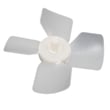
| Frost blanket on freezer back wall | Air not moving across coil | Refrigerator evaporator fan blade 5308000010 |
| Temps swing or alarms | Sensor reading off | Refrigerator temperature sensor 240597220 |
| Multiple functions act erratically | Control not managing defrost correctly | Frigidaire refrigerator electronic control board 5304512770 |
A true defrost failure can block airflow through the evaporator, which warms the fresh food section first and can lead to poor ice production. Finding the correct control method (timer vs. electronic defrost) prevents unnecessary part swaps and speeds up the repair.
Last updated: February 2026
How do I reset my Frigidaire refrigerator error code?
On the Frigidaire LGHK2336TF4 side-by-side refrigerator, most “error” messages clear by resetting the active alarm or restoring default settings from the control panel. Start by pressing the correct alarm reset key; if the code returns, use the factory default reset and then troubleshoot the underlying cause.
- Door ajar alarm: press SET (some control versions use MUTE ALARM) to reset the alarm.
- Flapper (ice chute) alarm: remove the jammed ice holding the chute open; then press SET to reset.
- High temp detected: press MUTE ALARM to silence the alarm; the indicator stays on until temperatures drop below the alarm threshold.
- Factory default reset: choose DEFAULT SETTINGS, then press and hold SET for 3 seconds to restore factory settings.
- Power cycle reset (soft reset): unplug the refrigerator (or switch the breaker off) for 5 to 15 minutes, then restore power.
For the exact button names and layout used on your dispenser, follow the control descriptions in the LGHK2336TF4 owner’s manual.
A repeating code or alarm usually means the refrigerator is still detecting a condition that needs attention.
- Confirm both doors fully close and the gaskets seal
- Clear any ice jam in the dispenser chute
- Verify freezer and fresh food temperature settings are reasonable
- Replace and reset filter indicators when due (water filter and air filter each reset by holding SET for 3 seconds in their menu)
- If cooling performance is off, check airflow and listen for fan operation
| What you see | What it usually means | What to do next |
|---|---|---|
| Door ajar indicator/alarm | Door left open 5+ minutes | Close door, press SET or MUTE ALARM |
| Flapper alarm | Ice chute door held open by ice | Remove jam, press SET |
| High temp detected | Compartment warmed above threshold | Press MUTE ALARM, verify temps and door sealing |
| Filter status “Order/Replace” | Filter life timer reached | Replace filter, then reset status |
Resetting clears the alarm display, but it does not fix the condition that triggered it. Addressing the root cause prevents food temperature swings, nuisance alarms, and dispenser or ice maker interruptions.
Related help: Frigidaire refrigerator error codes.
Last updated: February 2026
How to fix sy ef code?
On Frigidaire model LGHK2336TF4, the SY EF code points to an evaporator fan or airflow problem. We fix it by power-cycling the refrigerator, checking for ice buildup or obstructions around the fan, and inspecting fan wiring; if the fan circuit tests bad, replace the failed part.
- Unplug the refrigerator for 5 to 10 minutes, then plug it back in.
- Make sure freezer vents are not blocked by food packages.
- Remove the ice bin and check for ice jams that can restrict airflow.
- If you see heavy frost on the freezer back wall, defrost the unit (doors open, towels down) until airflow returns.
- Confirm the freezer temperature is set in a normal range (many owners use 0°F as a target; your control range is -6°F to +4°F).
SY EF commonly shows up when the evaporator fan cannot move air.
- Listen for the fan running when the freezer door switch is held in.
- Look for ice contacting the fan blade.
- Inspect the fan blade for cracks or rubbing.
If the blade is damaged or packed with ice, the correct replacement for this model is the refrigerator evaporator fan blade 5308000010.
Use the LGHK2336TF4 owner’s manual to locate the fan, door switch, and control panel functions.
- Check harness connections at the fan motor and control.
- Look for pinched wires or corrosion at connectors.
- Reset to factory defaults if your control offers a default reset option.
| What you notice | Most likely cause | What usually fixes it |
|---|---|---|
| Freezer warming, fridge warming | Evaporator fan not moving air | Clear ice, repair wiring, replace fan parts |
| Loud buzzing or scraping | Ice hitting fan blade | Defrost and clear obstruction |
| Code returns after reset | Fan circuit or control issue | Diagnose fan motor, wiring, or control |
The evaporator fan circulates cold air from the freezer to both compartments. When airflow drops, temperatures rise, frost can build faster, and the refrigerator may run longer and louder.
Last updated: February 2026