Error Codes

How to take off the front of a Frigidaire dryer?
To remove the front panel on a Frigidaire dryer like model FERB7800DS0, we disconnect power, open the top, unplug the door switch wiring, then remove the front panel mounting screws so the panel can lift up and off the lower clips.
- Unplug the dryer (or switch off the breaker) before removing any panels.
- If it is a gas dryer, shut off the gas supply valve as well.
- Pull the dryer forward so you can access the rear and sides.
- Have a container ready for screws and a phone to take wire-routing photos.
- Wear cut-resistant gloves; cabinet edges can be sharp.
- Remove the lint screen, then remove the screws in the lint screen housing (these often secure the top).
- Release the top panel: pop the top with a putty knife at the front seam (or remove rear screws, depending on the build), then lift the top.
- Disconnect the door switch wiring: locate the wire harness connector near the top of the front panel and unplug it. If a zip tie is holding the harness, cut it and plan to replace it.
- Remove the front panel screws: take out the mounting screws at the top corners (and any along the sides if present).
- Lift and remove the front panel: pull the panel slightly forward, then lift it up to unhook it from the lower retaining tabs/clips.
If you are taking the front off to reach the drum or belt, these parts are commonly involved:
| Symptom or goal | Common area behind the front | Example part for FERB7800DS0 |
|---|---|---|
| Drum not turning | Belt and idler system | Belt 134503600 |
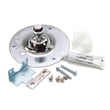
| Squealing or scraping | Drum support/glides/bearing | Dryer drum bearing kit 5303281153 |
| No heat or overheating shutdown | Heater and safety thermostats | Dryer thermal limiter 134120900 |
Removing the front panel the right way prevents broken plastic tabs, pinched wiring at the door switch, and air leaks that can cause long dry times and overheating.
Last updated: February 2026
What is the code E53 on a Frigidaire dryer?
On a Frigidaire dryer model FERB7800DS0, error code E53 points to a motor circuit sensing problem: the control is not detecting the motor’s expected “running” state (often tied to the motor’s centrifugal switch circuit). Fixes usually involve checking wiring connections and, if needed, servicing the drive motor system.
- Reset power: unplug the dryer (or switch off the breaker) for 2 minutes, then restore power.
- Confirm the drum turns freely by hand; a jammed drum can prevent the motor from reaching speed.
- Inspect the harness connections at the motor and control for loose plugs, corrosion, or damaged pins.
- Look for signs of overheating or a burnt smell near the motor area.
- If the dryer starts then stops, listen for a brief motor hum (a common clue of a motor or start circuit issue).
| Likely cause | What you may notice | Typical next step |
|---|---|---|
| Loose or damaged wiring to motor/control | Intermittent starts, code returns | Reseat connectors, repair wiring |
| Motor centrifugal switch not reporting “run” | Motor hums, won’t stay running | Test motor circuit; motor service |
| Drum not turning due to drive issue | Drum hard to rotate, squeal, thump | Inspect belt and drum support parts |
| Control not reading motor state correctly | Code persists after checks | Diagnose control and motor circuit together |
If the drum is hard to turn, slips, or you hear squealing or thumping, these parts are worth inspecting on FERB7800DS0:
- Belt 134503600 (broken or stretched belt can overload the drive system)
- Dryer drum bearing 131825900 (worn bearing can bind the drum)
- Dryer drum bearing bracket 131724301 (damage can misalign the rear support)
- Dryer drum glide 137513300 (worn glide can cause drag and noise)
E53 is more than a “nuisance” code; when the motor cannot reach or report proper speed, the dryer can stop mid-cycle, overheat components, or repeatedly trip safety devices. Addressing drag, wiring, and motor sensing issues restores reliable starting and protects the heater and controls.
For additional Frigidaire-specific code definitions and symptom tips, use our Frigidaire dryer error codes reference.
Last updated: February 2026
What causes a Frigidaire dryer to not heat up?
On the Frigidaire FERB7800DS0 dryer, no-heat is usually caused by a failed heating component (heating element or thermostat), a blown thermal safety device, or restricted airflow from lint buildup or a clogged vent. Start with airflow checks, then test heat parts for continuity.
- Clean the lint screen completely (wash with warm water if it has a film from dryer sheets).
- Check the exhaust vent for kinks, crushing, or heavy lint buildup.
- Run a timed dry cycle and confirm the drum tumbles; no tumble can also mean no heat.
- Verify the dryer is not set to an air-fluff or no-heat cycle.
- If the dryer overheated recently, a thermal safety device may have opened.
If airflow is good, we focus on the heating circuit. These parts are common no-heat culprits:
| Symptom | Most likely cause | Example part for this model |
|---|---|---|
| Runs but never warms | Open heating element | Frigidaire dryer heating element assembly 131553900 |
| Heats briefly then stops | Thermostat opening early or overheating from poor venting | Electrolux dryer operating thermostat 134048800 |
| No heat after overheating event | Thermal safety device open | Dryer thermal limiter 134120900 |
| Overheats or shuts heat down | High-limit thermostat issue | Kelvinator dryer high-limit thermostat 3204267 |
- Unplug the dryer (and shut off gas if you have a gas model).
- Access the heater/thermostat area.
- Use a multimeter to check continuity on the heating element and safety/thermostat parts.
- Replace any component that tests open (no continuity) and correct any vent restriction before running again.
A clogged vent can make drying slow and can also trip the high-limit thermostat or thermal limiter, which stops heat. Fixing airflow first prevents repeat failures and protects the heating system.
Related help: Frigidaire dryer error codes
Last updated: February 2026
How do I reset my Frigidaire dryer?
To reset your Frigidaire dryer model FERB7800DS0, we recommend doing a simple power reset first: turn the dryer off, unplug it (or switch the breaker off) for 2 minutes, then restore power and try a cycle again. This clears many control glitches and false error conditions.
- Turn the cycle selector to Off.
- Unplug the dryer or turn both dryer breakers off (electric dryers often use a 2-pole breaker).
- Wait 2 minutes.
- Restore power.
- Select a timed dry cycle and press Start.
A reset helps only if the control is confused. If the dryer still will not run, check these common causes next:
- Door not fully closed or latch not engaging (inspect the Frigidaire dryer door catch 131658800).
- Start button not making contact (possible start switch 134398300 issue).
- Dryer overheated and opened a safety device; improve airflow and check the dryer thermal limiter 134120900.
- Drum hard to turn by hand; belt or support parts may be binding (see belt 134503600 and drum support components).
- Error code present; use the Frigidaire dryer error codes guide to match the code to a fix.
| Symptom | Reset helps? | What usually fixes it |
|---|---|---|
| Display/control acting odd | Often | Power reset, then retry cycle |
| Dryer runs but no heat | Sometimes | Airflow checks, heating circuit diagnosis |
| Dryer won’t start at all | Sometimes | Door switch/latch, start switch, thermal limiter |
| Burning smell or very hot cabinet | No | Stop use; venting and overheating diagnosis |
Resetting is a safe first step because it restores the control to a clean startup state. If the dryer overheated, though, the real fix is almost always airflow (lint screen, blower housing, vent duct) or a failed safety part such as a thermal limiter.
Last updated: February 2026