 Error Codes




How to do a hard reset on a GE dishwasher?
For the GE GSM2100ZZ0WH dishwasher, the most reliable “hard reset” is a power reset: turn the dishwasher’s power OFF at the breaker (or unplug it) for 1 to 5 minutes, then restore power and try starting a cycle again.
Hard reset steps (power reset)
- Turn the dishwasher OFF at the house breaker (preferred) or unplug it.
- Wait 1 to 5 minutes (this lets the control fully discharge).
- Restore power.
- Press Start/Reset and hold for about 3 to 5 seconds (if your control panel has that button).
- Close the door fully and start a normal wash cycle.
- If the unit is unresponsive, check the door latch engagement and try the reset once more.
If it still will not run
A reset clears a “stuck” control, but it will not fix a failed door switch, fill problem, or drain problem. These checks solve most no-start complaints:
- Confirm the door is closing and latching firmly.
- Verify the kitchen breaker is not tripped and the dishwasher has power.
- If the dishwasher fills but will not wash, the wash motor can be the issue.
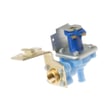
- If it will not fill, the inlet valve or water supply can be the issue.
- If it will not drain, check for a clog or a drain component problem.
Common parts related to “won’t start” symptoms
| Symptom | What it often points to | Example model-matched part |
|---|---|---|
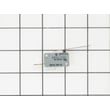
| No response unless door is pushed in | Door switch or latch circuit | Interlock switch WD21X10261 |
| Fills but no wash action | Wash motor/pump issue | Mechanism assembly WD26X10013 |
| Stops mid-cycle or drains poorly | Drain restriction or drain component | Dishwasher drain hose WD24X10014 |
Why it matters
A hard reset is a fast way to clear a control glitch after a power flicker or interrupted cycle. If the same problem returns, focusing on the door interlock, water fill, wash motor, or drain path gets you to a lasting repair.
Last updated: January 2026
What is the most common problem with a GE dishwasher?
The most common problems we see with GE dishwashers like model GSM2100ZZ0WH are not draining, not starting, and poor cleaning, usually caused by a clog, a door safety issue, or weak wash circulation. Start by checking the drain path, door switch, and spray action.
Most common issues (and what to check first)
- Not draining: check for a blocked sink/disposal connection, kinked hose, or debris in the sump area; inspect the dishwasher drain hose WD24X10014.
- Won’t start: confirm the door closes firmly and the latch area is aligned; a failed door safety switch can stop the cycle (see interlock switch WD21X10261).
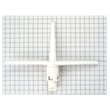
- Not cleaning well: look for a clogged or damaged spray arm and loading issues; inspect the spray arm WD22X154.
- Leaks: check door sealing surfaces and look for water tracking from the pump area; a worn seal can leak during wash.
- Bad odors: usually food debris buildup; cleaning the tub and running a maintenance cycle helps.
Quick symptom-to-likely-cause guide
| Symptom | Most likely cause | Common next step |
|---|---|---|
| Water left in bottom | Drain restriction or drain component issue | Check hose routing and drain path |
| No response when you press start | Door not fully latched or door switch issue | Test/replace door switch |
| Dishes gritty or still dirty | Poor spray, clogged passages, or loading | Clean spray arm holes, reload |
| Humming but weak wash | Circulation problem | Inspect pump/motor and spray action |
Why it matters
Drain and door-safety problems are common because they stop the dishwasher early or prevent it from running at all. Wash performance problems are also frequent because even a small blockage in the spray system can leave dishes dirty and cause detergent to remain.
Helpful DIY resources
- Use GE dishwasher error codes to match any blinking lights or beeps to a specific failure area.
- If the unit powers on but won’t run, follow dishwasher wont start video for step-by-step checks.
Last updated: January 2026
Do they make a 21 inch wide dishwasher?
Yes. Manufacturers (including GE) make 21-inch-wide compact dishwashers, but they are a different size class than the GE GSM2100ZZ0WH, which is a standard built-in dishwasher model. Before buying, we recommend measuring your cabinet opening and confirming the installation type.
What “21-inch dishwasher” usually means
Most 21-inch-wide dishwashers are compact units designed for tighter kitchens. They can be built-in, under-sink, or countertop-capable depending on the model.
- Measure the opening width, height, and depth (and note any trim or flooring changes)
- Confirm whether you need built-in, portable, or countertop installation
- Check electrical requirements (typically 120V) and water supply location
- Verify drain routing to the sink/disposer and whether a high loop is possible
- Compare rack capacity (place settings) to your household needs
Quick size and fit comparison
| Dishwasher type | Typical width | Typical capacity | Common use case |
|---|---|---|---|
| Standard built-in (like GSM2100ZZ0WH class) | ~24 in | ~12 to 16 place settings | Most kitchens |
| Compact built-in | ~18 in | ~6 to 8 place settings | Small kitchens |
| Compact “21-inch” models | ~21 in | ~6 to 10 place settings | Tight openings where 24 in will not fit |
Why it matters
Dishwashers are not “one size fits all.” A 21-inch unit can solve a tight-cabinet problem, but it often changes capacity, rack layout, and sometimes plumbing or mounting requirements compared with a standard 24-inch built-in.
If you are replacing parts on your current dishwasher
If your goal is to keep the GE GSM2100ZZ0WH running (instead of replacing it), common performance issues are often tied to wash circulation, draining, or door safety switches. These model-matched parts are examples:
- Mechanism assembly WD26X10013 (pump and motor assembly)
- Dishwasher drain hose WD24X10014 (drain path from pump to sink/disposer)
- Interlock switch WD21X10261 (door switch that allows the dishwasher to run)
For troubleshooting by symptom or display behavior on GE units, use our GE dishwasher error codes guide.
Last updated: January 2026
How do you force a GE dishwasher to drain?
On the GE GSM2100ZZ0WH dishwasher, you can usually force a drain by canceling the cycle: press and hold Start (or Cancel/Drain if your control panel has it) for about 3 seconds, then let the unit run the drain portion for a couple of minutes to clear standing water.
Quick steps to force a drain
- Press Start (or Cancel/Drain) and hold for about 3 seconds.
- Close the door fully and wait for the drain to run (often 1 to 2 minutes).
- Listen for the drain pump sound and check the sink/disposal for water flow.
- If water remains, turn power off at the breaker for 1 minute, restore power, then try cancel/drain again.
If it still will not drain (most common causes)
A forced drain will not work if water cannot leave the tub or the pump cannot move it.
- Clogged drain path: food debris in the sump area or a blocked hose loop.
- Kinked or restricted hose: inspect the routing and high loop under the sink; replace if damaged.
- Drain solenoid issue (on some GE designs): the drain valve may not open when energized.
- Pump or seal problem: a failing pump can hum but not move water, or a leak can affect performance.
| Symptom | What it usually points to | What we check first |
|---|---|---|
| Hums but no water moves | Pump jam or weak pump | Debris in sump, then pump assembly |
| Drains slowly | Partial clog or hose restriction | Hose routing, air gap/disposal inlet |
| Won’t drain at all | Blockage or drain valve not opening | Drain hose, then drain solenoid |
Parts that commonly fix draining problems
Why it matters
Standing water can cause odors, poor cleaning, and can trigger repeat drain errors. Restoring proper drain flow protects the pump and helps the next wash cycle start and run normally.
Last updated: January 2026





