 Owner’s manual
 Error Codes



What are common dryer part failures?
On the Admiral ADE7005AYW dryer, the most common part failures fall into four buckets: heat problems (no heat or overheating), drum movement problems (won’t tumble or squeals), airflow restrictions (long dry times), and control or start issues. Checking venting and wear parts first fixes many symptoms.
Most common failures by symptom
- No heat or weak heat: heating circuit parts such as the heat element WPY503978
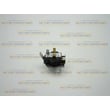
- Overheats or shuts off mid-cycle: temperature safety parts such as the limit thermostat WPW10116735 or operating thermostat
- Squealing, thumping, or rumbling: worn drum support parts such as the dryer drum support roller WP37001042 or rear seal
- Long dry times: clogged lint screen, crushed vent, or restricted exhaust ducting
- Won’t start or stops randomly: door switch, timer, motor, or power supply issues
Quick checks we recommend first (fast and high-impact)
- Clean the lint screen every load and confirm strong airflow at the outside vent hood.
- Inspect the vent path for kinks, long runs, or lint buildup; heavy 4-inch metal venting is typically required for safe, efficient exhausting.
- Avoid overloading; restricted tumbling causes uneven drying and longer cycles.
- Listen for noise changes (new squeal or thump often points to rollers or seals).
- Match cycle to load type; sensor cycles can stop early if loads are mixed (heavy with lightweight).
Common failure points and what they cause
| Failure area | Typical failed part(s) | What you notice |
|---|---|---|
| Heating | Heating element, thermostats | No heat, poor drying |
| Drum support | Rollers, glides, rear seal | Squeal, thump, drum drag |
| Airflow | Lint screen, vent duct | Long dry times, hot cabinet |
| Drive/motor | Pulley, motor, belt (model dependent) | No tumble, burning smell |
Why it matters
Airflow and heat issues do more than slow drying; they can cause overheating shutdowns and extra wear on the motor and drum supports. The manual also emphasizes keeping exhaust ducts unobstructed for proper exhausting.
Where to confirm model-specific details
Use the ADE7005AYW owner’s manual for cycle behavior, care and cleaning guidance, and troubleshooting steps that match this exact Admiral dryer.
Last updated: February 2026
Why is my admiral dryer not starting?
If your Admiral ADE7005AYW dryer will not start, the most common causes are a start setting issue (dial not pushed in, door not fully closed), a power problem, or a failed safety switch. Start by confirming the door closes firmly and you are pushing the control dial in to start.
Quick checks first (no tools)
- Close the dryer door firmly; the dryer will not start with the door open.
- Select a cycle, then push the control dial in to start (this model uses a push-to-start timer knob).
- Make sure the cycle is not set to an “Air Fluff” type setting if you expect heat (it will still tumble, but with room temperature air).
- Check the house breaker; electric dryers typically need two breaker legs.
- Try a different cycle (Time Dry vs. Auto/Sensor) to rule out a timer position issue.
For the exact control steps and cycle layout, follow the ADE7005AYW owner’s manual.
If it still will not start: likely causes
| What you notice | Most likely area | What to do next |
|---|---|---|
| No lights, no sound | Power supply, cord, terminal block | Reset breaker fully; inspect cord/terminal block for damage (unplug first) |
| Motor hums but drum will not turn | Drum support, belt path, blower obstruction | Check for binding; inspect rollers and drum support |
| Starts only with door pressure | Door switch or latch alignment | Inspect latch strike and door switch operation |
| Clicks but will not run | Timer/start circuit, motor, thermal safety | Test components with a meter; replace failed part |
Parts that commonly relate to “won’t start” symptoms
If the drum is hard to turn by hand (unplugged), worn support parts can overload the motor and prevent starting. On this model, common wear items include:
- Dryer drum support roller WP37001042 (thumping, squealing, drum drag)
- Dryer lint screen WP37001142 (restricted airflow can contribute to overheating and shutdowns)
Why it matters
A dryer that will not start is often protecting itself. A door switch not closing, a power leg missing, or a drum that is binding can stop the motor from running and prevent further damage.
Last updated: February 2026
What are the main parts of a dryer?
The main parts of an Admiral ADE7005AYW dryer are the drum (tumbler), drive system (motor and pulley), airflow system (blower and venting), heating system (heater and thermostats), and safety and control components. Together, these parts tumble clothes, heat air, move air through the load, and shut the dryer off safely.
Core dryer systems and what they do
- Drum (tumbler): Holds and tumbles the load for even drying.
- Drive system: Turns the drum using the motor and belt or pulley components.
- Airflow system: Pulls room air in, moves it through the drum, and exhausts moist air out.
- Heating system: Heats the airflow (electric heater or gas burner, depending on the model type).
- Temperature control and safety: Uses thermostats and limit controls to regulate heat and prevent overheating.
Common parts you may replace on ADE7005AYW
These are frequent wear items or heat and airflow related parts that affect noise, drying time, and heat:
| Dryer area | What you notice when it fails | Example part for this model |
|---|---|---|
| Drum support | Thumping, rumbling, drum not rolling smoothly | Dryer drum support roller WP37001042 |
| Drum glide/seal | Squealing, scraping, clothes catching | Dryer drum glide bracket WP37001036 |
| Heating | No heat or weak heat (electric models) | Heat element WPY503978 |
| Temperature control | Overheating, short cycling, inconsistent drying | Dryer operating thermostat WP37001136 |
| Lint handling | Poor airflow, longer dry times, lint bypassing filter | Dryer lint screen WP37001142 |
Why it matters (performance and safety)
A dryer dries fast only when heat + airflow + tumbling are all working. Restricted venting or failed temperature controls can cause long dry times and overheating risk. We also recommend following the safety and operating guidance in the ADE7005AYW owner’s manual, especially for items that should not be dried with heat.
Quick checks when drying performance changes
- Clean the lint screen before every load.
- Confirm strong airflow at the outside vent hood.
- Avoid overloading; it restricts tumbling and airflow.
- Use the correct cycle and dryness setting for the fabric type.
- If the dryer runs but does not heat, check heating and thermostat components.
Last updated: February 2026





