Installation guide
 Owner’s manual
 Error Codes



Are wall ovens hardwired or plug-in?
KitchenAid wall ovens like model KEBS207SBL04 are designed to be hardwired (direct-wired) to a household junction box, not plugged into a standard receptacle. The installation instructions call for a grounded electrical supply and junction-box wiring connections using approved connectors; see the installation guide.
A hardwired wall oven connects to your home power supply inside a junction box using wire connectors and a conduit connector. The oven is then secured in the cabinet cutout, and the junction box is covered.
Typical hardwire setup includes:
- A properly located junction box (often near the cabinet cutout)
- A strain relief or conduit connector approved for the application
- UL listed wire connectors for the hot, neutral, and ground connections
- A grounded electrical supply
- Enough slack to position the oven without stressing the cable
The installation instructions show both 3-wire and 4-wire junction-box wiring methods. In many U.S. installations, a 4-wire connection is used when required by code (for example, newer branch circuits and situations where grounding through neutral is not allowed).
| Connection type | Conductors used | Common use case |
|---|---|---|
| 3-wire | 2 hots + neutral (grounding via neutral) | Older installations where permitted by code |
| 4-wire | 2 hots + neutral + ground | Newer installations and many code-required situations |
Wall ovens draw high current and must be installed in a fully enclosed cabinet cutout with a safe, code-compliant electrical connection. Hardwiring in a junction box helps protect the wiring, supports proper grounding, and reduces the risk of overheating at the connection point.
- Turn off power at the breaker and confirm power is off
- Use the correct wire connectors and conduit connector
- Keep the junction box accessible and install the cover when finished
- Use two or more people to move and position the double oven
Last updated: February 2026
What is Sabbath mode on a KitchenAid oven?
Sabbath mode on the KitchenAid KEBS207SBL04 sets the oven to stay in a Bake setting until you turn it off (or for a timed portion of the Sabbath). While it is active, tones are silenced and the display does not show temperature changes or status messages; only number keys and START work.
Sabbath mode is designed to limit normal feedback and immediate responses from the oven while maintaining a steady bake operation.
- The oven remains in a Bake mode until turned off (or until a timed Sabbath period ends).
- Only the number keys and START respond.
- No audible tones sound.
- The display does not show messages or temperature changes.
- Heat source icons stay lit on the display.
- Opening or closing the door does not turn the oven light on or off.
- Heating elements do not switch on or off immediately when the door is opened or closed.
Because KEBS207SBL04 is a 30 inch electric built-in double oven, Sabbath mode can be applied by oven selection.
| Feature | Upper oven | Lower oven |
|---|---|---|
| Can be selected independently | Yes | Yes |
| Bake temperature range | 170°F to 500°F | 170°F to 500°F |
| Display and tones during Sabbath mode | Limited (no tones, no temp changes shown) | Limited (no tones, no temp changes shown) |
For the exact key sequence to enable, set (timed or untimed), or disable Sabbath mode on your control panel, follow the steps in the KEBS207SBL04 owner's manual.
If a power failure occurs while Sabbath mode is set, the oven stays in Sabbath mode after power returns, but it will no longer be actively cooking. In that situation, we recommend canceling the cycle and restarting cooking when it is safe to do so.
Sabbath mode helps you keep a consistent bake setting while preventing tones, temperature readouts, and immediate light or element responses that can occur during normal operation. It is also useful when you want fewer beeps and fewer display changes during extended baking.
Last updated: February 2026
How to reset a KitchenAid wall oven?
To reset your KitchenAid KEBS207SBL04 wall oven, we recommend doing a simple power reset: turn the oven off, cut power at the breaker for about 1 minute, then restore power and set the clock. This clears many control glitches and restores normal operation.
- Touch OFF (or UPPER OVEN OFF / LOWER OVEN OFF if shown).
- Turn OFF the oven circuit at the home breaker panel.
- Wait 60 seconds.
- Turn the breaker ON.
- When “CLOCK ENTER TIME” appears, touch START and set the time.
- Test operation: select UPPER OVEN or LOWER OVEN, then touch BROIL and START.
The installation checks for this model point to a few basics that commonly stop heating after a reset.
- Confirm the household fuse is intact or the circuit breaker has not tripped.
- Verify the oven has a solid electrical supply connection.
- After starting BROIL, wait about 5 minutes and feel for heat.
- If an error code appears (often an “F” code), stop using the oven and have it serviced.
On KEBS207SBL04, Sabbath Mode can change how the oven responds. If the oven seems unresponsive, return to normal mode by touching OFF.
| What you see | What it usually means | What to do |
|---|---|---|
| “ON” indicator not lit, oven not actively cooking | Still in Sabbath Mode but not cooking | Touch OFF to return to normal mode |
| “SABBATH ENABLED” or “SABBATH DISABLED” | Sabbath feature was toggled | Follow the steps in the owner's manual |
A breaker reset restores the control’s startup sequence (including the clock prompt) and can clear temporary keypad or control-board logic issues without replacing parts.
Last updated: February 2026
How long should a KitchenAid wall oven last?
A KitchenAid wall oven like model KEBS207SBL04 typically lasts 15 to 20 years with normal household use and basic maintenance. Keeping the oven clean, ensuring good airflow, and fixing heating or temperature issues early helps you reach the full expected lifespan; see the KEBS207SBL04 owner's manual for care and operating guidance.
Wall ovens often outlast many other appliances because they have fewer moving parts, but heat stress and heavy use still add up.
- Usage frequency: daily baking and long self-clean cycles shorten life
- Heat management: blocked vents or a failed cooling fan can overheat controls
- Electrical health: loose connections at the terminal block can cause failures
- Temperature accuracy: running too hot strains elements and wiring
- Door seal condition: heat leaks make the oven work harder
If your KEBS207SBL04 is heating unevenly, not reaching temp, or shutting down, these are common repair paths.
| Symptom | Common cause | Example part on this model |
|---|---|---|
| Oven not heating or slow to heat | Failed bake element | Range bake element WPW10207398 |
| Temps swing or food under/overcooks | Bad temperature sensor | Wall oven temperature sensor WPW10131825 |
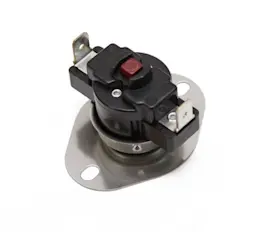
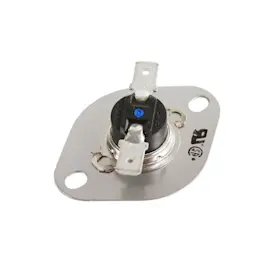
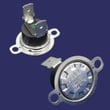
| Oven shuts off, dead display after overheating | Open thermal fuse | Wall oven thermal fuse WP8304452 |
| Exterior gets unusually hot, fan noise changes | Cooling fan issue | Wall oven cooling fan assembly WP8303972 |
| Heat leaking around door | Worn door gasket | Oven door gasket WP8304493 |
A wall oven that runs hot, leaks heat, or has poor airflow can wear out expensive components faster (controls, wiring harnesses, elements). Catching issues early often prevents repeat failures and helps the oven reach the 15 to 20 year lifespan.
Last updated: February 2026
Does KitchenAid sell replacement parts?
Yes. For your KitchenAid KEBS207SBL04 electric wall oven, KitchenAid specifies using factory specified replacement parts so the part fits right and works right. We also list model-matched replacement parts you can order for KEBS207SBL04, including heating, sensing, and door components.
Using the exact model number helps avoid ordering a similar-looking part that will not mount, wire, or heat correctly.
- Match the full model number: KEBS207SBL04
- Use the parts list for this model to confirm the exact part ID
- Compare symptoms to the part function (heat, latch, cooling, lighting)
- Use factory specified parts for proper fit and performance (as recommended in the manual)
- Keep your model and serial information handy when ordering or scheduling service
These are examples of parts we commonly see replaced on electric built-in double ovens like KEBS207SBL04:
| Symptom | Part to check | Example part for this model |
|---|---|---|
| Oven not heating or uneven baking | Bake element | Range bake element WPW10207398 |
| Oven temperature seems off | Temperature sensor | Wall oven temperature sensor WPW10131825 |
| Oven overheats or shuts down | Thermal fuse, cooling fan | Wall oven thermal fuse WP8304452, wall oven cooling fan assembly WP8303972 |
| Door will not lock or unlock (self-clean issues) | Door latch | Door latch W11029221 |
Wall ovens run on high voltage and high heat; using the correct factory specified part helps ensure safe mounting, correct electrical connections, and proper temperature control for baking and self-clean operation.
Your owner's manual is a good place to reference troubleshooting guidance and the recommendation to use factory specified parts when ordering replacements.
Last updated: February 2026