Installation guide
 Owner’s manual
 Error Codes










How do I reset my Kenmore oven control board?
To reset the control on your Kenmore Elite electric range model 79098023800, turn the range off at the household breaker (or unplug it if accessible) for about 1 minute, then restore power and reset the clock. After a power interruption, this model requires the clock to be set before normal programming works; check the 79098023800 owner's manual for the exact key sequence.
- Press STOP/CLEAR to cancel any active cooking mode.
- Turn OFF the range circuit breaker (240V) for 60 seconds.
- Turn the breaker ON.
- Set the clock; then try BAKE and set a temperature.
- If the display is flashing, finish setting the clock before testing other functions.
The manual guidance for this style of control is to clear the alarm, then see if the fault returns.
- Press STOP/CLEAR to stop beeping and clear the display.
- Reprogram the oven (set BAKE temperature again).
- If the same F-code returns, the issue is usually in the control circuit (sensor, wiring, or control).
| Symptom | Most common check | Part on this model page |
|---|---|---|
| Oven temp is erratic or won’t regulate | Oven temperature sensor | Frigidaire range oven temperature sensor 316217002 |
| Control acts “dead” or behaves unpredictably | Power supply connection, terminal block, wiring | Terminal block 5304409888 |
| Oven won’t heat after reset | Bake circuit and element | Oven element 318601604 |
A breaker reset clears temporary logic glitches after a surge or power failure, but this model also needs the clock reset before it will accept many cooking commands. If a fault code keeps coming back, resetting helps confirm it is not a one-time interruption.
Last updated: February 2026
How big is the Kenmore 79098023800?
The Kenmore Elite 79098023800 is a standard 30-inch class electric range. Most ranges in this class measure about 30 inches wide, roughly 36 inches high to the cooktop, and about 25 to 28 inches deep (not including the handle). For the exact cutout and clearance dimensions, use the installation guide.
These are the measurements we see most often for 30-inch freestanding electric ranges like the Kenmore Elite 79098023800:
- Width: ~29 7/8 to 30 inches
- Height (to cooktop): ~36 inches (leveling legs can change this slightly)
- Depth (cabinet to back): ~25 to 28 inches
- Depth (including handle): often ~27 to 30+ inches
- Electrical: typically a 240V range circuit (confirm in the install specs)
To avoid fit issues, we recommend measuring both the appliance and the space:
- Measure width at the widest point of the range body (not the door).
- Measure height from floor to cooktop; check if leveling legs are extended.
- Measure depth from the back panel to the front of the door, then separately to the handle.
- Measure your opening and confirm side and rear clearances.
- If the range sits between cabinets, confirm the opening is a true 30-inch space.
The installation guide is the best place to confirm the exact requirements for the 79098023800.
| What you need | Why it matters | Where it shows up |
|---|---|---|
| Cutout width and side clearance | Prevents cabinet rubbing and heat damage | Installation dimensions section |
| Depth and rear clearance | Ensures the range can sit back correctly | Clearance requirements |
| Anti-tip bracket location | Helps prevent tip-over when the door is opened | Anti-tip instructions |
| Power cord/terminal connection | Confirms wiring method and strain relief | Electrical connection steps |
Range sizing is not just about width. Depth (especially with the handle) and required clearances affect whether the oven door opens fully, whether the range sits flush, and whether the power connection fits without pushing the unit forward.
Last updated: February 2026
Where can I find my Kenmore Elite oven model number?
On Kenmore Elite model 79098023800, the model and serial number are printed on the serial plate. You will typically find that serial plate on the range frame in an area that is easy to access when the oven door is open; confirm the exact location and what the label looks like in the owner's manual.
Look for a paper or metal label in one of these spots:
- Oven door frame or door jamb (open the oven door and check the front frame)
- Storage drawer area (pull the bottom drawer out and look along the frame)
- Lower front frame behind the drawer opening
- Back panel of the range (if you can safely access it)
- Side frame near the front edge (visible with the door open)
For parts lookup and service records, capture these items exactly as shown:
- Model number (for example: 79098023800)
- Serial number
- Color number (if listed)
- Date of purchase (if you still have it)
| Label item | Why it matters |
|---|---|
| Model number | Ensures the correct Kenmore Elite parts list and diagrams |
| Serial number | Helps match production variations and revisions |
| Color number | Helps match cosmetic parts like panels and trim |
Kenmore Elite ranges can have small design changes within the same model family. Using the exact model and serial information from the serial plate helps us match the right replacement parts and avoid ordering the wrong component.
Last updated: February 2026
Why is my Kenmore Elite oven not working?
If your Kenmore Elite range model 79098023800 oven is not working, the most common causes are a power interruption issue (clock not set), an active control mode that needs to be cleared, or a failed heating component such as the bake element, temperature sensor, or relay/control board.
- Verify the range has power; check the home breaker or fuses.
- If the display is flashing after a power interruption, set the clock; the oven will not program until the clock is set.
- Press STOP/CLEAR to cancel any active mode, then try BAKE again.
- If the control is beeping and showing an F-code (example: F11), press STOP to clear it; if it returns, the control detected a fault.
- If the display shows SAb, turn off Sabbath mode, then retry normal baking.
If the control panel responds but the oven will not heat, these are the top suspects:
- Oven element 318601604 (bake element)
- Frigidaire range oven temperature sensor 316217002
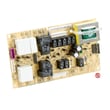
- Frigidaire range oven relay control board 316443927 (may not send power to the element)
- Reset power: turn the breaker off for 1 minute, then back on; reset the clock.
- Try BROIL: if broil works but bake does not, the bake element or its wiring is the likely issue.
- Inspect the bake element: look for cracks, blisters, or breaks.
- Meter test (power off): check element and sensor for continuity; inspect wiring connections.
| What you notice | Most likely cause | Next step |
|---|---|---|
| Display flashing | Clock not set | Set clock, then program BAKE |
| No display | No power | Check breaker and power connection |
| Control works, no BAKE heat | Bake element/relay issue | Inspect and test element, then relay |
| Temps inaccurate | Sensor issue | Test/replace sensor |
Electric ovens need stable power plus a complete heating circuit (element, sensor, wiring, relays). Fixing the root cause prevents repeat no-heat problems and helps cooking temperatures stay accurate.
For model-specific control steps and error-code details, use the owner's manual.
Last updated: February 2026