Installation guide
 Owner’s manual
 Error Codes






How long does an electric wall oven last?
A Kenmore electric wall oven like model 79040439802 typically lasts about 16 years with normal use and proper care. Keeping the oven level, using the correct electrical supply, and fixing heating or control issues early helps you reach (and often exceed) that lifespan.
Typical lifespan and what affects it
Most wall ovens land in a similar range, but these factors make the biggest difference:
- Heat stress from frequent high-temperature baking or broiling
- Power quality (correct voltage, dedicated circuit, solid connections)
- Door seal and door habits (slamming, hanging weight on the door)
- Cleaning practices (avoiding harsh scraping that damages the liner)
- Early repairs when symptoms first appear (slow preheat, uneven baking)
Quick maintenance checklist (high impact)
Use these steps to reduce wear on key components like the bake element, sensor, and control board:
- Keep vents clear so heat can escape normally
- Wipe spills after the oven cools to protect the liner finish
- Avoid foil on the oven bottom unless your 79040439802 owner's manual allows it
- If baking is inconsistent, test with an oven thermometer and recalibrate if your model supports it
- Replace failed light parts promptly so you are not opening the door repeatedly to check food
Common “end-of-life” symptoms and likely causes
| Symptom | Common cause | Typical fix |
|---|---|---|
| Oven heats unevenly | Weak bake element or sensor drift | Inspect/replace element or sensor |
| Long preheat times | Bake element not drawing full power | Check element and wiring |
| Random beeping or dead display | Control board or power issue | Verify supply, then diagnose control |
| Light not working | Bulb or socket failure | Replace bulb/socket |
If the oven light is out, the model uses a 40-watt bulb such as the appliance light bulb, 40-watt 316538904 (match by model before ordering).
Why it matters
Once a wall oven gets past its typical service life, small issues (temperature swings, weak heating, intermittent controls) can turn into bigger failures. Addressing symptoms early usually costs less than waiting for a no-heat or no-power breakdown.
Last updated: February 2026
What model is my Kenmore oven?
Your Kenmore oven’s model number is printed on the appliance’s rating plate (model and serial tag). For a Kenmore wall oven like model 79040439802, the tag is typically found around the oven door opening or on the frame behind the door; confirm the exact location in the 79040439802 owner's manual.
Where to look on a Kenmore wall oven
Check these common spots first (power off is not required just to read the tag):
- Along the front frame (left or right side) when you open the oven door
- On the lower front frame near the hinge area
- On the side trim area visible with the door open
- On the oven’s inner door edge (less common)
- If the oven was recently installed, compare the tag to the paperwork in the 79040439802 installation guide
What the model number looks like
Kenmore model numbers are usually a string of numbers (sometimes with a dot or suffix). For this wall oven series, it commonly appears as a full number like 79040439802.
| What you see on the tag | What it means | Why we need it |
|---|---|---|
| Model number | Identifies the exact oven design | Ensures parts fit your exact unit |
| Serial number | Identifies your specific unit | Helps match production changes |
| Electrical rating (watts/volts) | Power requirements | Helps confirm correct circuit sizing |
Why it matters
The model number is the fastest way to get the right Kenmore wall oven parts (for example, a control board, bake element, or temperature sensor) and the correct installation and wiring requirements for your exact configuration.
Last updated: February 2026
Where is Kenmore's model number?
On Kenmore wall oven model 79040439802, the model and serial number plate is located along the interior side trim of the oven and is visible when you open the oven door. Use those numbers anytime you order parts or schedule service; they identify the exact configuration.
How to find it quickly
- Open the oven door fully and look at the vertical trim area just inside the front frame.
- Check both sides of the opening; the plate is typically on one side trim.
- Look for a label that lists Model, Serial, and sometimes a lot number/letter.
- Write the numbers down exactly as shown (including any dashes or letters).
- Take a clear photo of the plate for future reference.
What to record (and why)
| Label item | What it’s used for | Example format |
|---|---|---|
| Model number | Matches parts to your exact oven | 79040439802 |
| Serial number | Identifies production run | Letters and numbers |
| Lot number/letter (if shown) | Helps confirm revisions | Single letter/number |
Why it matters
Kenmore wall ovens can use different control boards, wire harnesses, sensors, or trim depending on the production run. Having the correct model and serial information helps us match the right replacement part the first time.
Helpful next step
Use the diagrams and part lists in the 79040439802 installation guide to confirm the correct configuration before ordering.
Last updated: February 2026
Why is my Kenmore Elite double oven not working?
If your Kenmore 79040439802 double electric wall oven is completely not working (no display, no heat, no lights), the most common causes are a power supply problem at the junction box, a failed control, or a wiring connection issue. Start with safe power checks, then move to heating and sensor diagnostics using the 79040439802 installation guide.
Quick checks we recommend first
- Confirm the oven is getting the correct supply power at the home breaker (double-pole breaker fully ON).
- Check for a loose or burned connection at the junction box (power must be OFF before opening).
- Make sure the oven is fully seated and secured; anti-tip mounting screws should be installed.
- Look for a dead display or unresponsive keypad, which often points to a control or power feed issue.
- If the display works but it will not heat, focus on the bake element, temperature sensor, and control outputs.
What to check based on the symptom
| Symptom | Most likely area | What to do next |
|---|---|---|
| No display, no interior light, no heat | Power feed, junction box, wiring | Verify breaker and junction box connections (power OFF for inspection). |
| Display works, oven will not heat | Heating circuit | Inspect/test the frigidaire range bake element 318255101 and wiring. |
| Temperature is way off or error-like behavior | Sensor circuit | Test/replace the range oven temperature sensor 5304504897. |
| Light does not work but oven heats | Light circuit | Replace the appliance light bulb, 40-watt 316538904 and inspect the socket. |
Parts that commonly fix “not working” complaints
- Wall oven control board 318185342 (dead display, erratic operation, no heat with good components)
- Range oven temperature sensor 5304504897 (incorrect temps, overheating, underheating)
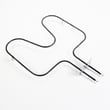
- Frigidaire range bake element 318255101 (no bake heat, visible blistering or breaks)
- Terminal block 5304409888 (burned power connection symptoms)
Why it matters
A double wall oven draws high current; a loose junction box connection or damaged terminal block can cause intermittent shutdowns, dead controls, or heating failures. Addressing power and wiring first prevents repeat failures of expensive components like the control board.
Last updated: February 2026
How do I reset my Kenmore oven control board?
To reset the Kenmore wall oven control board on model 79040439802, we restore power to the oven after a full power-down. Turn the oven off, shut off the breaker for a few minutes, then turn the breaker back on and verify Bake and Broil operation using the 79040439802 owner's manual.
Quick reset steps (most common)
- Press OFF/CANCEL to stop any active cycle.
- Turn OFF the oven circuit breaker (or remove the fuse) at the home electrical panel.
- Wait 3 to 5 minutes to fully discharge the control.
- Turn the breaker ON.
- Set Bake to 350°F and confirm the lower element heats.
- Set Broil and confirm the upper element heats.
If the display is still blank or unresponsive
A reset will not fix a loss of power to the control. Check these common causes:
- Tripped breaker (some ovens use a double-pole breaker).
- Loose or burned wiring at the junction box or terminal connections.
- Damaged power connection parts such as the terminal block 5304409888.
- Control not receiving correct voltage (240V supply issues).
- Failed electronic control (symptoms can include random beeping, dead display, or no heat).
What the reset does (and does not do)
| What you see | What a reset can help | What usually needs repair |
|---|---|---|
| Glitchy display, stuck keys | Clears a temporary software lockup | If it returns quickly, a keypad/control issue is likely |
| Oven will not heat but display works | Sometimes clears a control fault | Heating circuit parts (sensor, elements, wiring) |
| No display at all | Rarely | Power supply, wiring, terminal block, or control board |
Why it matters
A proper reset is the fastest way to clear a temporary Electronic Oven Control glitch. Verifying Bake and Broil afterward confirms the control is responding and the heating functions are operating normally.
Last updated: February 2026
What does F2 mean on a Kenmore stove?
On Kenmore model 79040439802, an F2 code points to an oven over-temperature or temperature-sensing problem. In most cases, the issue is the oven temperature sensor circuit (sensor shorted/open or wiring problem); less often it is the electronic control that is misreading temperature.
What to check first (safe, quick steps)
- Cancel the cycle and let the oven cool completely.
- Reset power: turn the breaker off for 1 minute, then back on.
- If F2 returns, stop using Bake/Broil until the cause is found.
- If the code appeared during self-clean, allow extra cool-down time; high heat can trigger sensor-related faults.
- Review model-specific guidance and any test points in the 79040439802 owner's manual.
Likely causes and the most common fix
In this Kenmore wall oven design, the most common root causes are:
- Failed oven temperature sensor (drifts out of range or shorts)
- Loose or damaged sensor wiring harness/connector
- Control board problem (relay stuck or temperature input circuit failure)
If you are replacing a known-bad sensor, use the model-compatible range oven temperature sensor 5304504897.
Basic diagnosis guide (what the symptoms usually mean)
| What you notice | Most likely cause | What we recommend |
|---|---|---|
| F2 appears soon after starting Bake | Sensor circuit issue | Inspect connector, then test/replace sensor |
| Oven heats too hot before F2 | Sensor out of calibration or control relay issue | Test sensor first; then consider control board |
| F2 during/after self-clean | Extreme heat stressing sensor circuit | Let cool, reset power, then test sensor |
Why it matters
An F2 condition is tied to temperature control. Continuing to run the oven when it is overheating or misreading temperature can lead to poor baking results and can damage components such as wiring, the bake element, or the control.
Installation and electrical note
If you are also troubleshooting power or recent installation work, the 79040439802 installation guide calls for a dedicated 120/240V or 120/208V circuit and notes that an extension cord should not be used. A poor connection can create erratic behavior that looks like a control fault.
Last updated: February 2026