 Installation guide
 Owner’s manual
 Error Codes





How do I fix an F5 error on a Whirlpool oven?
On the Whirlpool GY397LXUS02 electric range, an F5 code points to a control-panel input problem (keypad or its connection to the oven control). We fix it by canceling the cycle, doing a hard reset, then inspecting and reseating the keypad ribbon and console wiring; replace the failed interface part if the code returns.
Step 1: Clear the code and reset power
- Press CANCEL to stop the current function (the manual notes CANCEL stops most cooking functions).
- Turn OFF the range at the breaker (240V appliance).
- Wait 1 minute, then restore power.
- Set the clock if it is flashing after a power interruption (see the GY397LXUS02 owner's manual).
- Try BAKE and watch for the code to return.
Step 2: Check the most common causes
F5 is triggered when the control senses an invalid or stuck key signal.
- Stuck/shorted keypad (membrane switch)
- Loose or contaminated keypad ribbon cable connection
- Moisture or cleaner residue behind the console
- Heat damage at the console or a failing electronic control
Step 3: Inspect the console connections (power off)
- Shut off power at the breaker.
- Access the control console and locate the keypad ribbon/connector.
- Reseat the ribbon and any related harness plugs; look for discoloration, corrosion, or pinched wires.
- If the console was recently cleaned, let it dry fully before restoring power.
Part decision guide
| What you notice | Most likely issue | What we do next |
|---|---|---|
| F5 returns immediately after reset | Keypad circuit short/stuck | Reseat ribbon; replace keypad if needed |
| Random beeping or keys act “pressed” | Membrane switch failure | Replace the keypad/membrane |
| F5 shows up after the oven heats | Heat-related connection issue | Inspect harness routing and connectors |
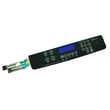
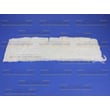
If symptoms match a keypad failure, the model-specific replacement is the range membrane switch WPW10207932.
Why it matters
A stuck keypad signal can disable baking and can also send unintended commands to the control. Resetting clears temporary glitches; repeated F5 events mean the console input circuit needs repair.
Last updated: January 2026
How do I reset the error code on my Whirlpool oven?
On the Whirlpool GY397LXUS02 range, most display alerts clear by pressing CANCEL to stop the current function; then reset the clock if it’s flashing after a power interruption. If the display shows LOCK, unlock the controls first so the keypad responds.
Quick reset steps (GY397LXUS02)
- Press CANCEL once to stop the active oven function and return the display to the time of day.
- If the clock time is flashing, set the clock again (a power interruption commonly triggers this).
- If LOCK is displayed, press and hold CANCEL and COOK & HOLD for 3 seconds (press CANCEL first) to unlock.
- If the oven is in Self-Clean, press CANCEL to stop the cycle; wait for the door to unlock before trying other functions.
- If an alert returns immediately after clearing, disconnect power at the breaker for 1 minute, then restore power and recheck.
What you’re seeing on the display
| Display behavior | What it usually means | What to do |
|---|---|---|
| Clock time flashing | Power was interrupted | Press CANCEL, then set the clock |
| “Bake” or “Lock” flashing rapidly | Control is alerting you to a problem state | Press CANCEL; unlock if needed |
| “LOCK” stays on | Control lock is enabled | Hold CANCEL + COOK & HOLD 3 seconds |
Why it matters
Clearing the display the right way prevents accidental starts, helps you confirm whether the issue was a one-time power event, and avoids forcing the oven to run while the control lock or self-clean door latch is active.
When to check parts
If the oven won’t heat after the reset (no temperature rise in Bake), a failed heating circuit is common. For this model, the bake element is a key component to inspect and test.
- Look for visible blistering or breaks in the element.
- Test the element for continuity with a multimeter.
Helpful references: GY397LXUS02 owner’s manual, bake element WPW10310274
Last updated: January 2026
What are the most common issues with GY397LXUS02?
The most common problems we see on the Whirlpool GY397LXUS02 30 inch electric slide-in range involve oven heating (won’t heat or uneven baking), surface burner heat control issues, and control panel or clock problems. Many of these symptoms trace to a failed heating element, switch, or keypad.
Common symptoms and likely causes
- Oven won’t bake or bakes unevenly: failed bake element, loose wiring, or control issue
- Surface element won’t heat or stays on high: failed infinite switch or damaged knob/switch shaft
- Control panel not responding: membrane switch (keypad) failure or control board problem
- Door heat leaks or poor temperature stability: worn door gasket or hinge alignment issue
- Oven light or indicators not working: failed indicator light or wiring connection
Parts that commonly fix these issues
If your symptoms match, these model-matched parts are frequent solutions:
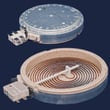
- Bake element WPW10310274
- Range membrane switch WPW10207932
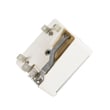
- Switch- el WP74010824
- Range oven door gasket WPW10162384
Quick checks we recommend first
- Confirm power: this range needs a full 240V supply; a tripped breaker can leave you with partial power.
- Look for visible damage: blisters, cracks, or burn spots on the bake element.
- Test safely with a meter: check continuity on suspect parts after disconnecting power.
- Inspect the door seal: gaps or hardened gasket material can cause heat loss.
Symptom-to-part guide
| Symptom | Most common part to check | What you’ll notice |
|---|---|---|
| No bake heat | Bake element | Bottom element doesn’t glow, visible damage |
| Burner stuck hot | Surface switch | Heat doesn’t change with knob |
| Keypad dead | Membrane switch | Some or all buttons don’t respond |
| Heat leaking at door | Door gasket | Hot air at edges, longer preheat |
Why it matters
Catching these issues early helps prevent poor cooking results, overheating, and additional wear on wiring and controls. For model-specific diagnostics, wiring diagrams, and component access steps, use the GY397LXUS02 owner's manual and the GY397LXUS02 installation guide.
Last updated: March 2026







