 Error Codes


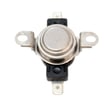
How do you reset a wall oven?
To reset your Kenmore wall oven model 91140168792, turn the oven’s circuit breaker OFF (or remove the fuse) for about 1 minute, then restore power. This power-cycle reset clears many control glitches and restores normal operation.
Reset steps (safe, reliable method)
- Turn the oven OFF at the home electrical panel (double breaker for the oven).
- Wait 60 seconds.
- Turn the breaker ON.
- Set the clock (if it flashes or shows incorrect time).
- Test Bake at 350°F for 10 minutes.
- If the display is blank or the oven still will not heat, continue with the checks below.
If the reset does not fix it
A reset helps when the electronic control is “stuck”, but it will not correct a failed heating or safety part. Check these common causes:
- Blown thermal fuse: the oven may be completely dead or heat may stop after overheating.
- Failed temperature sensor: can cause incorrect temperatures or error beeps.
- Bad bake or broil element: oven will not heat, heats unevenly, or only broils.
- Loose/burned wiring: especially at element terminals.
Quick part-to-symptom guide
| Symptom after reset | Most likely area to check | Example part on this model page |
|---|---|---|
| Display dead, no heat | Overheat safety circuit | Wall oven thermal fuse WB24K5046 |
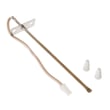
| Temps way off, error codes | Oven temperature sensing | Sensor WB21X5301 |
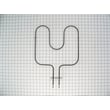
| No bake heat, broil works | Bake heating circuit | G.e. range bake element WB44K5013 |
| No broil heat, bake works | Broil heating circuit | G.e. range broil element WB44K5009 |
Why it matters
Resetting is the fastest first step because it restores power to the control board and can clear temporary faults. If the problem returns quickly, a heating component (like an element), a safety device (thermal fuse), or a sensor issue is usually the real cause.
Last updated: February 2026
What are the parts of an electric oven?
An electric oven like the Kenmore 91140168792 is built around a heating system (bake and broil), temperature sensing and safety controls, and the door and cabinet parts that keep heat contained. Most ovens also include a light assembly and venting to manage heat and moisture.
Core parts you will find in most electric wall ovens
- Bake element: provides the main heat for baking and roasting
- Broil element: provides high, top-down heat for broiling and browning
- Oven temperature sensor: tells the control how hot the oven is
- Thermal fuse: safety device that opens if the oven overheats
- Door glass and panels: insulate and let you see food while cooking
- Control housing and heat shielding: protects wiring and controls from heat
- Oven light holder: supports the oven light assembly
Model-specific examples of parts for Kenmore 91140168792
These are common components we see on this model’s parts list:
| Oven function | Example part on this model | What it affects |
|---|---|---|
| Temperature sensing | Sensor WB21X5301 | Inaccurate temps, long preheat, uneven baking |
| Baking heat | G.e. range bake element WB44K5013 | No bake, weak bake, slow cooking |
| Broiling heat | G.e. range broil element WB44K5009 | No broil, weak broil, poor browning |
| Overheat protection | Wall oven thermal fuse WB24K5046 | Oven dead or won’t heat after overheating |
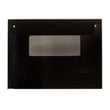
| Visibility and insulation | Glass WB36X779 | Heat loss, poor visibility, damaged door glass |
Why it matters
Knowing the main oven parts helps you troubleshoot faster. For example, uneven baking often points to the bake element or sensor, while a completely dead oven can point to an overheat condition and the thermal fuse.
Quick safety checks before inspecting parts
- Turn off power at the breaker before removing panels
- Let the oven cool fully before touching elements or door glass
- If you see burned wiring or melted insulation, stop and repair the wiring before replacing parts
- Use a multimeter for electrical testing when needed
For testing basics, we recommend how to use a multimeter to test electrical parts video.
Last updated: February 2026
Why is my Kenmore 91140168792 Elite oven not working?
If your Kenmore 91140168792 24-inch electric wall oven is completely dead or will not heat, the most common causes are a tripped breaker or lost power, a blown thermal fuse, a failed oven temperature sensor, or a burned-out bake or broil element. We troubleshoot these in a safe, step-by-step order.
Quick checks first (no tools)
- Confirm the oven is getting power; reset the double-pole breaker fully OFF, then ON.
- Make sure the control is not in a timed mode or control lock (if equipped).
- If the display is blank and the breaker is on, stop and move to the thermal fuse checks below.
Parts that commonly stop heating on model 91140168792
These parts are frequent culprits when the oven powers on but will not heat, heats unevenly, or never reaches temperature:
- Bake element: look for blisters, cracks, or a separated spot on the element.
- Broil element: check for visible damage and poor browning.
- Oven temperature sensor: a bad sensor can prevent proper heating or cause temperature swings.
- Thermal fuse: if blown, the oven may be dead or unresponsive.
Helpful model-matched parts to consider:
- Sensor WB21X5301
- Wall oven thermal fuse WB24K5046
- G.e. range bake element WB44K5013
- G.e. range broil element WB44K5009
What to test with a multimeter (power off)
Turn off power at the breaker before removing panels or testing continuity.
| Symptom | Most likely checks | What you are looking for |
|---|---|---|
| Display blank, no response | Thermal fuse, wiring connections | Fuse has no continuity; loose or burned wires |
| Display works, no heat in bake | Bake element, sensor | Element has no continuity; sensor out of range |
| Broil weak or not working | Broil element | Element has no continuity |
| Heats but temperature is wrong | Sensor | Sensor drifting or out of spec |
Why it matters
An electric wall oven relies on safety devices (like a thermal fuse) and feedback parts (like the temperature sensor) to control heat. When one fails, the control may shut the oven down entirely or prevent the elements from energizing, even though the display still works.
For safe DIY electrical testing and wiring inspection, we recommend reviewing how to use a multimeter to test electrical parts video and how to tell if a fuse is blown.
Last updated: February 2026





