Owner’s manual
 Error Codes




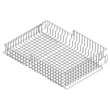
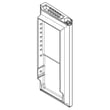
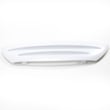
How do I remove the base grille on my Whirlpool refrigerator?
On the Whirlpool WRF535SWHZ01 bottom-mount refrigerator, we remove the base grille by gripping it firmly with both hands and pulling it straight toward you. On some installations, you may also need to remove two screws first, then pull the grille forward. See the WRF535SWHZ01 refrigerator user instructions manual.
Steps to remove the base grille (WRF535SWHZ01)
- Unplug the refrigerator (recommended anytime you are working around the bottom front area).
- If your grille has screws: remove the two screws fastening the base grille to the cabinet.
- Grasp the grille firmly with both hands.
- Pull the grille straight toward you to release it.
- Set the grille and screws aside so they do not get lost.
Reinstalling the base grille
Align the grille with the cabinet openings, then press it into place. If your grille uses screws, reinstall the two screws and snug them down.
| Grille style you see | What to do first | How it comes off |
|---|---|---|
| No visible screws | Grip and pull | Pulls straight toward you |
| Two screws at the front | Remove screws | Then pull straight toward you |
Why it matters
The base grille covers the leveling screws and roller assemblies. Removing it is often the first step for door alignment, leveling, cleaning under the unit, or accessing the toe-kick area for inspection.
Last updated: January 2026
How to adjust Whirlpool fridge legs?
On the Whirlpool WRF535SWHZ01 bottom-mount refrigerator, you adjust the front leveling legs by removing the base grille and turning the two front leveling screws with a 1/4-inch hex driver. Turn clockwise to raise the front (helps doors close), and counterclockwise to lower.
Step-by-step: leveling the front legs on WRF535SWHZ01
- Remove the base grille (it covers the leveling screws and front rollers). See the WRF535SWHZ01 refrigerator user manual.
- Roll the refrigerator into position.
- Use a 1/4-inch hex driver on the left and right leveling screws.
- Turn both screws the same amount to keep the cabinet level side-to-side.
- Test door closing; add a little more rearward tilt if needed.
- If one door sits lower, raise the low side by turning that side’s leveling screw clockwise.
Helpful tips (what we recommend)
- Have a second person push gently on the top front of the cabinet to reduce weight on the screws.
- Lift slightly with an air wedge (or carefully tilt) if the screws are hard to turn.
- Stop when the refrigerator feels steady and does not roll forward when you open the door or freezer drawer.
- Reinstall the base grille when finished.
Quick direction guide
| Goal | Turn leveling screw | Result |
|---|---|---|
| Make doors close easier | Clockwise | Raises front; tilts cabinet slightly back |
| Move fridge more easily | Counterclockwise | Raises legs off floor; rollers carry weight |
| Fix uneven doors | Clockwise on low side | Raises that side to align doors |
Why it matters
Proper leveling on the WRF535SWHZ01 helps the refrigerator doors seal correctly, reduces warm air leaks, and prevents the cabinet from rocking or rolling when you open the doors.
Last updated: January 2026
What is the most common problem with Whirlpool refrigerators?
For Whirlpool refrigerators like model WRF535SWHZ01, the most common problem we see is “not cooling well” from poor heat release at the condenser area, usually due to dust buildup on the condenser coil or restricted airflow near the machine compartment. Start with cleaning and airflow checks before replacing parts.
What to check first (no-parts steps)
- Verify temperature settings and allow 24 hours after any adjustment (see WRF535SWHZ01 refrigerator user manual).
- Make sure interior air vents in the refrigerator and freezer are not blocked by food packages.
- Clean dust and pet hair from the condenser area and toe grille.
- Confirm doors close fully and the gaskets seal all the way around.
- Listen for airflow at the bottom/back when the unit is running; restricted airflow can cause long run times.
Common causes and compatible parts for WRF535SWHZ01
If basic checks do not help, these components are commonly involved in cooling complaints on this model.
| Symptom you notice | Most likely area | Example compatible part for WRF535SWHZ01 |
|---|---|---|
| Refrigerator and freezer both warm, runs a lot | Heat not being removed efficiently | Refrigerator condenser WPW10346415 |
| Warm temps plus poor airflow at bottom/back | Condenser airflow path restricted or damaged | Refrigerator toe grille WPW10534155 |
| Clicking, hard starting, intermittent cooling | Compressor start components | Combination W10873801 |
| Temps fluctuate or controls act erratically | Main electronic control | Refrigerator electronic control board WPW10503278 |
Why it matters
When the condenser area cannot shed heat, the compressor runs longer and temperatures drift warmer. Fixing airflow and cleaning first often restores normal cooling and can prevent unnecessary part replacement.
Helpful DIY guidance
Last updated: January 2026
Do you remove cardboard from the bottom of a Whirlpool refrigerator?
For the Whirlpool WRF535SWHZ01, the setup instructions focus on removing packaging materials (tape, glue residue, foam, and shipping supports). They do not specifically identify a “cardboard” panel on the bottom as something to remove, so we recommend removing only obvious packaging and leaving any attached cover panels in place unless the manual directs otherwise. See the WRF535SWHZ01 refrigerator user manual.
What to remove vs. what to leave (WRF535SWHZ01)
During unpacking, use these practical checks:
- Remove tape, foam blocks, and any cardboard spacers used to protect shelves, doors, or drawers.
- Remove plastic film or protective wrap on exterior and interior parts.
- Remove any shipping braces or clips that are clearly temporary.
- Leave any screwed-on or clipped-on panels in place (especially near the compressor area) unless the manual tells you to remove them.
- If you are unsure whether it is packaging or a cover, stop and verify before pulling it off.
Quick identification guide
| What you see | Usually is | What to do |
|---|---|---|
| Loose cardboard spacer or corner protector | Packaging | Remove and recycle |
| Foam blocks/tape holding doors or drawers | Packaging | Remove |
| Flat panel that is fastened with screws/clips underneath or at the rear | Cover panel | Leave installed unless instructions say otherwise |
| Front base grille/toe grille | Access cover | Remove only when you need access for leveling/cleaning |
If you need access to the bottom area
If you are trying to level the refrigerator or check underneath, the manual describes removing the base grille to reach the leveling screws and rollers. If a panel is damaged or missing, match the replacement by model and part listing rather than guessing.
Why it matters
Removing the wrong piece can expose wiring or moving parts, change airflow, or create noise. Removing only true packaging helps protect the refrigerator and keeps it operating as designed.
Last updated: January 2026