Installation guide
 Owner’s manual
 Error Codes



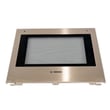
How long does an electric wall oven last?
Most electric wall ovens, including the Bosch HBN8451UC, typically last about 16 years with normal use and basic maintenance (keeping vents clear, avoiding heavy door loads, and addressing heating issues early).
Typical lifespan and what affects it
A wall oven’s service life depends more on heat stress and electronics than on the cabinet it’s installed in.
- Usage frequency: daily baking shortens life compared to occasional use
- Heat and ventilation: restricted airflow increases wear on controls and fans
- Power quality: low or unstable voltage can stress components
- Cleaning habits: frequent high-heat self-clean cycles accelerate aging
- Early repairs: replacing a failed fuse or fan can extend overall life
What “end of life” usually looks like
These are the most common symptoms we see as an electric built-in oven ages:
| Symptom | Common area involved | Example part for this model |
|---|---|---|
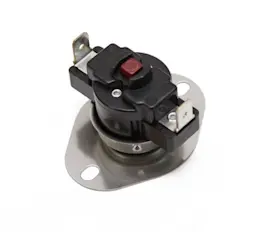
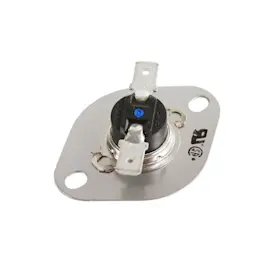
| Oven not heating or shuts off | Overheat protection, power supply | Wall oven thermal fuse 00631343 |
| Uneven baking or weak convection | Convection airflow | Thermador wall oven convection fan motor 00642845 |
| Display issues or erratic operation | Electronic controls | Control module 11020741 |
Maintenance that helps you reach the full lifespan
We recommend these practical steps for the Bosch HBN8451UC:
- Keep the cooling vents and surrounding cabinet airflow unobstructed
- Open the door briefly when checking food (reduces temperature swings)
- Use the timer features so the oven is not left heating for long periods
- If the oven door locks up or the unit acts “frozen,” reset power at the breaker (the manual’s troubleshooting guidance covers this)
- Follow Bosch’s operating and care guidance in the HBN8451UC owner’s manual
Why it matters
Knowing the typical 16-year lifespan helps you decide whether to repair (often cost-effective for a fan, fuse, or control issue) or plan a replacement if multiple major components are failing.
Last updated: February 2026
What are the common problems with Bosch ranges?
Bosch ranges most often have complaints that look like heating performance problems (won’t heat, uneven baking, slow preheat), control or display glitches, and fan or cooling issues. If you’re comparing those symptoms to your Bosch HBN8451UC wall oven, the same categories of failures apply.
Common range problems (and what they usually mean)
- Oven won’t heat or heats inconsistently: failed heating circuit, temperature sensing issue, or electronic control problem
- Uneven baking or long preheat: convection fan not moving air, convection element issue, or restricted airflow
- Oven shuts off mid-cook: overheating condition that can open a safety device
- Fan runs loud or runs too long: worn fan motor, cooling fan issue, or heat management problem
- Controls act erratically: control module or display/control board fault
Quick checks we recommend before replacing parts
Use these steps on a Bosch range or on the HBN8451UC wall oven:
- Verify the cooking mode and settings in the HBN8451UC owner’s manual.
- Reset power at the breaker for 2 to 5 minutes, then restore power.
- Confirm airflow: vents clear, door closes fully, no foil blocking vents.
- Listen for fan operation during preheat and after cooking; silence or grinding is a strong clue.
Parts that commonly solve these symptoms on HBN8451UC (wall oven example)
Even though the question is about ranges, these are common wall-oven parts that match the same symptom categories:
| Symptom category | What to inspect | Example part for HBN8451UC |
|---|---|---|
| No convection airflow, uneven baking | Convection fan motor | Thermador wall oven convection fan motor 00642845 |
| Shuts down from heat, oven dead | Thermal cutoff device | Wall oven thermal fuse 00631343 |
| Display or touch response issues | Electronic control | Control module 11020741 |
Why it matters
Heating, airflow, and control problems all affect temperature accuracy. Fixing the root cause improves baking results and helps prevent repeat overheating shutdowns.
Last updated: February 2026
How do I find the model number on my HBN8451UC?
On your Bosch HBN8451UC wall oven, the model number is printed on the appliance data plate. For this series, the data plate is located on the underside of the control panel; open the oven door and look up under the control panel lip.
Where to look (fast checklist)
- Open the oven door fully for better access and lighting
- Look on the underside of the control panel (not inside the oven cavity)
- Find the data plate label; it lists both the model and serial number
- Wipe dust or grease lightly so the characters are readable
- Write the model and serial number exactly as shown
What the data plate tells you
The data plate typically includes the key identifiers you need for parts and service.
| Item on label | What it’s used for |
|---|---|
| Model number | Matching the correct parts diagrams and replacement parts |
| Serial number | Identifying production version details when needed |
Why it matters
Bosch wall ovens often have similar-looking models with different wiring, control boards, or door parts. Using the exact model number from the data plate helps ensure you get the right fit for items like a control module, thermal fuse, or cooling fan assembly.
Helpful reference
For the official location diagram and additional identification notes, use the HBN8451UC owner’s manual.
Last updated: March 2026