 Installation guide
 Owner’s manual
 Error Codes









Where to find model number on Kenmore electric stove?
On the Kenmore electric range model 79095599102, the model number is printed on the serial plate located on the right-hand side of the oven front frame, behind the storage drawer or warmer drawer. Pull the drawer out and look along the right front frame area; the label also lists the serial number.
Where to look on model 79095599102
Use these common label locations for this model:
- Open the storage drawer or warmer drawer and look on the right side of the oven front frame
- Check the lower front frame area near the drawer opening (right side)
- Record the model number, serial number, and any lot number/letter shown on the plate
- If you are ordering parts, copy the numbers exactly as printed
For the exact illustrated location, use the 79095599102 owner's manual.
Quick checklist before you start
- Make sure the range is cool
- Pull the drawer out slowly so you do not tip stored items
- Use a flashlight; the plate can be hard to see
- Take a clear photo of the label for future reference
What information is on the serial plate?
The identification plate typically includes more than just the model number.
| Label item | What it helps with |
|---|---|
| Model number | Matching the correct Kenmore range parts list |
| Serial number | Identifying the production run for service and parts |
| Lot number/letter (if shown) | Narrowing down version changes within a model |
| Voltage and kilowatt rating | Confirming electrical requirements |
Why it matters
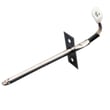
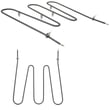
Kenmore ranges often have similar-looking designs across multiple model series (including 790.xxxxx). Using the exact model number from the serial plate helps us match the correct bake element, broil element, oven probe, control switch, and wiring parts for your specific range.
Last updated: January 2026
How to reset Kenmore oven model 79095599102?
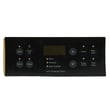
To reset a Kenmore electric range model 79095599102, turn the range off, cut power at the breaker for about 1 minute, then restore power and reset the clock. If the control is locked, cancel Oven Lockout by holding the lockout pad for 3 seconds as shown in the 79095599102 owner's manual.
Reset options (use the one that matches your symptom)
- After a power outage or flicker: Turn all knobs to OFF; restore power; then reset the clock and any oven settings.
- Control panel is unresponsive or acting “glitchy”: Do a breaker reset (power cycle) to reboot the electronic oven control.
- Display shows “LOC” or door won’t open: Cancel Oven Lockout (hold the lockout pad for 3 seconds).
- Beeping with an “F” code (example: F1, F3, F9): Press CANCEL to stop the beeping; reprogram the oven. If the code returns, troubleshooting usually focuses on the oven sensor circuit or electronic control.
Step-by-step: breaker reset (most common “reset”)
- Turn all surface element knobs to OFF.
- Switch the range circuit OFF at the home breaker panel.
- Wait about 60 seconds.
- Turn the breaker ON.
- Set the clock, then test Bake and Broil.
Step-by-step: cancel Oven Lockout (LOC)
The control can lock the oven door and inactivate oven controls.
- Press and hold the lockout pad for 3 seconds.
- Wait about 15 seconds for the door lock motor to finish.
- To unlock, press and hold the same pad for 3 seconds again.
Quick reference table
| What you see | What to do | What it fixes |
|---|---|---|
| Blank display after outage | Restore power; set clock | Normal recovery after power loss |
| “LOC” in display | Cancel Oven Lockout | Locked controls/door |
| Continuous beeping + F code | Press CANCEL; power cycle; retest | Clears fault and reboots control |
| Surface unit not heating | Verify correct knob and cookware | Common cooktop heating issues |
Why it matters
A proper reset clears temporary electronic control glitches and ensures the range does not resume cooking unexpectedly after power returns. It also helps you separate a one-time control hiccup from a repeatable failure that points to a part such as the oven temperature sensor or control.
Last updated: January 2026
What is the width of a Kenmore range?
For the Kenmore electric range model 79095599102, the installation dimensions show a 30-inch width. This is the standard width for many freestanding electric ranges, and it is the key measurement used for countertop and cabinet cutouts.
Where the 30-inch width is used
The 30-inch width matters most when you are planning fit and clearances for a replacement range or a remodel. In the 79095599102 installation guide, the overall dimensions diagram calls out the 30-inch width as the baseline for placement.
Common places you need the width measurement:
- Between base cabinets (opening width)
- Countertop edge alignment (flush-to-wall planning)
- Anti-tip bracket placement and leveling
- Clearance planning next to combustible surfaces
- Delivery path checks (doorways and tight turns)
Quick size reference (typical for this style of range)
Use this as a practical checklist when measuring your space; confirm exact values in the installation instructions.
| Measurement | What to measure | Typical value shown for this model |
|---|---|---|
| Width | Left-to-right across the range body | 30 in. |
| Depth | Front-to-back (varies with handle) | About 25 3/4 in. |
| Height | Floor to cooktop/backguard area | About 44 5/8 in. |
Measuring tips before you buy or install
To avoid a fit problem, we recommend measuring both the appliance and the opening.
- Measure the cabinet opening in at least 3 spots (top, middle, bottom)
- Measure the range width at the widest point (often the cooktop edge)
- Allow room for the power cord and outlet location behind the range
- Verify required clearance to cabinets above the cooktop
- Confirm the range can be leveled once in place
Why it matters
A range that is even slightly wider than the opening can damage cabinets and countertops during installation. Using the 30-inch width from the installation dimensions helps ensure proper clearance, safe placement, and a clean finished look.
Last updated: January 2026






