
What are the 5 most common mistakes people make with a random orbital sander?
The 5 most common mistakes with a random orbital sander (including a Craftsman 315116000 detail sander used for finish sanding) are pressing too hard, skipping grits, sanding without a plan, lifting the pad while it’s still spinning, and letting dust build up. These cause swirl marks, uneven scratch patterns, and slow material removal.
The 5 mistakes (and what to do instead)
- Pressing too hard: Let the motor and pad orbit do the work; use light, even pressure.
- Skipping grits: Move in steps (for example 80 to 120 to 180 to 220) so each grit removes the previous scratches.
- Not sanding progressively (no system): Overlap passes and keep a steady pace; don’t “spot sand” unless you feather the edges.
- Lifting the sander while it’s running: Set the sander down flat before starting; turn it off before lifting to prevent pigtails and gouges.
- Not cleaning dust: Clean the work surface and the sanding pad often; clogged abrasive cuts poorly and overheats.
Quick grit guide (typical woodworking)
| Task | Typical starting grit | Typical finishing grit |
|---|---|---|
| Removing old finish / leveling | 60 to 80 | 120 to 150 |
| General smoothing | 100 to 120 | 180 to 220 |
| Between coats (light scuff) | 220 | 320 |
Why it matters
Random orbital sanders are designed to leave a consistent scratch pattern. Too much pressure, poor grit progression, or dust buildup forces the abrasive to skid and clog, which creates visible swirls and wastes sanding discs.
Helpful checks if results still look bad
- Replace the sanding disc if it’s glazed, torn, or clogged.
- Verify the pad is flat and not damaged or warped.
- Check for vibration; it often points to a worn pad, loose fasteners, or debris stuck to the hook-and-loop surface.
- Use a vacuum or dust bag when possible to keep the abrasive cutting cleanly.
For general DIY safety habits before servicing cords, switches, or internal wiring, follow are diy appliance repairs safe.
Last updated: February 2026
What are the parts of a sander?
A sander is built from a drive system (motor and moving mechanism), a sanding interface (pad or platen), and safety and control components (switch, cord, housing). On the Craftsman 315116000 detail sander, these parts work together to create controlled vibration or rotation for sanding.
Common sander parts (and what they do)
- Motor: provides power to move the sanding pad.
- Sanding pad/platen: the surface that holds the sanding sheet and contacts the workpiece.
- Bearing(s): support rotating or oscillating shafts to reduce friction and noise.
- Fan/impeller: helps cool the motor; often also drives dust collection airflow.
- Switch and wiring: turns the tool on and off and delivers power safely.
- Housing and caps: protect internal parts and help direct airflow.
- Handle/grip: improves control and reduces fatigue.
Parts you will see most often when troubleshooting
| Symptom | Most likely area | What we check first |
|---|---|---|
| Won’t start | Power path | Cord, switch, loose/broken wires |
| Runs but pad doesn’t move right | Drive mechanism | Worn bearings, damaged gears/linkage |
| Excessive vibration/noise | Support components | Bearings, pad/platen wear, loose fasteners |
| Overheats | Cooling and load | Fan airflow, clogged vents, pressing too hard |
Why it matters
Knowing the main assemblies helps you diagnose faster. For example, a “won’t start” issue is usually electrical (cord, switch, wiring), while loud grinding is usually mechanical (bearings, gears, pad).
A quick safety checklist before inspecting parts
- Unplug the sander before opening the housing.
- Use a multimeter for electrical checks when needed.
- Replace damaged cords, switches, or wiring instead of taping over breaks.
- Keep vents clear to protect the motor.
For safe electrical testing and wire repair techniques, use our DIY resources like how to use a multimeter to test electrical parts video and how to repair broken or damaged wires video.
Last updated: February 2026
Which is better, an orbital sander or a detail sander?
For most DIY projects, an orbital sander is better for fast, even sanding on large flat areas, while a detail sander (like the Craftsman 315116000) is better for tight corners, edges, and small surfaces. The “better” choice depends on the shape of the workpiece and the finish you want.
Quick comparison
| Feature | Orbital sander | Detail sander (Craftsman 315116000) |
|---|---|---|
| Best for | Large, flat panels | Corners, edges, profiles |
| Speed on big surfaces | Faster | Slower |
| Control in tight spots | Limited | Excellent |
| Typical use | Tabletops, doors, shelves | Chair spindles, trim, inside corners |
How we recommend choosing
- Choose an orbital sander when you need consistent scratch patterns across a wide area (prep for paint, stain, or clear coat).
- Choose a detail sander when the job has inside corners, narrow rails, or shaped trim where a round pad cannot reach.
- Use both when you are refinishing furniture: orbital for the broad faces, detail sander for the edges and corners.
- If dust control matters, prioritize the tool that best matches your vacuum or dust bag setup and sand in lighter passes.
- For delicate veneers, use lighter pressure and finer grits regardless of sander type to avoid sanding through.
Grit and finish guidance (works for both types)
- 60 to 80 grit: fast stock removal, leveling filler (leaves deeper scratches)
- 100 to 150 grit: general smoothing and prep
- 180 to 220 grit: pre-finish sanding for many woods
- Between grits: remove dust and check scratch direction under good light
Why it matters
Using the wrong sander usually shows up as uneven sanding, missed corners, or swirl marks that become obvious after stain or clear coat. Matching the sander style to the surface shape saves time and improves the final finish.
For help finding the correct model number when ordering sanding accessories or replacement parts, use how to find your appliance model number (and what it means for parts).
Last updated: February 2026
Where can I buy Craftsman replacement parts?
You can buy replacement parts for your Craftsman detail sander model 315116000 by using the model-based parts listing on Sears PartsDirect; matching the model number is the fastest way to get the correct switch, cord, pad, or housing component for your exact tool.
Best way to buy the right part for model 315116000
Because Craftsman power tools often have similar-looking versions with different internal parts, we recommend shopping by the full model number and then confirming the part by description and diagram callout.
- Confirm the model number on the tool’s data plate: 315116000
- Use the model parts diagrams to identify the exact component location
- Match the part description to your symptom (for example: power loss, poor sanding, excessive vibration)
- Compare any markings on the old part (stamped numbers, wire colors, connector style)
- Order through Sears PartsDirect when you are ready to purchase
What to check before you order
These quick checks prevent the most common wrong-part issues on detail sanders.
| What to verify | Why it matters | Example on a detail sander |
|---|---|---|
| Model number | Ensures diagram and parts list match | 315116000 vs. a close variant |
| Voltage/plug style | Prevents cord and switch mismatches | 2-prong vs. 3-prong cord set |
| Mounting pattern | Ensures fit and alignment | Pad screw spacing and backing plate style |
| Wear vs. failure | Avoids replacing the wrong assembly | Worn pad vs. failed motor |
Why it matters
Ordering by the exact model number helps you avoid returns and downtime; a detail sander’s switch, cord set, and pad assemblies are commonly model-specific even when the tool looks identical.
Related DIY help
If your sander issue is electrical (won’t start, cuts out, smells hot), these guides help you confirm the problem before buying parts:
- How to use a multimeter to test electrical parts video
- How to tell if a fuse is blown
- How to repair broken or damaged wires video
Last updated: February 2026
What is the best sander on the market?
There is no single “best” sander for everyone; the best choice depends on your project (finish sanding vs. fast stock removal), surface size, and whether you want corded or cordless. For most DIY users, a 5-inch random orbital sander is the most versatile all-around pick.
Quick picks by job type
- Best all-around for most users: 5-inch random orbital sander (good balance of speed and finish)
- Best for tight corners and detail work: detail sander (like your Craftsman 315116000)
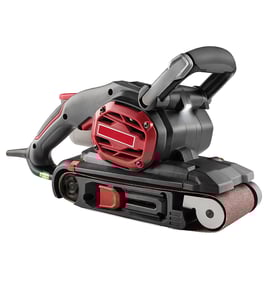
- Best for fast material removal: belt sander
- Best for ultra-smooth finish work: finishing/palm sander with fine grits
- Best for large flat surfaces: larger random orbital or a sheet sander
What to look for when comparing sanders
| What matters | What to choose | Why it helps |
|---|---|---|
| Surface quality | Random orbital | Reduces swirl marks compared to basic palm sanders |
| Control | Variable speed | Helps prevent gouging and improves finish consistency |
| Dust control | Sealed dust bag or vacuum port | Keeps paper cutting longer and improves visibility |
| Comfort | Low vibration, good grip | Less fatigue on longer sanding sessions |
How to choose the right sander for your project
- Match the tool to the surface: use a detail sander for corners and profiles; use a random orbital for broad, flat areas.
- Use the right grit progression: most projects go 80 to 120 to 180 (then 220 for fine finishing).
- Let the sander do the work: pressing hard slows the pad and can leave uneven marks.
- Prioritize dust collection: clogged paper overheats and leaves burnished spots.
Why it matters
Choosing the right sander (and grit) saves time and prevents rework. A detail sander like the Craftsman 315116000 excels at edges, corners, and small surfaces, but it is slower on tabletops or doors where a random orbital sander finishes faster and more evenly.
Helpful DIY reference
For safe troubleshooting and electrical checks (especially if a sander will not start), use our guide: how to use a multimeter to test electrical parts video.
Last updated: February 2026