 Installation guide
 Owner’s manual
 Error Codes



Why is my Kenmore electric range not heating up?
If your Kenmore electric range model 7909621340B is not heating, the most common causes are a power supply issue, an oven control setting issue (including the clock not being set), or a failed heating component such as the bake element, broil element, or a surface element control switch. Use the troubleshooting steps in the owner's manual to narrow it down safely.
Quick checks first (no tools)
- Confirm the range has power; the display and surface indicator lights should respond.
- Make sure the time of day is set; on this model, the oven may not operate until the clock is set.
- Verify you selected the correct cooking mode (Bake or Broil) and temperature.
- For a cooktop burner not heating, confirm you turned the correct knob for that element.
- If the range recently lost power, reset the clock and reselect the oven function.
What to test next (common failed parts)
If the oven will not heat but the control responds, these parts are frequent culprits:
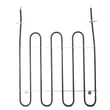
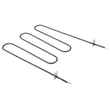
- Bake heat problem: Frigidaire range bake element 316413800
- Broil heat problem: Frigidaire range broil element 316203301
- Cooktop element not heating or stuck on one level: Oven switch 316436000 (surface element control switch)
Typical symptoms and what they point to
| Symptom | Most likely cause | What we recommend |
|---|---|---|
| Oven will not heat at all | Clock not set, power issue, control issue | Set clock; verify power; then test elements |
| Broil works but bake does not | Failed bake element | Inspect and test bake element |
| Bake works but broil does not | Failed broil element | Inspect and test broil element |
| One surface element will not heat | Control setting, cookware, switch/element issue | Try a different pan; then test switch/element |
Why it matters
A range that is not heating is often a simple setup or power problem, but continuing to run the appliance with a damaged element or wiring can lead to overheating at terminals and unreliable temperature control. Correct diagnosis helps you replace only what is needed.
Parts and ordering
We list replacement parts for model 7909621340B on this page, and you can also search by model number on Sears PartsDirect if you are matching additional components like a terminal block or wire harness.
Last updated: February 2026
Where can I find my Kenmore electric range model number?
For Kenmore electric range model 7909621340B, the model number is printed on the serial plate on the right side of the oven front frame, inside the storage drawer or warmer drawer compartment. Pull the drawer open and look along the right-side frame. See the 7909621340B owner's manual for the exact label location illustration.
Where to look on the range
Check these common spots in this order:
- Open the storage drawer or warmer drawer fully; look on the right side of the front frame
- Look for a serial plate or identification plate with both model and serial numbers
- Wipe the area with a dry cloth; grease and dust can hide the print
- Use a flashlight and view from a low angle to read faded text
- Take a photo and zoom in to confirm characters (especially 0 vs O)
What the label typically includes
The serial plate usually lists the key identifiers you need for parts and troubleshooting.
| Label item | What it’s used for | Example format |
|---|---|---|
| Model number | Matching parts to your exact range | 790.9621… (series) / 7909621340B (full model) |
| Serial number | Dating the unit and service records | Letters and numbers |
| Electrical rating | Verifying power requirements | Volts/amps info |
Why it matters
We use the model number to match the correct Kenmore range parts and diagrams for your exact configuration (surface elements, control style, drawer type, and trim). Using the full model number helps avoid ordering the wrong bake element, control switch, or wiring part.
Ordering the right parts once you have the model number
After you confirm the model number, you can order replacement parts from the parts list for this model, or search by model number on Sears PartsDirect.
Last updated: February 2026
How do you reset a Kenmore 7909621340B oven?
To reset your Kenmore 7909621340B electric range oven, we recommend doing a simple power reset: turn the range off, shut off power at the breaker for 1 to 5 minutes, then restore power and reset the clock and any oven settings. Use the owner's manual for control-specific steps.
Quick reset options (most common)
- Power reset (best first step): breaker OFF 1 to 5 minutes, then ON
- Cancel a running function: press the cancel/stop pad to end a bake or clean cycle
- Control lockout on/off: press and hold the oven lockout pad for 3 seconds (display shows “Loc” when locking)
- After a power outage: restore power, then reset the clock and oven function
Step-by-step: power reset (recommended)
- Turn all surface knobs to OFF.
- Switch the range circuit breaker OFF.
- Wait 1 to 5 minutes.
- Switch the breaker ON.
- Set the clock and re-enter any cooking settings.
If the oven seems “stuck” in lock or clean
If the door is locked after self-clean, let the oven cool. Many Kenmore ranges keep the door locked until the oven cools down (often about 1 hour). Do not force the door open.
What you should see
| Situation | What it means | What to do |
|---|---|---|
| Display shows “Loc” | Control lockout is enabled | Hold the lockout pad 3 seconds to cancel |
| “LOCK” light is on after self-clean | Oven is still hot, door stays locked | Wait for cool-down, then open |
| No display or dead control | Power issue to range | Check breaker, terminal block, and wiring |
Why it matters
A reset clears minor control glitches after a power interruption and restores normal keypad operation. If the display stays blank or the range repeatedly loses power, focus on the power supply connection points.
Parts that can be involved in power or control symptoms
- Kelvinator range terminal block 5304409888 (burned connections can cause intermittent power)
- Universal/multiflex (frigidaire) range terminal block 5303935271 (alternate terminal block option)
- Oven switch 316436000 (a failed switch can affect certain functions depending on circuit)
For additional parts and model lookups, search by model number on Sears PartsDirect.
Last updated: February 2026




