Installation guide
 Owner’s manual
 Error Codes


Is Kenmore 79046702603 high end?
Yes. Kenmore Elite model 79046702603 is positioned as a higher-end Kenmore electric range line, typically offering more premium styling and features than standard Kenmore ranges. For the exact features and control options on your unit, use the 79046702603 owner's manual.
What “high end” means for this model
For ranges, “high end” usually comes down to cooking performance, control features, and fit and finish. With Kenmore Elite slide-in models like 790.4670* (your model family), you can expect a more feature-forward design than entry-level models.
Common high-end indicators include:
- Slide-in styling for a more built-in look
- More precise oven control features (bake, broil, timed settings, self-clean)
- A ceramic glass cooktop with radiant elements
- More robust control panel and trim design
- Convenience features like a warmer drawer (on many configurations)
How to confirm what your 79046702603 includes
Because Kenmore Elite manuals often cover multiple closely related models, the best way to confirm your exact configuration is to match the feature list and control pad layout.
Use this quick check:
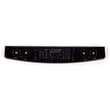
- Compare your control panel buttons to the control pad section in the manual
- Verify whether you have a warmer drawer and which settings appear
- Confirm cooktop element layout (single vs dual radiant elements)
- Check cleaning options (self-clean steps and safety notes)
- Record your model and serial number from the serial plate for parts matching
| What you’re checking | Where to look | Why it matters |
|---|---|---|
| Control pad features | Manual control pad section | Confirms available cooking modes |
| Cooktop element types | Surface controls section | Helps identify element and switch parts |
| Self-clean guidance | Self-clean section | Prevents damage and reduces smoke/odor issues |
Why it matters
Knowing whether your 79046702603 is “high end” is most useful for setting expectations on repair cost and parts quality. Premium ranges often use higher-cost electronic controls and specialty cooktop components, so accurate model-based part matching is important.
Last updated: February 2026
Where can I find my Kenmore 79046702603 oven model number?
For Kenmore Elite electric range model 79046702603, the model and serial number are printed on the serial plate. You will typically find that plate on the oven front frame behind the oven door, or on the drawer side frame (depending on the exact configuration). See the 79046702603 owner's manual for the exact label location callouts.
Where to look on the range
Check these common spots in this order:
- Oven front frame: open the oven door and look along the frame behind the door
- Drawer side frame: pull out the storage or warmer drawer and look on the side frame
- Door jamb area: scan the vertical frame edges where the door closes
- Lower drawer opening: look around the opening lip and side rails
What the label looks like (and what to write down)
The serial plate usually includes several identifiers. Record these exactly as shown:
- Model number (example: 79046702603)
- Serial number
- Lot number or letter (often used for parts inquiries)
| Label item | Why you need it |
|---|---|
| Model number | Ensures diagrams and parts match your exact range |
| Serial number | Helps narrow production variations |
| Lot number/letter | Helps confirm the correct revision of certain parts |
Why it matters
Kenmore ranges can have small production changes within the same series. Using the exact model and serial information helps us match the correct parts and avoid ordering the wrong control, harness, or sensor.
Last updated: February 2026
How do you reset a Kenmore electric stove?
To reset your Kenmore Elite electric range model 79046702603, shut off power at the breaker (or unplug if accessible) for about 1 minute, then restore power. This clears many control glitches and returns the electronic control to a fresh start; re-set the clock and any custom settings afterward.
Safe reset steps (recommended)
- Turn all surface and oven controls to OFF.
- Switch the range circuit breaker OFF (or unplug the range if you can reach the cord safely).
- Wait 60 seconds.
- Restore power.
- Reprogram the time of day and confirm the cooktop and oven respond normally.
What a reset can fix (and what it will not)
A power reset often helps when the control panel is unresponsive, the oven will not start, or the display is acting erratically. It will not fix a failed heating component or wiring problem.
| Symptom after reset | Most likely next check | Common related part for this model |
|---|---|---|
| Oven temperature seems inaccurate | Test the oven temperature sensor | Range oven temperature sensor 316217002 |
| Cooktop element stays too hot or will not regulate | Check the infinite switch for that element | Range dual element infinite switch 318191023 |
| Range is completely dead (no display) | Check power supply connection at terminal block and house breaker | Terminal block 5304409888 |
If you want a “factory settings” style reset
This model’s control can also be returned to factory-style defaults by clearing stored recipes and other adjustments using the keypad sequence described in the owner's manual. Clearing stored recipes also resets items like 12/24-hour clock display, silent control operation, Fahrenheit/Celsius display, and any oven temperature adjustments.
Why it matters
A proper reset is the fastest way to separate a temporary electronic control glitch from a real hardware issue (sensor, switch, terminal block, or wiring). That saves time before you start testing parts with a meter.
Last updated: February 2026
Why is my Kenmore 79046702603 stove not working?
If your Kenmore Elite 79046702603 electric range is not working, the most common causes are a power supply problem (tripped breaker, loose cord, failed terminal connection) or a control and heating circuit issue. Start by confirming the range has full power, then isolate whether the failure is the whole range, the oven, or one surface element.
Quick checks first (no disassembly)
- Verify the range cord is fully seated in the outlet.
- Check the home breaker: most electric ranges need a 240V double-pole breaker; reset it fully.
- If the display is blank, confirm other 240V appliances (like a dryer) are working.
- If only one burner will not heat, make sure you are turning the correct knob for that element.
- If the oven will not heat but the cooktop works, focus on oven-specific parts (sensor, control, wiring).
What to check based on the symptom
| Symptom | Most likely area | Common next step |
|---|---|---|
| Entire range dead (no lights, no display) | Power supply, cord, terminal block | Inspect wiring connections at the terminal block (power off) |
| Cooktop works, oven does not heat | Oven temperature sensing or control | Test/replace oven temperature sensor |
| One surface element does not heat | Element or infinite switch | Swap/test the switch or element for that position |
Parts that commonly fix “not working” problems
These are model-compatible parts often involved in no-heat or intermittent operation:
- Terminal block 5304409888: loose/burned connections can stop the range from powering correctly.
- Frigidaire range oven temperature sensor 316217002: a failed sensor can cause incorrect oven operation or no heat.
- Range dual element infinite switch 318191023: a bad switch can prevent a surface element from heating.
- Range dual radiant surface element 316282101: an open element will not heat.
Why it matters
An electric range can appear “dead” from a simple power issue, but loose or overheated terminal connections can also create intermittent failures and damage wiring. Confirming power and narrowing the symptom prevents replacing the wrong part.
Safety notes we follow for this model
- Disconnect power at the breaker before opening any panels.
- Use the wiring diagram and connection instructions in the installation guide when checking the terminal block and power cord connections.
- If the range was stored in freezing temperatures, let it sit above 32°F for several hours before powering it on (to protect electronic controls); see the owner's manual.
Last updated: February 2026