 Owner’s manual
 Error Codes



Are wall ovens hardwired or plug-in?
GE electric wall ovens like model JRS04BW3BB are typically hardwired (direct-wired) to a junction box, not plugged into a standard outlet. The exact electrical connection method and wiring requirements for your installation are listed in the JRS04BW3BB owner's manual.
Most electric wall ovens are installed as a permanent appliance connection. That usually means:
- A dedicated circuit from your electrical panel
- A junction box in the cabinet cutout area
- The oven’s conduit connected with approved wire connectors
- No accessible cord and plug after installation
- Power shut off at the breaker before any service
| Connection type | Common for wall ovens? | What it looks like | Typical use case |
|---|---|---|---|
| Hardwired to junction box | Yes | Conduit into a metal box | Built-in wall ovens, permanent installs |
| Plug-in cord to receptacle | Rare | Cord and outlet behind unit | Some ranges or specialty installs |
A wall oven draws high current, so the connection method affects safety, breaker sizing, and whether the oven can be pulled for service without disconnecting wiring. Following the model-specific instructions helps prevent nuisance breaker trips and overheating at the junction box.
Use these checks before you install the new unit:
- Confirm the breaker is OFF and verify power is actually removed
- Inspect the junction box for heat damage or brittle wiring
- Match wire gauge and circuit rating to the requirements in the manual
- Make sure the conduit length reaches the junction box without strain
- If wiring is damaged, repair it before energizing the oven
If you are troubleshooting power loss (blank display, controls not working), our manual also points to checking the home fuse or resetting the circuit breaker as a first step.
Last updated: February 2026
How to tell if a wall oven is gas or electric?
Your GE JRS04BW3BB is an electric wall oven. In general, electric wall ovens use hidden or exposed heating elements (bake and broil) and do not have a gas burner flame or a gas supply line; your JRS04BW3BB owner's manual also references heating elements and an electric cooling fan.
- Look inside the oven cavity:
- Electric: you will see a bake element on the bottom (sometimes hidden) and a broil element at the top.
- Gas: you typically see a burner area (often under a cover) rather than an electric element.
- Check behind or under the oven (if accessible):
- Electric: a heavy power cord or hardwired electrical conduit.
- Gas: a gas supply line (flex connector or rigid pipe) plus a smaller electrical connection for controls.
- Check the rating label: it will list voltage/amps for electric, or BTU and gas type (natural gas/LP) for gas.
- How it heats:
- Electric: heat comes from glowing elements.
- Gas: heat comes from a burner flame (not visible in many modern designs, but it is still a burner system).
- Cooling fan behavior: many electric wall ovens cycle a cooling fan on and off to cool internal parts.
| Feature | Electric wall oven (like JRS04BW3BB) | Gas wall oven |
|---|---|---|
| Main heat source | Bake and broil heating elements | Gas burner system |
| Utility connection | 240V electrical supply | Gas line plus 120V power |
| Common service parts | Elements, temperature sensor, thermal fuse | Igniter, gas valve, burner parts |
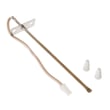
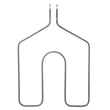
Gas and electric ovens use different ignition and heating systems, so troubleshooting and replacement parts are different. For example, if your oven will not heat or has temperature issues, common electric-oven checks include the temperature sensor and heating elements such as the sensor WB21X5301 or the GE range bake element WB44K5013.
Last updated: February 2026
When was the General electric JRS04BW3BB oven made?
GE electric wall oven model JRS04BW3BB was produced around the late 1990s; the owner’s manual for this model shows a publication date of July 1998, which typically aligns closely with the model’s production era. For the exact build date, use the serial number on the oven’s ID label and the date-coding guidance in the JRS04BW3BB owner's manual.
You can pinpoint the exact manufacturing date by using the model and serial number label.
- Open the oven door and look for the ID label on the front frame behind the oven door
- Write down the model number (JRS04BW3BB) and the serial number
- Use the serial number’s date code format described in the manual
- Keep the information with your purchase records for future parts lookup
The manual excerpt for this GE built-in electric oven includes a clear publication identifier.
| Item from documentation | What it tells you | How to use it |
|---|---|---|
| Manual publication date: 7-98 | The model was in circulation by mid-1998 | Use as a reliable timeframe for the oven’s era |
| Model/serial label location | Where to find the serial number | Needed to decode the exact build date |
Knowing the manufacturing date helps us match the correct GE wall oven parts and revisions for your JRS04BW3BB, especially for heat-related components like the bake element, broil element, and temperature sensor.
If you are troubleshooting temperature accuracy, the oven temperature sensor is a common wear item; the sensor WB21X5301 is one of the model-matched parts used to help the control maintain proper oven temperature.
Last updated: February 2026
How to reset a GE wall oven?
To reset your GE JRS04BW3BB electric wall oven, reset power to the oven by turning the circuit breaker OFF (or removing the fuse) for at least 30 seconds, then restoring power. This clears many control glitches and some “F” error codes.
- Turn the oven OFF.
- Switch the wall oven circuit breaker to OFF (or remove the fuse).
- Wait 30 to 60 seconds.
- Turn the breaker back ON (or reinstall the fuse).
- If the display is flashing or blank, reset the clock.
The JRS04BW3BB control can show an “F” plus a number or letter when it detects a function error.
- Press CLEAR/OFF.
- Let the oven cool for about 1 hour if it was hot.
- Do the power reset above (OFF for at least 30 seconds, then ON).
- If the same code returns, a failed component is likely.
| Symptom | Common checks | Parts often involved |
|---|---|---|
| Oven won’t heat or heats erratically | Verify breaker, then test sensor resistance | Sensor WB21X5301 |
| Oven dead after overheating event | Check for open safety device | Wall oven thermal fuse WB24K5046 |
A power reset restores the control to a known good state after a power surge, keypad glitch, or interrupted bake cycle. If the problem returns immediately after a reset, troubleshooting the temperature sensor, thermal fuse, wiring, or control circuit is the fastest path to a reliable fix.
- Confirm the breaker is fully seated (OFF then ON).
- Make sure the oven controls are set correctly (mode, temperature, start).
- If the display is blank or flashing, set the clock and retry BAKE.
- If you smell overheating or the oven shut down mid-cycle, check the thermal fuse.
For control operation details and troubleshooting charts specific to this model, use the owner's manual.
Last updated: February 2026





