Owner’s manual
 Error Codes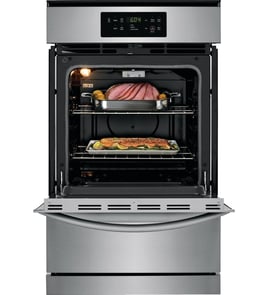






Are all 30 inch wall ovens the same size?
No. “30-inch” wall ovens are a size class, not an exact measurement; cutout width, height, and depth vary by brand and design. For Kenmore model 79030179400, confirm the required cabinet cutout and clearances in the 79030179400 owner's manual before ordering a replacement oven.
Most 30-inch single wall ovens are designed to fit a nominal 30-inch cabinet opening, but the actual appliance width and the required cutout dimensions can differ by fractions of an inch to more than an inch.
Common variables include:
- Trim style (standard vs. wide trim)
- Door and handle projection (affects depth)
- Vent location (top venting is common)
- Single vs. double oven (height changes significantly)
- Gas vs. electric design (can affect clearances and routing)
Measure the cabinet opening and compare it to the installation specs for the exact model you want.
- Measure cutout width at the top, middle, and bottom
- Measure cutout height on both sides
- Measure cutout depth to the back wall (and note any obstructions)
- Check front clearance for door swing and handle projection
- Confirm venting space; warm air exits the vent during operation
| What you see | What must match for fit | Why it matters |
|---|---|---|
| 30-inch wall oven | Cabinet cutout width/height/depth | Prevents gaps, binding, or a no-fit install |
| Similar-looking trim | Trim overlap and screw locations | Ensures the oven covers the cutout cleanly |
| Same fuel type | Gas supply and electrical requirements | Avoids unsafe or incompatible hookups |
A wall oven that is even slightly oversized for the cutout will not slide in correctly; one that is undersized can leave visible gaps and may not mount securely. Matching the exact cutout specs also helps maintain proper airflow for consistent baking performance.
Last updated: January 2026
How to find wall oven model number?
For Kenmore gas wall oven model 79030179400, the model and serial number are printed on the serial plate located along the interior side trim, visible when you open the oven door. Use the exact model number when ordering parts or checking wiring and feature details in the 79030179400 owner's manual.
Check these spots in order (most common first):
- Open the oven door and look along the interior side trim for the serial plate.
- Look for a metal or foil label that lists both model and serial.
- Use a flashlight and view from an angle; labels can be hard to read under kitchen lighting.
- If the label is greasy, wipe gently with a damp cloth and mild dish soap; dry fully.
- Record the numbers and keep them with your purchase paperwork for future reference.
| Label item | What it’s used for | Example format |
|---|---|---|
| Model number | Matching parts and diagrams | 79030179400 |
| Serial number | Identifying production run | Letters and numbers |
- Copy the model number exactly, including all digits.
- If the label is worn, take a clear photo and zoom in.
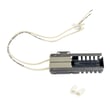
- Match the model number before buying common repair parts like an igniter, control board, or temperature sensor.
Kenmore wall ovens often share similar-looking components across model families; the exact model number ensures the correct fit, correct electrical connectors, and correct gas burner configuration.
Last updated: January 2026
How to unlock Kenmore gas oven door?
To unlock the door on your Kenmore 79030179400 gas wall oven, press and hold the Oven Lockout pad for about 3 seconds. The control will unlock the motor-driven door lock and return the oven to normal operation; wait until the “Door Locked” light stops flashing.
- Make sure the oven is not running a cooking cycle.
- Press and hold the Oven Lockout pad for 3 seconds.
- Watch the display for “Loc” to clear (or for the lock indicator to change).
- Do not pull on the door while the lock light is flashing; let the motor finish.
- Wait about 15 seconds for the latch to fully retract.
- Open the door normally once the lock indicator is steady or off.
A locked door is usually caused by the control still seeing a lock command, a stuck latch, or a control issue.
- Power reset: Turn off the breaker for 1 minute, then restore power and try the lockout cancel again.
- Let it cool: If the oven is hot, allow it to cool completely; heat can keep the latch from releasing smoothly.
- Check for a control problem: If the keypad is unresponsive or the lock keeps re-engaging, the electronic control may be failing.
- Inspect the latch area (only when safe): With power off, look for debris or misalignment around the door latch opening.
| What you see | What it usually means | What to do |
|---|---|---|
| “Door Locked” light flashing | Latch motor is moving | Wait; do not force the door |
| “Loc” stays on | Lockout still active | Hold Oven Lockout 3 seconds again |
| No response from keypad | Control not accepting input | Reset power; consider control diagnosis |
If the lock behavior is erratic (random locking, no response, or stuck in lock), the control system is a common suspect.
Forcing a locked oven door can bend hinges, damage the latch mechanism, or crack the door glass. Using the lockout cancel procedure protects the door, latch, and control.
For model-specific control pad names and indicator behavior, follow the steps in the 79030179400 owner's manual.
Last updated: January 2026