 Installation guide
 Owner’s manual
 Error Codes





How to find GE wall oven model number?
On your GE JT5000SF2SS electric wall oven, the model number is printed on the appliance rating label. You will typically find that label on the side trim or on the front of the (lower) oven frame behind the oven door; check the same spots for the serial number. See the owner's manual for the exact label locations and examples.
Where to look on model JT5000SF2SS
Check these common label locations first:
- Open the oven door and look along the front frame (especially on the lower oven on double-oven styles)
- Check the side trim area near the door opening
- Look just behind the oven door on the front of the oven frame
- If the oven is installed in a cabinet, use a flashlight and look along the vertical trim edges
Quick checklist: model number vs. serial number
Both are usually on the same label.
| Item | What it’s used for | Example format |
|---|---|---|
| Model number | Matching the correct parts and diagrams | Letters and numbers (like JT5000SF2SS) |
| Serial number | Identifying production run and date | Longer mix of letters and numbers |
Why it matters
We use the model number to match your exact wall oven configuration (controls, door parts, sensors, and heating components). That prevents ordering the wrong part, especially for items like a temperature sensor, control panel, or door seal.
Last updated: February 2026
How much does it cost to replace a GE oven control panel?
For the GE JT5000SF2SS electric wall oven, replacing the control panel typically costs about $500 to $800 total: roughly $450 to $600 for the control panel part plus $150 to $250 for professional labor. If you DIY, you usually pay just the part cost.
What you will likely pay (typical ranges)
Costs vary most by whether you replace only the user interface (control panel) or also a control board behind it.
- Control panel (user interface) part: commonly $450 to $600
- Labor (service call + installation): commonly $150 to $250
- Extra parts (as needed): $10 to $100 (mounting screws, trim pieces, harness repair)
- DIY total: usually the part cost only
| Scenario | What is replaced | Typical total cost |
|---|---|---|
| DIY control panel swap | Control panel only | $450 to $600 |
| Pro control panel swap | Control panel + labor | $600 to $850 |
| Deeper electronic repair | Control panel plus related electronics | $700 to $1,000+ |
How to confirm the right part before you buy
We recommend matching by model number and verifying the exact panel style and connectors.
- Use the parts list for model JT5000SF2SS to confirm the correct control panel
- Compare your existing panel’s appearance (stainless finish, button layout) to the replacement
- Check for signs of heat damage or loose wiring behind the panel
- If the display is dead or keys do not respond, confirm power at the oven before replacing parts
- Follow the disassembly steps and safety notes in the owner's manual
Why it matters
A wall oven control panel is both a cosmetic part and an electronic user interface. Choosing the correct panel for JT5000SF2SS prevents fit issues, avoids return delays, and helps ensure the oven controls respond correctly after installation.
Last updated: February 2026
What are the parts of an electric oven?
An electric oven like the GE JT5000SF2SS is built around heating elements, temperature sensing, airflow, lighting, and door sealing parts that work together to heat evenly and hold temperature. For your exact component locations and access steps, use the JT5000SF2SS owner's manual.
Main parts you will find in most electric wall ovens
- Bake system: the bake element (often hidden under the oven floor on many designs) provides primary baking heat.
- Broil system: the broil element provides high, top-down heat for broiling and browning.
- Temperature control: a temperature sensor tells the control how hot the oven is.
- Air movement: convection fan and fan blade circulate hot air (on convection models).
- Oven cavity hardware: racks and rack supports position cookware.
- Door system: hinges, door seal (gasket), and glass help the door close tightly and retain heat.
- Lighting: oven light bulb or halogen lamp illuminates the cavity.
Model-specific examples of common JT5000SF2SS parts
Here are a few parts from the JT5000SF2SS parts list that match the major oven systems above:
| Oven system | What it does | Example part for this model |
|---|---|---|
| Temperature sensing | Helps regulate oven temperature | Wall oven temperature sensor WB21X10165 |
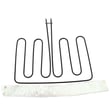
| Broil heating | Provides top heat for broiling | Wall oven broil element WB44X48685 |
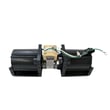
| Air circulation | Moves hot air for convection baking | Complete fan blade WB02T10598 |
| Door sealing | Helps prevent heat loss around the door | Wall oven door seal WB35X32825 |
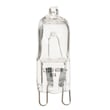
| Lighting | Lights the oven interior | Wall oven light bulb WB25T10102 |
Why it matters
Knowing which part does what helps you troubleshoot faster. For example, uneven baking often points to airflow or sensing issues, while heat escaping or longer preheat times often point to a door seal or hinge problem.
Quick safety notes before inspecting parts
- Turn off power at the breaker before removing panels or touching wiring.
- Never lean on or hang from the oven door; the installation instructions warn that door weight can tip an unsecured oven.
- Let the oven cool completely before checking the door seal, racks, or light cover.
Last updated: February 2026
What does F2 mean in GE oven?
On a GE JT5000SF2SS electric wall oven, an F2 code is treated as a function error code that points to a control sensing problem (commonly an over-temperature condition or a temperature-sensing circuit issue). Start by canceling the cycle, letting the oven cool, then resetting power as outlined in the owner's manual.
What to do first (safe reset)
- Press Cancel/Off to stop the cycle.
- Let the oven cool down completely.
- Turn power off at the breaker for at least 30 seconds, then restore power.
- If the code returns, avoid running Self Clean until the issue is corrected.
- If the display shows “F” plus a number/letter again after the reset, service is typically needed.
Common causes we see with F2-type errors
F2 is often triggered when the control thinks the oven temperature is out of range or it cannot trust the temperature feedback.
- Failed or drifting oven temperature sensor
- Loose, damaged, or overheated sensor wiring/connectors
- Control problem (relay sticking, control not regulating heat correctly)
- Cooling/airflow issue that lets heat build up around controls
Quick checks you can do
Turn off power before inspecting any wiring.
- Inspect the sensor harness connection at the rear of the oven cavity (look for loose pins or heat damage).
- Check for pinched wires near the door hinge area and along the back.
- If you have a multimeter, test the sensor resistance at room temperature (a bad reading usually indicates a bad sensor).
Parts that commonly relate to this symptom
| Symptom | Part to check | Example part for JT5000SF2SS |
|---|---|---|
| F2 returns after cooling/reset | Oven temperature feedback | Wall oven temperature sensor WB21X10165 |
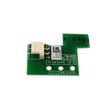
| Heat seems to build around controls | Cooling control sensing | Wall oven cooling fan sensor board WB27T11463 |
Why it matters
When the control cannot accurately regulate temperature, the oven can overheat, cook unevenly, or shut down mid-cycle. Fixing the sensor or its wiring restores stable baking and broiling performance.
Last updated: February 2026





