 Owner’s manual


What is the life expectancy of a Samsung washing machine?
A Samsung washing machine like model WA51A5505AC typically lasts 10 to 15 years with normal household use. Consistent maintenance (especially cleaning cycles, proper detergent use, and correct installation) is what most often determines whether you land closer to 10 years or closer to 15.
What affects lifespan the most
We see these factors make the biggest difference on top-load washers like the Samsung WA51A5505AC:
- Overloading the tub or washing bulky items incorrectly (causes out-of-balance stress)
- Skipping routine cleaning, including the tub cleaning cycle and dispenser cleaning
- Using non-HE detergent or using too much detergent (can lead to residue and drainage issues)
- Poor leveling or a weak floor (increases vibration and wear during spin)
- Hard water buildup affecting valves, hoses, and internal components
For model-specific care and maintenance steps, follow the Maintenance section in the WA51A5505AC user manual.
Maintenance habits that help you reach the high end (15 years)
These are simple habits that reduce wear on the drive system, suspension, drain system, and control components:
- Run the Self Clean cycle on the schedule recommended in your manual
- Leave the lid open between loads when possible to reduce moisture and odor
- Use HE low-suds detergent and measure carefully
- Keep loads balanced; wash bulky items (bedding/waterproof) in the correct cycle
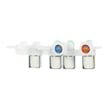
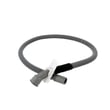
- Check inlet hose connections periodically and replace hoses if they show wear
Quick expectations by usage level
| Usage pattern | Typical lifespan | What usually wears first |
|---|---|---|
| Light (1 to 3 loads/week) | 12 to 15 years | Hoses, lid lock, minor leaks |
| Average (4 to 7 loads/week) | 10 to 13 years | Drain components, suspension, controls |
| Heavy (8+ loads/week) | 8 to 11 years | Suspension, drive components, bearings |
Why it matters
Knowing the expected lifespan helps you decide when to invest in repairs (like a drain pump, inlet valve, or control board) versus planning for replacement, especially if multiple symptoms show up at once.
If your washer starts showing information codes, our Samsung top load washer error codes guide can help you narrow down the likely system involved.
Last updated: January 2026
What is the most common problem with the Samsung washing machine?
On the Samsung WA51A5505AC washer, the most common day-to-day issue we see is a fill or water-level related problem: the washer does not fill correctly, fills too slowly, or stops with an information code because it cannot sense the expected water level. Use the WA51A5505AC user manual to match symptoms to checkpoints and codes.
Quick checks we recommend first
- Confirm both hot and cold water taps are fully open.
- Make sure the inlet hoses are not kinked or crushed behind the washer.
- Check for clogged inlet screens at the washer water inlet connections.
- Verify your home water pressure is adequate (low pressure can cause long fill times).
- If you recently moved the washer, re-check for leaks at hose fittings.
What to look for (symptoms vs likely cause)
| What you notice | Most likely issue | What to do next |
|---|---|---|
| Won’t fill or fills very slowly | Closed tap, kinked hose, clogged inlet screen | Correct the supply issue, then retry a cycle |
| Stops mid-cycle with a code | Fill, drain, or unbalanced-load detection | Use the manual’s “Information codes” section |
| Overfills or water level seems wrong | Water-level sensing problem or air dome/pressure path issue | Unplug, check for obvious hose issues; service may be needed |
| Long cycle times | Load sensing reacting to low fill or oversudsing | Use HE detergent, reduce suds, confirm water supply |
Why it matters
Fill and water-level problems can prevent proper washing, cause the washer to stop for protection, and can lead to leaks if hoses or fittings are stressed. Fixing the water supply basics often restores normal operation without replacing parts.
Helpful model-matched resources
- For code lookups and next steps, we use Samsung top load washer error codes.
Last updated: January 2026
How do I find the model number on my WA51A5505AC?
Your Samsung washer’s model number is printed on the rating label (model and serial tag) attached to the cabinet. On WA51A5505AC, you can typically find it under the lid opening area or on the back of the washer. Use the exact model number to match diagrams and parts.
Where to look on the washer
Check these common label locations for Samsung top-load washers:
- Under the lid, around the tub opening or on the underside of the lid frame
- Along the rear edge of the top panel (visible when the lid is open)
- On the back panel of the washer cabinet
- Near the bottom rear area of the cabinet
What the label looks like and what to copy
The tag usually includes several identifiers. Copy the model number exactly as shown.
| Label item | What it’s used for | Example format |
|---|---|---|
| Model number | Correct parts and diagrams | WA51A5505AC/US-00 style |
| Serial number | Production info, service history | Letters and numbers |
| Electrical ratings | Installation and troubleshooting | 120 V, etc. |
Tips to avoid ordering the wrong parts
Samsung washers often have similar model families, so small suffix differences matter.
- Write the full model number, including any suffix after a slash (example: /US-00)
- Match the model number on the tag, not the one on the control panel marketing label
- If the tag is hard to read, take a clear photo and zoom in
- Use the model number when selecting parts like a lid lock or drain pump
Why it matters
Parts, wiring, and even dimensions can vary by revision. Using the exact model number ensures the right fit and helps you use the correct procedures in the WA51A5505AC user manual.
Last updated: March 2026





