 Installation guide
 Owner’s manual
 Error Codes


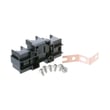
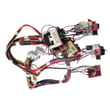

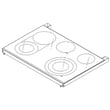

How to order GE appliance parts?
You can order replacement parts for your GE CES750P4M1W2 electric slide-in range by matching your model number and then selecting the exact part from the parts list for this model. For correct fit and safe operation, confirm the part name and part ID, then follow the ordering steps in the owner's manual.
What to do before you order
- Confirm the full model number is CES750P4M1W2 (use the rating label on the range).
- Identify the symptom (for example: burner not heating, oven temperature off, fan running constantly).
- Look up the part by function, then match the part ID exactly.
- If you are replacing an electrical part, shut off power at the breaker before inspecting wiring.
- If your range is still under warranty, check your warranty paperwork first so you know what coverage applies.
Common parts customers order for this model
These are examples of parts on this model’s parts list that are often replaced when specific symptoms show up:
| Symptom | Part to check | Example part on this model |
|---|---|---|
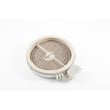
| Surface burner not heating | Radiant surface element | Range radiant surface element, 5-1/2-in WB30T10145 |
| Oven temperature inaccurate | Oven temperature sensor | GE wall oven temperature sensor WB23X5340 |
| Oven door won’t register closed or light issues | Door switch | Range oven door switch WB24X27550 |
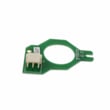
| Cooling fan behavior seems wrong | Cooling fan sensor/control | Range cooling fan sensor board WB27X28659 |
Why it matters
Ordering by the exact model number (CES750P4M1W2) and exact part ID helps prevent wrong-part returns and avoids installation problems that can cause heating, control, or wiring issues on an electric range.
Last updated: February 2026
How do I find the right GE part number?
For your GE CES750P4M1W2 electric slide-in range, the right part number comes from matching the exact model number to the parts diagram and then selecting the specific component by location and description. Use the model tag on the range and confirm the part by name and position in the diagram.
Step-by-step: how we recommend finding the correct part
- Confirm the model number is CES750P4M1W2 (match every letter and number).
- Use the parts list and exploded diagrams for this model to identify the failed component.
- Match by part name and where it installs (surface unit area, oven cavity, control panel, door, etc.).
- Cross-check symptoms to the likely part (for example, a burner not heating vs. an oven not heating).
- Verify any measurements or features called out (example: element size like 5-1/2-in).
- Use the wiring and component information in the owner's manual to confirm what the part controls.
Common “right part” checks (to avoid ordering the wrong item)
- Same model, different revision: small design changes can affect fit.
- Similar-looking parts: switches, sensors, and boards can look alike but have different connectors.
- Finish and color: door panels and trim pieces must match your range’s finish.
| What you’re replacing | What to match | Example part for this model |
|---|---|---|
| Surface burner element | Size, single vs. dual/triple, connector style | Range radiant surface element, 5-1/2-in WB30T10145 |
| Oven temperature sensing | Sensor type and connector | GE wall oven temperature sensor WB23X5340 |
| Touch/control issues | Exact board ID and compatibility | Range oven control board WB27X32101 |
Why it matters
GE range parts are highly model-specific. Using the exact CES750P4M1W2 diagrams prevents mismatched electrical parts (like a control board or sensor) and helps ensure proper fit, safe operation, and correct heating performance.
Last updated: February 2026
What are the most common stove parts to replace?
On the GE CES750P4M1W2 electric slide-in range, the most commonly replaced parts are cooktop surface elements, oven temperature-sensing parts, door and latch components, and control-related parts that see heavy heat and daily use. Use the parts list for your model and the owner's manual to match symptoms to the right replacement.
Most common parts (and what failure looks like)
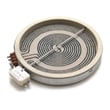
- Radiant surface elements: burner will not heat, heats unevenly, or cycles incorrectly (examples include range radiant surface element, 5-1/2-in WB30T10145, range dual radiant surface element WB30T10135, and GE range triple radiant surface element WB30T10155)
- Oven temperature sensor: baking runs hot or cold, long preheat, inconsistent results (example: GE wall oven temperature sensor WB23X5340)
- Oven door switch: oven light or certain functions act up when the door position is misread (example: range oven door switch WB24X27550)
- Electronic controls and touch panels: dead display, unresponsive keys, random beeping, or functions not starting (examples: range oven control board WB27X32101, glass & touch board asm WB27X31709)
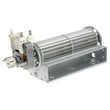
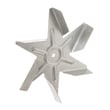
- Cooling and convection airflow parts: fan noise, overheating symptoms, or poor heat circulation (examples: range cooling fan sensor board WB27X28659, range convection fan blade WB2X8351)
Quick symptom-to-part guide
| Symptom | Most likely part area | Example part for CES750P4M1W2 |
|---|---|---|
| One burner will not heat | Radiant surface element | WB30T10145 |
| Large burner works on one ring only | Dual or triple element | WB30T10135 or WB30T10155 |
| Oven temperature seems off | Temperature sensor | WB23X5340 |
| Display works but oven will not start | Control or touch input | WB27X32101 or WB27X31709 |
| Oven light issue after bulb change | Lamp holder or door switch | WB08T10002 or WB24X27550 |
Why it matters
Replacing the correct part restores safe, predictable heating and helps prevent repeat failures. For example, the manual notes that you can adjust bake temperature calibration if cooking seems different, which can save you from replacing parts unnecessarily.
Before you order a part
- Confirm the model number CES750P4M1W2 on the appliance ID label.
- Reset power at the breaker for 1 minute, then retest.
- For heating issues, verify cookware is flat and sized correctly for the element.
- For temperature complaints, try a calibration adjustment first (Bake and Convection Bake only).
- For electrical testing, use safe meter practices (power off when required); see how to use a multimeter to test electrical parts video.
Last updated: February 2026
What is the life expectancy of a GE electric oven?
A GE electric oven, including the oven in GE model CES750P4M1W2 electric slide-in ranges, lasts 13 to 15 years. Consistent cleaning, using Self Clean only when needed, and fixing heating or temperature problems early helps you reach that full service life; see the care guidance in the owner's manual.
Typical lifespan and what affects it
Electric ovens are durable, but heat and electrical load drive wear over time.
- Cooking frequency and temperature: daily high-heat use shortens life
- Self-clean cycles: extreme heat stresses door latches, wiring, and electronics
- Ventilation and cooling: restricted airflow overheats internal components
- Spills and corrosion: baked-on spills can damage finishes and create odors
- Power quality: surges and repeated breaker trips can damage control boards
Self-clean and maintenance tips (CES750P4M1W2)
This model’s manual describes Self Clean as a high-temperature cycle; for moderate soil, a 3-hour cycle is typical, and for heavy soil, a 5-hour cycle is typical.
- Wipe the cavity with mild soap and water (or vinegar and water) after the oven cools
- Remove items that are not rated for self-clean before starting the cycle
- Keep the door gasket area clean so the door seals correctly
- Let the cooling fan run after cooking if it stays on (normal operation)
- If baking is consistently hot or cold, check the oven temperature sensor; the GE wall oven temperature sensor WB23X5340 is a common fix for temperature-sensing problems
Repair vs. replace decision guide
| Oven age | Best next step | What usually tips the scale toward replacement |
|---|---|---|
| 0 to 10 years | Repair most issues | Repeated major electronic failures |
| 10 to 15 years | Repair if isolated and cost-effective | Multiple systems failing (elements, controls, wiring) |
| 15+ years | Minor repairs only | High repair cost or inconsistent performance |
Why it matters
Knowing the 13 to 15 year life expectancy helps you plan maintenance and decide when a repair (sensor, surface element, control) is the smart investment versus replacing the range.
Last updated: February 2026




