 Installation guide
 Owner’s manual



How to reset a Kenmore Elite dryer?
To reset your Kenmore Elite dryer model 41781100003, we recommend a simple power reset: turn the dryer off, unplug it for 1 to 5 minutes, then plug it back in and try a cycle again. This clears many control glitches and false error conditions.
- Press Power to turn the dryer off.
- Unplug the dryer (or switch the breaker off).
- Wait 1 to 5 minutes.
- Restore power.
- Press Power, select a cycle, and press Start.
- If the control is locked, press and hold the Control Lock button (label varies by console) for about 3 seconds.
A reset will not fix a failed safety device or airflow problem. Check these common causes next:
- Door not fully closed or door switch not engaging
- Tripped breaker (electric dryers often use a 2-pole breaker)
- Clogged venting causing overheating and a safety shutdown
- Overheat protection opened (thermal limiter or high-limit thermostat)
- Loose power cord connection at the terminal block
| Symptom after reset | What it usually points to | What to check first |
|---|---|---|
| Powers on, no heat | Heating circuit issue | Venting, heater, thermostats |
| Dead, no display | Power supply issue | Breaker, cord, terminal block |
| Stops mid-cycle | Overheating or airflow restriction | Lint screen, duct, outside hood |
This Kenmore Elite dryer includes an Installation Cycle used to verify setup and run diagnostics after installation. If you recently installed or moved the dryer, follow the console button sequence and prompts in the 41781100003 installation guide.
Resetting is a fast first step, but repeated shutdowns usually mean the dryer is protecting itself from an unsafe condition (most often restricted airflow). Fixing venting and heat-safety issues helps prevent repeat failures and long dry times.
Last updated: January 2026
How to find Kenmore Elite dryer model number?
The Kenmore Elite dryer model number is printed on the appliance’s rating label. On model 41781100003, we most often see that label on the door opening area (door jamb) or on the back of the cabinet near the top; match the full number exactly when ordering parts or using the manual.
Check these common label locations first:
- Inside the dryer door opening on the cabinet frame (door jamb)
- On the back panel of the dryer near the top edge
- Along the side of the door opening, behind the door
- On the inside edge of the front panel near the lint screen housing
The label typically includes several identifiers. Use the model number for parts lookup and documentation.
| Label item | What it’s used for | Example format |
|---|---|---|
| Model number | Correct parts and diagrams | 41781100003 |
| Serial number | Manufacturing info, service history | Letters and numbers |
| Electrical rating | Power requirements | Volts/amps |
- Write the model number exactly as shown (all digits, no spaces).
- If the label is worn, take a clear photo and zoom in.
- Use the model number when checking wiring, venting, and installation requirements in the 41781100003 installation guide.
- If you are troubleshooting a display code, match the dryer family and use the Kenmore elite dryer error codes reference.
Kenmore Elite dryers share similar styling across multiple model families, but parts like the heating element, thermistor, belt, and user interface can vary by model. Using the exact model number keeps your repair accurate and prevents fit issues.
Last updated: January 2026
Where is the moisture sensor in a Kenmore Elite dryer?
On Kenmore Elite dryer model 41781100003, the moisture sensor is typically mounted inside the drum area on the lint filter housing (lint screen duct) near the front bulkhead; you usually access it by removing the lint screen and taking out the screws holding the lint screen housing/grille in place. See the 41781100003 installation guide for safe access and wiring precautions.
- Unplug the dryer (or switch off the breaker) before opening any panels.
- Open the door and remove the lint screen.
- Look down into the lint screen opening; the sensor bars are usually positioned so clothes can brush them during tumbling.
- Remove the screws securing the lint screen housing/grille so you can see the sensor mounting area.
- Identify the moisture sensor by its two metal bars (or a small sensor bracket) with two wires attached.
- Reinstall all screws and confirm the lint screen seats properly when finished.
The moisture sensor helps the control decide when clothes are dry in Auto/Sensor cycles. If the sensor is dirty or disconnected, the dryer can stop too soon, run too long, or show inconsistent drying results.
- Clean the sensor bars with rubbing alcohol and a soft cloth (dryer sheets can leave a waxy film).
- Clean the lint screen and check airflow; restricted venting can mimic sensor problems.
- Inspect the two wire connections at the sensor for looseness or corrosion.
- If the dryer overheats or shuts down, check safety devices such as the dryer inlet thermal limiter 137032600 and kelvinator dryer high-limit thermostat 3204267.
| Symptom | Common cause | What to do first |
|---|---|---|
| Stops early, clothes still damp | Sensor bars coated | Clean sensor bars |
| Runs too long | Poor airflow or sensor not sensing | Clean venting and sensor |
| No heat or shuts off on heat | Thermal safety device opened | Check limiter/thermostat |
The wiring diagram and technical data sheet are typically located inside the dryer console, and wires should be labeled before disconnecting during service. Following the steps and safety guidance in the 41781100003 installation guide helps prevent wiring errors and shock hazards.
Last updated: January 2026
What are the codes for Kenmore Elite dryer?
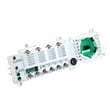
On the Kenmore Elite dryer model 41781100003, common error codes include PF (power failure) and several F-codes that point to a specific circuit or component such as the main control, user interface, heater relay, or thermistor. Use the code to guide safe, targeted troubleshooting.
- PF: Power failure or power interruption
- F:01: Main electronic control board failure
- F:02: Keypad or user interface failure
- F:20: Heater relay failure
- F:22 / F:23: Outlet thermistor failure
- F:24 / F:25: Inlet thermistor failure
- Reset power: unplug for 2 to 5 minutes, then restore power and retry the cycle
- Confirm correct supply: electric dryers need a solid 240V supply; check the breaker (both sides)
- Inspect the power cord connections at the terminal block for heat damage or loose screws
- Clean lint screen and verify strong airflow at the outside vent hood
- If the code returns immediately, stop and troubleshoot the specific circuit the code indicates
If you are seeing heater or thermistor-related codes, these model-compatible parts are commonly involved:
| Symptom or code family | Likely area to test | Example model-compatible part |
|---|---|---|
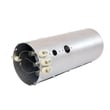
| F:20 (heater relay) or no heat | Heating circuit | Dryer heating element 134792700 |
| F:22, F:23 (outlet thermistor) | Temperature sensing | Kenmore dryer thermistor 134711300 |
| Overheating, shuts off, heat issues | Safety limit devices | Dryer high-limit thermostat 3204267 or dryer inlet thermal limiter 137032600 |
These codes help prevent repeat failures and reduce overheating risk by pointing you to the exact system (controls, heater circuit, or sensors). Correct diagnosis also avoids replacing good parts and helps restore normal drying times.
For the complete error-code chart and any model-specific reset or test procedures, use the 41781100003 owner's manual. For installation-related electrical and safety guidance, use the 41781100003 installation guide. You can also reference our Kenmore elite dryer error codes guide for code definitions and troubleshooting flow.
Last updated: January 2026





