 Installation guide
 Owner’s manual
 Error Codes




How to reset KitchenAid KERS807SSS00 oven?
To reset the KitchenAid KERS807SSS00 oven control, press OFF/CANCEL to stop any active cycle; if the control is locked, press and hold START for 5 seconds to unlock. After a power interruption, clear “SET CLOCK” and reset the clock to restore normal operation (see the owner's manual).
Quick reset options (most common)
- Stop a cycle: Press OFF/CANCEL once.
- Unlock the control panel (Control Lock): Press and hold START for 5 seconds until “CONTROL LOCK” clears.
- Clear an error-style message (letter + number): Press OFF/CANCEL to clear; if it returns, service is typically needed.
- After a power outage: If you see “SET CLOCK”, clear the display and set the clock again.
What “reset” means on this model
On the KERS807SSS00, “reset” usually refers to getting the electronic oven control back to an idle, ready state.
| Situation | What you’ll see | What to do |
|---|---|---|
| Oven won’t respond to keypad | “CONTROL LOCK” | Hold START 5 seconds to unlock |
| Power interruption | “SET CLOCK” | Set the clock, then try BAKE/BROIL |
| Odd display message | Letter + number | Press OFF/CANCEL to clear |
Why it matters
A locked control, an uncleared power-failure prompt, or an active function can make the oven seem “dead” even though the range has power. Resetting the control state gets BAKE, BROIL, TIMER, and OPTIONS working normally.
Last updated: February 2026
Are KitchenAid appliances high end?
Yes. KitchenAid is widely considered a premium, upper-mid-range brand; you typically get sturdier build quality, more refined cooking features, and a higher-end look than entry-level brands, without moving into ultra-luxury pricing. For your KitchenAid KERS807SSS00 electric freestanding range, the feature set and parts support reflect that premium positioning.
What “high end” means for a range like KERS807SSS00
Premium ranges usually focus on cooking performance, control precision, and long-term serviceability.
- More consistent oven temperature control (sensor-driven baking)
- Higher-quality heating components (bake and broil elements)
- More advanced electronic controls (touch panels, control boards)
- Better fit and finish (door glass, trim, stainless styling)
- Stronger parts availability for repairs over time
Parts and serviceability: a practical way to judge “premium”
A high-end experience is not only how it cooks today; it is also how well it can be maintained. KitchenAid documentation emphasizes using factory-specified replacement parts for proper fit and performance; see the owner's manual.
Here are a few common “premium range” components available for this model:
| What you notice | Likely part involved | Example part for this model |
|---|---|---|
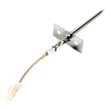
| Oven not holding temp | Oven temperature sensor | Wall oven temperature sensor WPW10131825 |
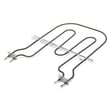
| No broil heat | Broil element | Oven broiler element WP9760774 |
| Uneven or no bake heat | Bake element | Bake element 4451175 |
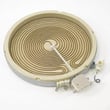
| Cooktop element not heating correctly | Surface element or switch | Range radiant surface element, 7-in W10823698 |
Why it matters
When you invest in a premium brand like KitchenAid, you are usually paying for better cooking results, nicer materials, and a design that is intended to be repaired with model-correct parts instead of replaced at the first major failure.
Last updated: February 2026
What is the error code f7 e0 on a KitchenAid oven?
On the KitchenAid electric freestanding range model KERS807SSS00, error code F7 E0 points to a problem with the oven door latch/lock circuit (the latch switch, door lock assembly, or the wiring to it). A quick reset (breaker off for 1 minute, then back on) can clear a one-time glitch, but repeat codes usually mean a latch-related failure.
What to do first (safe, quick checks)
- Turn the range off; then switch the circuit breaker OFF for 1 minute and back ON.
- Watch the display for about a minute to see if the code returns.
- Make sure the oven door is fully closed and not binding on the gasket.
- If the code appears during or after Self-Clean, let the oven cool completely; then retry.
- If the door stays locked when it should not, avoid forcing it; the lock motor and switch can be damaged.
Likely causes and the parts that usually fix it
F7 E0 is most often tied to the door lock mechanism or its feedback switch.
| Symptom you notice | Most likely area | What to check next |
|---|---|---|
| Code appears when starting Self-Clean | Door lock not engaging | Inspect latch movement; check wiring connections |
| Door won’t unlock after Self-Clean | Door lock stuck or switch not changing state | Test lock switch continuity; inspect harness |
| Code returns immediately after reset | Electrical fault in latch circuit | Check harness for pinched/burned wires |
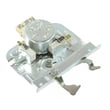
If replacement is needed, the model-specific part to focus on is the range oven door lock assembly WP9760889.
Why it matters
The control uses the door lock circuit as a safety input, especially during Self-Clean. If the latch switch does not report the correct locked or unlocked position, the oven may disable heating and post F7 E0 to prevent unsafe operation.
For control and Self-Clean latch details specific to KERS807SSS00, use the owner's manual.
Last updated: February 2026
What is the life expectancy of a KitchenAid gas range?
This parts page is for the KitchenAid KERS807SSS00 electric freestanding range, not a gas range. A KitchenAid gas range typically lasts 15 years; a comparable KitchenAid electric range typically lasts 13 years with normal household use and routine care.
Typical life expectancy by range type
Use this as a practical benchmark when deciding whether to repair or replace.
| Range type | Typical life expectancy | Common wear items |
|---|---|---|
| Gas range | 15 years | Igniter, burner valves, oven temperature control |
| Electric range (like KERS807SSS00) | 13 years | Bake/broil elements, sensor, control components |
What shortens range life fastest
These issues drive early failures on both gas and electric models:
- Heavy daily high-heat cooking and long bake cycles
- Boilovers and grease buildup that trap heat and stress components
- Slamming the oven door or running with a poor door seal
- Skipping temperature checks when baking results change
- Delaying small repairs until wiring and insulation overheat
Maintenance that adds years
We recommend these habits for longer service life:
- Clean spills promptly; keep vents and air paths clear
- Confirm oven temperature with an oven thermometer; calibrate if needed
- Avoid foil on the oven bottom (it can trap heat and damage parts)
- Keep the door closing tightly; replace worn bumpers if needed
- Follow the care and cleaning steps in the owner's manual
Why it matters
Once a range is near end-of-life, symptoms like slow preheat, uneven baking, or temperature swings become more frequent. Addressing common wear parts early often restores performance and prevents secondary damage.
Last updated: February 2026






