Owner’s manual
 Error Codes



How to hard reset Kenmore dishwasher?
For a Kenmore Elite dishwasher model 72214693610, a reliable “hard reset” is to cancel the current cycle and let the dishwasher drain, then restore power if the control is still unresponsive. Use the cancel procedure in the 72214693610 owner's manual so the unit shuts off cleanly after draining.
Reset options that work on this model
- Cancel and drain (best first step): Stops the cycle and removes standing water.
- Power reset: Turn the dishwasher off at the breaker for 1 minute, then turn it back on.
- Restart the cycle from the beginning: Use the model’s “changing a cycle after start” steps.
How to cancel and drain (model 72214693610)
- Open the door slightly to stop the cycle; wait for spraying to stop.
- Open the door fully.
- Press and hold China Gentle and Mixed Load for 3 seconds.
- The display shows “dr” and the dishwasher drains; when draining finishes, power turns off.
If the dishwasher still will not respond
Check these common “no start” causes before assuming a control failure:
- Door not fully closed and latched
- Tripped breaker or blown fuse
- Power cord not connected (if applicable)
- No cycle selected (some models power off after several minutes of inactivity)
Quick guide: which reset to use
| Symptom | Best reset to try | What it does |
|---|---|---|
| Stuck mid-cycle | Cancel and drain | Safely stops and drains the tub |
| Buttons frozen | Power reset at breaker | Reboots the control |
| Wrong cycle selected | Change cycle after start | Restarts from the beginning |
Why it matters
Canceling and draining first helps prevent leftover water, odor, and error conditions that can happen when a cycle is interrupted. If you also have slow draining or standing water, inspect the drain path and consider the lg dishwasher drain hose AEM69493808 if the hose is kinked, clogged, or leaking.
Last updated: January 2026
How do I get my Kenmore Elite dishwasher out of lock mode?
To take your Kenmore Elite dishwasher model 72214693610 out of lock mode, press and hold Rinse Options and Spray Power together for 3 seconds until the Control Lock indicator turns off. This unlocks the control panel so you can start a cycle; the door is not locked.
Quick unlock steps
- Make sure the dishwasher has power (display lights on).
- Press Rinse Options and Spray Power at the same time.
- Keep holding for 3 seconds.
- Confirm the Control Lock indicator light goes out.
- Press Power, choose a cycle, then press Start (if your panel has Start).
What “Control Lock” does (and does not do)
Control Lock is designed to prevent accidental button presses during a cycle.
| Feature | What it affects | What it does not affect |
|---|---|---|
| Control Lock | Most control panel buttons | The dishwasher door latch |
| Power button | Still works while locked | Does not unlock other buttons |
If it still won’t unlock
These checks fix most “stuck in lock mode” complaints:
- Press the two buttons firmly and at the same time (timing matters).
- Hold for a full 3 seconds; releasing early will not toggle the lock.
- Wipe the keypad area dry; moisture can interfere with touch pads.
- Turn the dishwasher Power off, wait 10 seconds, then try the unlock steps again.
- If some keys do not respond at all, inspect for a physically damaged control panel or wiring.
Why it matters
When Control Lock is on, the dishwasher cannot start, even if you select a cycle. Unlocking restores normal operation and prevents unnecessary part replacement.
For the exact button names and indicator symbols used on your console, follow the steps in the 72214693610 user manual.
Last updated: January 2026
Does my Kenmore Elite dishwasher have a filter?
Yes. Your Kenmore Elite 72214693610 dishwasher uses a triple filtration system with a filter assembly and a stainless steel filter to keep food particles out of the pump and off your dishes. We recommend cleaning the filters about once a month for best performance (see the 72214693610 use and care guide).
Where the filter is and what it does
The filters sit in the bottom of the tub, under the lower spray area.
- The filter assembly traps oversized items and fine particles so they do not reach the pump.
- The stainless steel filter helps prevent food from being recirculated onto dishware.
- Keeping filters clean helps maintain wash performance, water flow, and quiet operation.
How to remove and clean the filter (basic steps)
Use these steps as a safe, general process for this Kenmore Elite dishwasher style; follow the exact illustrations and cautions in the 72214693610 use and care guide.
- Turn off the dishwasher and let it cool if it just ran.
- Remove the lower rack for access.
- Rotate the filter assembly to unlock it (typically a quarter-turn) and lift it out.
- Lift out the stainless steel filter.
- Rinse under warm running water; use a soft brush for stuck-on soil.
- Reinstall both filters and rotate the filter assembly clockwise until it locks and does not spin freely.
Cleaning frequency guide
| Usage pattern | Recommended filter cleaning |
|---|---|
| Light use (few loads/week) | About once a month |
| Daily use | Every 2 to 4 weeks |
| Heavy soil loads (pots, starchy foods) | Weekly to every 2 weeks |
Why it matters
A clogged or incorrectly seated filter can reduce water circulation and cleaning results. This model is designed to run with the filters installed and locked; proper seating helps protect the pump and prevents debris from redepositing on dishes.
Last updated: January 2026
What are the common problems with Kenmore dishwashers?
For the Kenmore Elite dishwasher model 72214693610, the most common problems are no-start conditions (door not fully latched or power issue), draining problems (clogged filters or drain path), poor cleaning from blocked spray arms, and water-inlet issues that trigger an IE error. Use the 72214693610 owner's manual troubleshooting and error-code tables to narrow it down fast.
Most common symptoms and what usually causes them
- Dishwasher will not operate: door not completely closed and latched, power cord not connected, blown fuse or tripped breaker.
- Drains poorly or shows OE error: clogged or kinked drain hose, clogged air gap or disposal, dirty filters.
- Spots/film on dishes: low water temperature (target at least 120 °F), wrong detergent amount, overloading, low water pressure.
- Dishes don’t dry: rinse aid dispenser empty.
- Noise: normal sounds (detergent cover opening, drain pump), unit not level, spray arm hitting dishes.
Quick checks we recommend first (in order)
- Confirm the door closes fully and latches.
- Verify power at the dishwasher (breaker, cord connection).
- Check water supply basics: inlet hose not kinked or frozen; water pressure typically needs to be 20 to 80 psi.
- Inspect the drain path: drain hose routing, air gap/disposal, and filters.
- Look for an error code and match it to the likely system (inlet, drain, leak, heater).
Error codes you will see most often
| Code | What it points to | What to check first |
|---|---|---|
| IE | Water inlet problem | Inlet hose kinked/clogged/frozen; water supply on |
| OE | Drainage problem | Drain hose kinked/clogged; filters; air gap/disposal |
| E1 / AE | Water leakage problem | Signs of leaks under/around unit; door sealing |
| HE | Heater circuit failure | Drying/heating performance; service diagnosis |
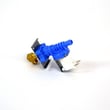
If you suspect an inlet problem on this model, the dishwasher water inlet valve 5221DD1001E is the correct inlet valve part listing for 72214693610.
Why it matters
Most “Kenmore dishwasher problems” come down to water flow: not enough water coming in, water not draining out, or spray arms not moving water effectively. Fixing the root cause improves cleaning, prevents odors from residual water, and reduces cycle time caused by heating cold fill water.
Last updated: January 2026