 Owner’s manual

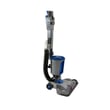
What is the life expectancy of a Hoover vacuum?
A Hoover upright vacuum like model BH50120 typically lasts 8 years with normal household use. With consistent maintenance (clean filters, clear clogs, replace worn belts and brush roll), many uprights reach 10 to 12 years before performance drops enough to justify major repairs.
Typical lifespan ranges
Most vacuums fall into predictable ranges based on use and upkeep:
- Average household use: about 8 years
- Heavy use (pets, large homes, daily vacuuming): about 5 to 7 years
- Light use (small spaces, weekly vacuuming): about 10 to 12 years
- Poor maintenance (clogged filters, frequent overheating): shortens lifespan fast
For model-specific care steps and maintenance intervals, follow the BH50120 owner's manual.
Signs your vacuum is nearing end of life
These symptoms usually mean the vacuum needs service, key parts, or replacement:
- Suction stays weak even after cleaning filters and clearing the hose
- Brush roll stops spinning or intermittently stalls
- Burning smell, unusual heat, or frequent thermal shutoffs
- Loud grinding or high-pitched motor noise
- Cracks or air leaks in the hose, nozzle, or dirt cup seals
Quick maintenance that extends life
A small routine prevents most “vacuum not suctioning well” and “shuts off during use” complaints:
- Empty the dirt cup before it is packed full
- Clean or replace filters on schedule
- Cut hair and string off the brush roll regularly
- Check the hose and air path for clogs after any big pickup
- Replace worn belts before they slip or snap
Related DIY help: tips for caring for a vacuum cleaner.
What to repair vs. replace (simple guide)
| If your BH50120 has this issue | Usually worth repairing? | Common cause |
|---|---|---|
| Brush roll not spinning | Yes | Belt wear, jammed brush roll |
| Weak suction | Yes | Clog, dirty filter, air leak |
| Shuts off during use | Sometimes | Overheating from blockage or dirty filters |
| Loud motor noise | Sometimes | Worn motor bearings, debris damage |
Why it matters
A vacuum’s “lifespan” is mostly about airflow and brush agitation. When filters clog or belts slip, the motor runs hotter and harder, which shortens motor life and reduces cleaning performance.
Last updated: February 2026
What are common Hoover vacuum problems?
Common problems we see with the Hoover BH50120 upright vacuum are weak suction, a brush roll that stops spinning, overheating or shutting off, unusual noises, and poor pickup on carpet. Most of these issues come from airflow restrictions (clogs, dirty filters, full bin) or brush system problems (hair wrap, worn belt).
Quick checks that fix most problems
- Empty the dirt cup and re-seat it fully so it seals.
- Clean or replace filters on schedule (a clogged filter is the most common suction killer).
- Check the hose, wand, and floor nozzle for a blockage.
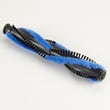
- Remove hair and string from the brush roll and end caps.
- Inspect the drive belt for stretching, glazing, or breakage.
- If the vacuum shut off, let it cool, then recheck for clogs and dirty filters.
Symptom-to-cause guide
| Symptom | Most common cause | What to do first |
|---|---|---|
| Low suction | Dirty filter, full bin, clog | Clean filters, empty bin, clear blockage |
| Brush roll not spinning | Hair jam, worn/broken belt | Clear brush roll; inspect belt |
| Shuts off during use | Overheat from restricted airflow | Cool down; clean filters; clear clogs |
| Loud rattling/grinding | Debris in nozzle or brush roll | Power off; remove debris; check brush roll |
| Burning smell | Belt slipping or brush jam | Stop use; clear jam; check belt |
Why it matters
A vacuum depends on steady airflow and a freely spinning brush roll. When filters clog or the nozzle/hose is blocked, suction drops and the motor can run hotter, which leads to shutdowns and faster wear.
Helpful DIY resources
- Use the BH50120 owner's manual for your model’s cleaning intervals, filter locations, and reset or safety steps.
- If the brush roll stops, follow vacuum brush roll on spinning to narrow down belt, brush roll, and blockage causes.
- For step-by-step brush service, see how to replace a vacuum beater bar.
Last updated: February 2026
What is considered the best upright vacuum cleaner?
There is no single “best” upright vacuum for everyone; the best choice depends on your flooring mix, pet hair needs, allergy filtration goals, and how much maintenance you want. For a Hoover BH50120 upright vacuum, we recommend using your BH50120 owner's manual to match features and care steps to your home.
How we define “best” for an upright vacuum
We see the best upright vacuum as the one that consistently cleans your floors with minimal clogs and downtime.
- Cleaning performance: strong suction plus effective brush roll agitation
- Flooring versatility: easy transitions between carpet and hard floors
- Hair handling: brush roll resists tangles; airflow path resists clogs
- Filtration: sealed airflow and quality filters for fine dust
- Reliability: fewer belt, brush roll, and motor issues over time
- Ease of maintenance: simple bin emptying, filter access, and clog clearing
Quick comparison: which “best” fits your home?
| If your home has... | Prioritize... | Common features to look for |
|---|---|---|
| Mostly carpet | Brush roll performance | strong brush roll, easy belt access |
| Mostly hard floors | Gentle pickup | brush roll shutoff or hard-floor mode |
| Pets | Hair pickup and anti-wrap | tangle-resistant brush roll, easy cleaning |
| Allergies | Filtration | HEPA-style filtration, good seals |
| Tight storage | Maneuverability | lighter weight, swivel steering |
What to check first on a Hoover BH50120 before upgrading
Many “best vacuum” complaints come from maintenance issues, not the design.
- Empty the dirt cup before it reaches the max line
- Clean or replace filters on schedule
- Clear clogs in the hose, wand, and floor nozzle
- Inspect the brush roll for string and hair buildup
- Check the drive belt for stretching, glazing, or burning smell
Why it matters
A well-maintained upright vacuum keeps airflow high; that protects the suction motor, improves pickup, and reduces overheating shutoffs. If your BH50120 is losing suction or the brush roll is not spinning, fixing the root cause often restores like-new cleaning.
For step-by-step troubleshooting, use our vacuum symptoms landing page.
Last updated: February 2026
What vacuum is as good as Dyson but cheaper?
If you want Dyson-like cleaning performance for less money, we recommend focusing on strong airflow, a well-sealed filtration path, and a brush roll that matches your flooring. For many homes, Shark and Hoover uprights deliver comparable everyday pickup at a lower cost, and your Hoover BH50120 can perform its best with correct maintenance from the BH50120 owner's manual.
What to buy instead (practical short list)
These brands and product types most often match Dyson-level results for less, depending on your floors and pets:
- Shark upright or cordless: strong carpet pickup and good feature-to-price value.
- Hoover upright: solid suction and brush roll performance; good for mixed flooring.
- Bissell upright: good budget option for routine cleaning and pet hair.
- Eureka upright: value-focused models that can clean well when maintained.
- Corded canister (various brands): often the best value for suction and longevity if you do not need cordless convenience.
How to choose the right “Dyson alternative” for your home
Match the vacuum to your surfaces and habits:
| Your situation | What matters most | What to look for |
|---|---|---|
| Mostly carpet | Agitation + airflow | Brush roll that spins strongly; easy belt access |
| Mostly hard floors | Sealing + fine dust pickup | Good filtration; brush roll shutoff or gentle roller |
| Pets | Hair handling | Tangle-resistant brush roll; easy bin emptying |
| Allergies | Filtration | Sealed system and quality filters (kept clean) |
Why your current vacuum may feel “worse than Dyson”
Most “weak suction” complaints come from maintenance issues, not the motor. On an upright like the Hoover BH50120, performance drops fast when airflow is restricted.
Check these common causes first:
- Full dirt cup or bag (if applicable)
- Clogged hose, wand, or inlet
- Dirty filter(s) reducing airflow
- Brush roll jammed with hair or thread
- Worn or stretched drive belt
- Blocked floor nozzle or dirty brush roll housing
For step-by-step troubleshooting, use our vacuum not suctioning well guide.
Why it matters
A cheaper vacuum that is well-matched to your flooring and kept clear of clogs will outperform an expensive vacuum that has restricted airflow, a worn belt, or a jammed brush roll.
Last updated: February 2026


