Owner’s manual
 Error Codes





How to reset a JennAir ice maker?
On the Jenn-Air JCD2295HES, the quickest “reset” is to turn the ice maker off and back on using the ice maker arm: raise the arm to stop ice production, then lower it to restart. After restarting, allow several hours for new ice to cycle into the bin.
Reset steps (ice maker arm method)
- Open the freezer and locate the ice maker arm (sensor arm).
- Raise the arm fully to deactivate the ice maker.
- Wait 1 minute.
- Lower the arm to reactivate the ice maker.
- Make sure the ice storage bin is fully seated and locked in place.
- Wait 2 to 4 hours to confirm ice production (longer if the freezer was recently warm).
Quick checks if it still will not make ice
- Confirm the freezer is cold enough for ice production.
- Verify the household water supply valve is fully open.
- Check for kinked copper tubing; straighten or replace if kinked.
- Make sure water pressure is in the normal range (the manual calls for 35 to 100 PSI; at least 35 PSI is recommended when using a water filter).
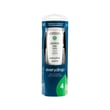
- Replace a clogged filter if water flow is slow; for this model, the listed replacement is the refrigerator water filter EDR4RXD1.
Ice bin and dispenser alignment (common “no ice dispensing” cause)
If the bin is not locked in, the auger may not engage correctly.
| What you see | What to do |
|---|---|
| Ice maker makes ice but dispenser struggles | Reseat the bin until it locks; align the auger driver behind the bin as described in the manual |
| Ice clumps or tastes stale | Empty and wash the bin with lukewarm water; dry thoroughly before reinstalling |
| Ice maker arm gets blocked | Keep food and drinks out of the ice bin area so the arm can move freely |
Why it matters
Cycling the ice maker arm resets the ice maker’s “on/off” state and prevents false no-ice symptoms caused by a raised arm, a mis-seated bin, low water pressure, or a restricted water filter.
For model-specific operating details and bin removal steps, follow the JCD2295HES owner's manual. If you need to replace ice-making components, you can order parts for this model from the parts list on this page or search by model number on Sears PartsDirect.
Last updated: February 2026
What is the life expectancy of a JennAir refrigerator?
Most Jenn-Air refrigerators, including the Jenn-Air JCD2295HES side-by-side, typically last 10 to 20 years with normal household use and basic maintenance (clean coils, good door seals, correct temperatures). Heavy use, poor airflow, and water or cooling-system issues can shorten that lifespan.
Typical lifespan and what affects it
A refrigerator’s life is mostly determined by how hard the sealed system and fans have to work.
- Condenser cleanliness: Dusty coils make the compressor run hotter and longer.
- Door seal condition: Leaky gaskets cause constant run time and temperature swings.
- Airflow: Overpacking blocks vents and stresses the evaporator fan.
- Water system upkeep: Regular filter changes help protect the dispenser and ice maker.
- Stable temperatures: Frequent warm-ups (door left open) increase wear.
Maintenance schedule we recommend
Use this as a simple baseline for a Jenn-Air side-by-side like model JCD2295HES.
| Task | How often | What it helps prevent |
|---|---|---|
| Replace water filter | Every 12 months (sooner with heavy use) | Low flow, bad taste, ice maker issues |
| Clean condenser area | Every 6 to 12 months | Overheating, long run times |
| Check door gaskets for gaps | Every 6 months | Frost, warm temps, high energy use |
| Confirm temps (fresh food/freezer) | Monthly | Food spoilage, ice melt, overworking |
For model-specific care steps and locations (like the filter housing), follow the owner's manual.
Parts that commonly impact “how long it lasts”
When cooling performance drops, these are common wear-related items we see on side-by-sides:
- Refrigerator water filter EDR4RXD1 for water and ice quality and flow
- Refrigerator evaporator motor 12002744 if the freezer is cold but fresh food warms
- Refrigerator control board WPW10503278 if temperatures are erratic or controls act up
Why it matters
A refrigerator that is running longer than normal can still “work,” but the extra run time accelerates wear on the compressor, fans, and control components. Keeping airflow clear and seals tight is the simplest way to reach the 10 to 20 year range.
You can order replacement parts for your JCD2295HES from the parts list for this model, or search by model number on Sears PartsDirect.
Last updated: February 2026
What are common problems with JennAir refrigerators?
Common problems we see with the Jenn-Air JCD2295HES side-by-side refrigerator include not cooling well, water leaks, ice maker or dispenser issues, doors not sealing, and unusual running patterns (including pauses during defrost). The troubleshooting chart in the owner's manual covers many of these symptoms and the first checks to make.
Most common symptoms and what to check first
- Not cooling or warm temperatures: confirm controls are set correctly, keep the rear air grille clear, and clean dirty condenser coils.
- Compressor not running: check power, then allow about 40 minutes in case the refrigerator is in defrost mode.
- Water leaking or dispenser spurting: flush air from the water system after filter changes; inspect water line connections.
- Ice maker not working: verify the ice maker is turned on and the chute door is operating normally.
- Door not closing or poor seal: level the refrigerator and clean/inspect door gaskets.
- Odors: wrap odor-producing foods and clean the interior.
Quick part matches for frequent repairs
If your symptom points to a failed component, these are common replacements available for JCD2295HES:
| Symptom | Commonly involved part | Example part on this page |
|---|---|---|
| Poor water taste, slow flow, dispenser issues after long use | Water filter | Refrigerator water filter EDR4RXD1 |
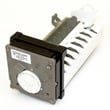
| No ice, intermittent ice production | Ice maker assembly | Refrigerator ice maker D7824706Q |
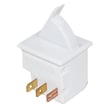
| Lights not working when door opens | Door/light switch | Refrigerator light switch W11396033 |
| Warm fridge section, weak airflow | Evaporator fan components | Refrigerator evaporator motor 12002744 |
Why it matters
Catching the simple causes first (dirty condenser coils, blocked airflow, control settings, door seal gaps) prevents food spoilage and reduces compressor run time. It also helps you avoid replacing parts that are still good.
When to replace the water filter
For JCD2295HES, the manual recommends changing the water filter at least every 12 months; heavy water use or poor water quality can require more frequent changes. If you need a replacement, you can order it from the parts list for this model or search by model number on Sears PartsDirect.
Last updated: February 2026
Why is my JennAir side by side refrigerator not cooling?
If your Jenn-Air JCD2295HES side-by-side refrigerator isn’t cooling, the most common causes are incorrect temperature control settings, dirty condenser coils, poor door sealing, or a failed cooling component such as the compressor start device, control board, or evaporator fan. Use the checks below, then confirm control settings and troubleshooting steps in the owner's manual.
Quick checks we recommend first
- Make sure the refrigerator is plugged in and the house breaker is not tripped.
- Verify the temperature controls are not set too warm (controls set too low can cause warm temps).
- Wait about 40 minutes if the unit is in a normal defrost cycle; cooling can pause during defrost.
- Check that doors close fully and gaskets seal all the way around.
- Clean condenser coils; dirty coils are a top reason for poor cooling and long run times.
What the symptoms usually point to
| What you notice | Most likely causes | What to do next |
|---|---|---|
| Lights on, compressor not running | Defrost cycle, control setting issue, start device problem | Wait 40 minutes; recheck settings; test start components |
| Freezer cold, fresh food warm | Airflow problem (blocked vents), evaporator fan issue | Clear vents; listen for fan; inspect fan area |
| Both sections warm, unit runs a lot | Dirty condenser coils, poor door seal, hot room | Clean coils; check gaskets; improve airflow around unit |
| Intermittent cooling | Control board or sensor/control issue | Confirm settings; inspect wiring; consider control replacement |
Parts that commonly fix “not cooling” on this model
If basic checks do not restore cooling, these model-matched parts are common next steps:
- Refrigerator control board WPW10503278 (cooling logic and compressor control)
- Refrigerator overload release W10613606 (compressor start protection device)
- Refrigerator evaporator motor 12002744 (moves cold air through the compartments)
- Refrigerator evaporator fan blade WP2169142 (fan airflow; damage can reduce circulation)
- Refrigerator compressor W10309990 (sealed-system component; replacement is a major repair)
You can order replacement parts for your JCD2295HES from the parts list for this model, or search by model number on Sears PartsDirect.
Why it matters
A side-by-side refrigerator cools by moving air: the evaporator fan circulates cold air, the condenser coils dump heat, and the controls cycle the compressor. When airflow is blocked, coils are dirty, or seals leak, temperatures rise quickly and food safety can be affected.
Last updated: February 2026