 Installation guide
 Owner’s manual
 Error Codes






What is the average life expectancy of a GE dishwasher?
A GE dishwasher like model DDT595SMJ2ES typically lasts 10 to 12 years. With consistent care (proper detergent, correct water temperature, and routine filter cleaning), it’s common to reach the upper end of that range before major repairs become more likely. See the maintenance guidance in the DDT595SMJ2ES owner’s manual.
- Water quality (hard water causes mineral buildup on filters, spray arms, and heating surfaces)
- Inlet water temperature (best cleaning starts around 120°F)
- Filter and sump cleanliness (grit and debris strain the circulation system)
- Loading habits (blocked spray arms and detergent dispenser reduce cleaning and increase rewash cycles)
- Drying and venting performance (standing moisture can accelerate wear on seals)
| Task | How often | Why it helps |
|---|---|---|
| Clean the filters | Every 1 to 2 months | Maintains wash pressure and prevents grit on dishes |
| Check spray arms for clogs | Every 2 to 3 months | Keeps water flow strong and even |
| Run a dishwasher cleaner cycle | Monthly (hard water) or quarterly | Reduces odor and mineral deposits |
| Verify hot water temp at sink | Occasionally | Helps cycles finish cleaning and drying properly |
If your DDT595SMJ2ES is within the typical lifespan window, a targeted repair is often worthwhile when the issue is isolated (drain, wash action, or door sealing). Common wear items that can restore performance include the dishwasher spray arm, lower WD22X33499 and the user cleanable fine filter WD49X24057.
Dishwashers usually do not “die” all at once; performance slowly drops as filters clog, spray arms plug, and wash temperatures or water flow fall off. Staying ahead of those basics can add years of reliable cleaning and drying.
Last updated: January 2026
What is the most common problem with a GE dishwasher?
For the GE DDT595SMJ2ES dishwasher, the most common service issues we see are draining problems (water left in the tub), poor cleaning from restricted water flow, and “won’t start” complaints caused by door-latch or control-related faults. Many of these start with simple filter or drain restrictions.
- Won’t drain / standing water: check the sink air gap (if you have one), disposer inlet plug (new disposer installs), and drain hose for kinks.
- Not cleaning well: clean the filters and make sure spray arms spin freely and are not clogged.
- Won’t start or stops: confirm the door is fully closed and the controls are not locked.
- Leaks: inspect the door seal area for debris and confirm the unit is level.
- No fill / fills slowly: verify the shutoff valve under the sink is fully open.
For model-specific operating steps (Start, Cancel/Drain, Control Lock), follow the DDT595SMJ2ES owner’s manual.
If troubleshooting points to a failed component, these are common matches for the DDT595SMJ2ES:
| Symptom | Likely area | Example compatible part for this model |
|---|---|---|
| Won’t start / door won’t latch | Door latch system | GE dishwasher door latch lock WD21X10490 |
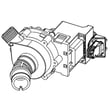
| Not draining | Drain system | Dishwasher drain pump WD19X25187 |
| Poor cleaning / weak spray | Wash circulation / spray | Dishwasher spray arm, lower WD22X33499 |
| Dead or erratic behavior | Controls | Dishwasher electronic control board WD21X24901C |
Drain and wash-performance problems often trigger error codes, leave dishes gritty, or cause the cycle to stop mid-cycle. Catching a clogged filter, blocked air gap, or failing pump early can prevent repeat clogs and reduce strain on the circulation system.
If your display shows a fault or you are seeing repeating beeps or cycle interruptions, use our GE dishwasher error codes reference to narrow the problem to the drain, fill, leak detection, or control system.
Last updated: January 2026
How do you force a GE dishwasher to drain?
On the GE DDT595SMJ2ES dishwasher, we force a drain by canceling the active cycle: press and hold Start for about 3 seconds, then close the door. The unit should run the drain pump and pump the water out (you will typically hear it draining).
- Press and hold Start for 3 seconds.
- Close the door to let the cancel/drain action run.
- Wait for the drain sound to stop.
- Open the door and confirm the water level dropped.
- If needed, repeat once after 1 minute.
For the official control wording, see the DDT595SMJ2ES owner’s manual.
If cancel/drain doesn’t remove the water, the issue is usually a restriction in the drain path or a drain component problem.
- Check the sink/disposer connection; make sure the disposer inlet plug was removed (common after a new disposer install).
- Check for a kinked drain hose under the sink.
- If you have an air gap, clean it.
- Clean the dishwasher filters (a clogged filter can contribute to poor draining).
- If the pump hums but doesn’t move water, inspect the drain pump.
A common replacement part for a no-drain condition is the dishwasher drain pump WD19X25187.
| What you notice | Most likely cause | What we recommend |
|---|---|---|
| No drain sound at all | Control not canceling, door not latched | Retry cancel/drain; confirm door fully closes |
| Hums but water stays | Pump jam or weak pump | Check for debris; consider drain pump |
| Drains slowly | Partial clog in hose/air gap/disposer | Clear restriction; verify drain routing |
Standing water can lead to odors, poor wash performance, and repeated drain errors. Forcing a drain is a good first step, but if it keeps coming back, clearing the drain path or servicing the drain pump prevents repeat problems.
For more troubleshooting steps, we also use the dishwasher not draining video as a quick visual guide.
Last updated: January 2026





