 Installation guide
 Owner’s manual
 Error Codes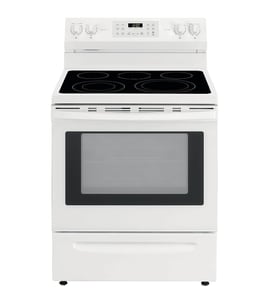





Where can I find JennAir's model number?
You can find the model number for your Jenn-Air range on the model/serial number plate attached to the appliance. For model JDS9861AAP, check common ID-plate locations such as the oven frame (around the door opening), the storage drawer area, or the back of the range; confirm the exact location using the JDS9861AAP owner's manual.
Common places to check on a range
Look for a printed label or metal plate that lists Model and Serial.
- Open the oven door and check the frame around the door opening
- Pull out the storage drawer (if equipped) and look on the frame behind it
- Check the back panel of the range
- Look along the lower side trim near the front legs
- If your range is installed in a tight cutout, use a flashlight and mirror to view the plate
What the label looks like and what to write down
The ID plate typically includes the model number, serial number, and sometimes electrical ratings.
| Item on label | What it’s used for | Example for this range |
|---|---|---|
| Model number | Matching parts and documentation | JDS9861AAP |
| Serial number | Identifying production details for service | Unique to your unit |
| Electrical rating | Verifying power requirements during install/service | Varies by unit |
Why it matters
We use the model number to match the correct parts and diagrams for your exact range configuration. That helps avoid ordering the wrong items, especially for model-specific components like the oven control, bake element, or door gasket.
Last updated: January 2026
How do I reset a JennAir oven?
To reset a Jenn-Air range oven like model JDS9861AAP, press Cancel/Stop-Clear to clear the control, then restore power by turning the range circuit breaker off for a few minutes and back on. If a fault code returns with beeping, repeat the power reset and proceed with service steps in the JDS9861AAP owner's manual.
Quick reset steps (most common)
- Press Cancel (or Stop/Clear) once to clear the display.
- Turn off the range circuit breaker.
- Wait 2 to 5 minutes.
- Turn the breaker on.
- Start a Bake cycle and watch the display for about 1 minute.
If the display shows a fault code and beeps
The manual guidance for this model is: press Cancel, then disconnect power for a few minutes and reconnect. If the fault code and beeping continue after power is restored, schedule service.
- If the code appears during Self-Clean, let the oven cool completely.
- Wipe out excess soil, then try the clean cycle again.
- If the code returns immediately after reset, service is the next step.
What a reset does (and does not) do
| Reset method | What it helps with | What it will not fix |
|---|---|---|
| Cancel/Stop-Clear | Clears many control messages and stops a cycle | Heating problems from failed parts |
| Breaker power reset | Reboots the electronic control | Repeated fault codes caused by a component issue |
Why it matters
A proper reset clears temporary control glitches and confirms whether you are dealing with a one-time interruption or an ongoing problem that needs diagnosis (for example, a heating circuit issue or a control-related fault).
Last updated: January 2026
How long should a JennAir stove last?
A Jenn-Air range like model JDS9861AAP typically lasts 15 to 20 years with normal home use. Keeping burners and the oven cavity clean, fixing small issues early, and avoiding overheating events helps you reach the upper end of that lifespan; see the JDS9861AAP owner's manual for care and maintenance guidance.
Typical lifespan and what affects it
Most ranges reach their full service life when heat, airflow, and electrical connections stay in good condition.
- Usage frequency: daily cooking wears igniters, elements, and door parts faster
- Heat stress: frequent self-clean or high-heat broiling accelerates wear
- Ventilation: a downdraft system needs clean filters for proper airflow
- Power quality: loose or overheated wiring can shorten component life
- Maintenance habits: spills and grease buildup lead to corrosion and ignition problems
Parts that commonly wear first
These are normal wear items that often get replaced during a range’s life:
| Area | Common wear symptom | Example part for JDS9861AAP |
|---|---|---|
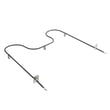
| Oven heating | slow preheat, uneven baking | Range bake element WP74010750 |
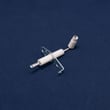
| Cooktop ignition | clicking, weak spark, burner won’t light | Range surface burner igniter 74004053 |
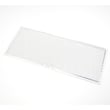
| Downdraft venting | poor smoke capture, louder airflow | Range downdraft vent grease filter WP71002111 |
| Door sealing | heat loss, longer cook times | Door gasket WPW10162384 |
Why it matters
A 15 to 20 year lifespan is realistic, but performance drops quickly when airflow is restricted or heat is escaping. Staying ahead of wear parts helps your JDS9861AAP cook more evenly, preheat faster, and avoid nuisance failures.
Quick maintenance checklist
- Clean spills promptly to protect finishes and burner components
- Keep the vent filter clean so the downdraft can move air properly
- Watch for delayed ignition or constant clicking and address it early
- Replace a torn door gasket to prevent heat loss
- Follow cleaning and operating guidance in the JDS9861AAP owner's manual
Last updated: January 2026
What are common problems with JennAir stoves?
Common problems we see with the Jenn-Air JDS9861AAP range include surface burners that click but do not ignite, oven bake or broil heat failures, temperature inconsistency, downdraft vent performance issues, and control or clock problems. Many issues trace back to cleaning, power supply, or a failed igniter, element, or thermostat.
Most common symptoms and likely causes
- Burner will not light or keeps clicking: dirty burner head/ports, weak igniter, or spark module issue
- Yellow or noisy burner flame: incorrect air and gas mixture (needs adjustment by a technician)
- Oven not heating or uneven baking: failed bake element, temperature control issue, or airflow problems
- Oven light not working: burned-out bulb or loose socket connection
- Downdraft vent not pulling smoke/steam: clogged grease filter, blower wheel buildup, or motor problem
Quick checks you can do safely
Before replacing parts, we recommend these basics (and always let hot parts cool first):
- Confirm the correct burner knob is being used for the burner you are trying to light
- Make sure grates are properly positioned and you are not running a burner without a pan
- Clean burner heads after cooking; sealed burners are not designed to be removed
- Avoid wiping a hot oven light bulb with a damp cloth (bulb can break)
- Turn off controls and allow the range to cool before cleaning around burners and grates
Parts that commonly fix these problems
If cleaning and basic checks do not resolve the issue, these model-matched parts are common solutions:
| Symptom | Common part to check | Example part for JDS9861AAP |
|---|---|---|
| Oven not baking | Bake element | Range bake element WP74010750 |
| Burner not igniting | Surface burner igniter | Range surface burner igniter 74004053 |
| Constant clicking/no spark | Spark module | Spark module 8215557 |
| Downdraft weak | Grease filter | Range downdraft vent grease filter WP71002111 |
Why it matters
Ignoring ignition, heating, or venting problems can lead to poor cooking results and more wear on components. Keeping burners clean and addressing weak ignition early helps protect the cooktop cartridge, wiring, and controls.
For model-specific operating and care guidance (including safety notes), use the JDS9861AAP owner's manual.
Last updated: January 2026




