 Owner’s manual

Can I still use my appliance with an E22 error?
We do not recommend running your Bosch SHV45M03UC dishwasher with an E22 error showing because it typically points to a drainage or filter-flow problem; continuing to run it can leave dirty water in the tub and reduce cleaning performance.
What E22 usually means on a Bosch dishwasher
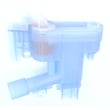
E22 is commonly tied to restricted water flow through the filter area or a drain path issue. In many cases, cleaning the filter system and checking for debris restores normal draining.
What to do before you run another cycle
- Cancel the cycle and let the unit stop completely.
- Remove and clean the filter assembly in the bottom of the tub (rinse off grease and food soil).
- Check the sump area for broken glass, labels, or bones.
- Inspect the drain hose for kinks, pinches, or a clogged air gap (if your setup has one).
- Make sure the sink drain or garbage disposal connection is clear (new disposals often have a knockout plug that must be removed).
Quick decision guide
| Situation | What we recommend | Why |
|---|---|---|
| E22 appears and there is standing water | Do not keep running cycles; clean filters and check drain path first | Prevents poor washing and repeat drain faults |
| E22 appears but tub is mostly empty | Clean filters and run a short rinse/test cycle | Confirms whether the restriction is intermittent |
| E22 returns after cleaning | Use the troubleshooting steps in the manual and check error details | Points you to the next most likely cause |
Why it matters
A restricted filter or drain path can cause water to recirculate with food soil, which leads to spotting, odor, and ineffective cleaning. Addressing the filter and drain checks first is the fastest way to protect wash performance.
For model-specific operating and care steps, follow the SHV45M03UC user manual. For code definitions and common fixes, use our Bosch dishwasher error codes reference.
Last updated: January 2026
What is the most common problem with Bosch dishwashers?
The most common Bosch dishwasher issue we see is a drain problem: the dishwasher will not drain fully or leaves water in the bottom. On the Bosch SHV45M03UC, this is often tied to a dirty filter area, a kinked/clogged drain hose, or a sink drain/disposal connection problem; start with the basics in the SHV45M03UC user manual.
Quick checks that fix many “won’t drain” complaints
- Turn off power at the breaker before reaching into the sump area.
- Remove and clean the filter system (food and glass can block flow).
- Check the drain hose for kinks, pinches, or a low spot that traps water.
- Verify the sink/disposal inlet is clear (new disposals often have a knockout plug).
- Make sure the dishwasher door closes and latches; a poor latch can stop a cycle mid-stream.
What the symptoms usually mean
| Symptom | Most likely cause | What to do first |
|---|---|---|
| Standing water after cycle | Clogged filter or drain path | Clean filter and sump area |
| Hums but won’t drain | Drain pump jammed or hose blocked | Check for debris, then inspect hose |
| Stops and lights act odd | Control detected a fault | Check the Bosch dishwasher error codes |
| Won’t start at all | Door not latched or power issue | Confirm door latch, then breaker |
Why drainage is the “most common” problem
Dishwashers move a lot of food soil and grease. When the filter, sump, or drain line gets restricted, the unit can leave water behind, run longer than expected, or stop to protect itself. Keeping the filter area clean is the simplest way to prevent repeat drain issues.
When to stop and schedule service
- Water is leaking onto the floor
- You smell burning or see damaged wiring
- The unit repeatedly stops with an error after cleaning the filter and checking the drain path
Last updated: January 2026
How do I find the model number on my SHV45M03UC?
On your Bosch dishwasher, the model number is printed on the rating label located on the right edge of the dishwasher door. Open the door and look along the inner right side; you will see the model and serial number together.
Where to look (fast checklist)
- Open the dishwasher door fully.
- Check the right edge of the door (the vertical inner edge).
- Look for a model and serial number label (rating plate).
- Write down the model number exactly as shown (letters and numbers).
- Take a clear photo of the label for future parts ordering and service records.
What the label typically includes
| Label item | What it’s used for |
|---|---|
| Model number (example: SHV45M03UC) | Matching the correct parts diagrams and manuals |
| Serial number | Identifying production run and configuration |
| Date purchased/installed (if you record it) | Warranty and maintenance tracking |
Why it matters
We use the model number to match your Bosch SHV45M03UC dishwasher to the correct parts list, diagrams, and troubleshooting steps. Even small suffix differences can change racks, pumps, controls, or door components.
If the label is hard to read
- Wipe the label gently with a damp cloth and dry it.
- Use your phone flashlight at an angle to reduce glare.
- Zoom in with your camera and read from the photo.
For a diagram showing the label location and other model-specific details, use the [SHV45M03UC owner's manual].
Last updated: March 2026





