Owner’s manual
 Error Codes


Why is my Frigidaire upright freezer not freezing?
If your Frigidaire FFFH20F2QWE upright freezer isn’t freezing, the most common causes are a control setting issue (including Power Off, Control Lock, Sabbath mode, or Quick Freeze behavior), warm air leaking through the door seal, or a cooling-system problem such as restricted airflow or a failed fan motor.
Quick checks for model FFFH20F2QWE
Start with the items that can stop cooling without any parts failure. We cover these features in the FFFH20F2QWE use & care manual.
- Confirm the unit is not in Power Off mode (the display can show “Power off”).
- Make sure Control lock is not enabled (unlock by holding Set for about 3 seconds).
- If Sabbath mode is on, exit it (hold Options and + for about 5 seconds).
- Allow enough time after changes; temperatures need several hours to stabilize.
- If the freezer was just plugged in, allow about 4 hours to cool down.
Air leaks and airflow problems
Warm air leaks and blocked circulation can mimic a “not freezing” failure.
- Check the door closes fully; don’t let packages extend past shelf fronts.
- Inspect the gasket for gaps, tears, or areas that won’t seal.
- Reduce door openings; frequent openings add warm, moist air.
- Make sure the freezer is level so the door seals correctly.
If the gasket is damaged or won’t seal after cleaning, consider the gasket,white 5304506131 (door seal) as a compatible replacement option for this model.
When it points to a failed component
If the freezer runs but won’t get cold, or you hear unusual airflow changes, a component in the cooling or defrost system may be involved.
| Symptom | More likely cause | What we recommend |
|---|---|---|
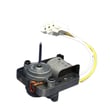
| No fan sound, weak airflow | Evaporator fan issue | Inspect/test the Frigidaire freezer evaporator fan motor 297309000 |
| Heavy frost buildup, warming temps | Defrost system issue | Check defrost components and timer operation |
| Runs constantly, still warm | Sealed system or airflow restriction | Professional diagnosis is often needed |
Why it matters
A freezer that can’t reach safe temperatures can lead to food spoilage and can overwork the compressor. Catching a door-seal or control-setting issue early can prevent bigger repairs.
Last updated: January 2026
How do I reset my Frigidaire upright freezer?
For the Frigidaire FFFH20F2QWE upright freezer, the most reliable reset is a power reset: unplug the freezer (or switch the breaker off) for about 5 minutes, then restore power and allow the control to restart. If an alarm message is showing, acknowledge it on the control panel.
Reset options for the FFFH20F2QWE
Use the method that matches what you are seeing on the display; details are covered in the FFFH20F2QWE use & care manual.
- Power reset (clears many control glitches): unplug for 5 minutes, then plug back in.
- Clear a “power fail” message: press Set (or any key) to acknowledge the alarm.
- Clear a “door ajar” alarm: close the door fully; if needed, press any key to silence the alarm.
- Unlock the controls (control lock): press and hold Set for 3 seconds.
- Exit Sabbath mode (if enabled): press and hold Options and + for 5 seconds.
What to do after the reset
A reset does not instantly restore normal temperatures; the freezer needs time to stabilize.
- Keep the door closed as much as possible.
- Confirm the freezer is not in Power Off mode (cooling off).
- Allow several hours for temperatures to stabilize after changes.
- Make sure packages are not preventing the door from sealing.
- Verify airflow space around the cabinet (clearance on all sides).
Quick reference: common “reset” situations
| What you see | What it means | What we recommend |
|---|---|---|
| Power fail | Unit lost power | Press Set (or any key) to acknowledge |
| Door ajar | Door open over 5 minutes | Close door; press any key to silence |
| Controls won’t change setpoint | Control lock or Sabbath mode | Hold Set 3 sec (unlock) or hold Options + + 5 sec |
Why it matters
Resetting correctly helps you restore cooling and silence alarms without changing settings unnecessarily. If alarms keep returning after a reset, the issue is often door sealing, airflow, or a control-related component rather than a one-time glitch.
Last updated: January 2026
How do you know if your upright freezer is going bad?
If your Frigidaire FFFH20F2QWE upright freezer can’t hold stable freezing temperatures, runs far longer than it used to, or repeatedly shows high temp or door ajar alarms, it may be developing a cooling, airflow, or defrost problem. Use the troubleshooting guidance in the FFFH20F2QWE use & care manual to confirm settings and symptoms.
Signs your freezer may be failing
- Food softens, refreezes with ice crystals, or develops freezer burn (temperature swings)
- High temp or door ajar alarms happen repeatedly
- Excessive frost buildup or moisture on interior walls
- Compressor seems to run almost constantly
- New or louder humming, clicking, buzzing, or rattling noises
- Door does not close easily or you see gaps in the door seal
Quick checks we recommend first (model-specific)
The FFFH20F2QWE manual calls out several normal conditions and control states that can look like a failure.
- Confirm the freezer is not in Power Off mode
- If the control panel is unresponsive, check Control lock and unlock it
- If temperatures are warmer than expected, verify Quick Freeze is not masking a separate issue
- After any temperature change, allow several hours for temperatures to stabilize
- Make sure the door is sealing and the cabinet is level; poor leveling can prevent a good seal
What the symptom often points to
| Symptom you see | Often related to | What to check next |
|---|---|---|
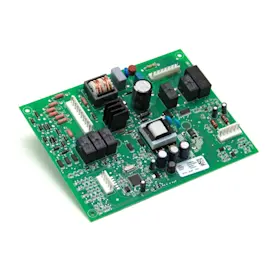
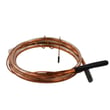
| Warm temps and long run time | Air leak or temperature control issue | Door seal, control settings, control-temperature 5304513033 |
| Moisture or frost inside | Door not sealing, frequent openings | Gasket condition, door alignment |
| Loud fan noise or weak airflow | Evaporator fan issue | Frigidaire freezer evaporator fan motor 297309000 |
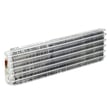
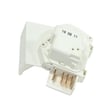
| Heavy frost and poor cooling | Defrost system problem | White-westinghouse freezer defrost heater 5304496284, freezer defrost timer 5304518034 |
Why it matters
When an upright freezer can’t maintain stable temperatures, food quality drops quickly and the compressor and sealed system may run harder than designed, which can accelerate wear.
Last updated: January 2026
What does FF mean on a Frigidaire freezer?
On the Frigidaire FFFH20F2QWE upright freezer, our model-specific Use & Care information does not identify an “FF” message as a standard display or alarm. If you’re seeing “FF,” treat it as a symptom of a cooling or control issue and verify what the display is actually showing.
Confirm what the display is telling you (FFFH20F2QWE)
In this model’s guidance, the control panel calls out messages such as “power fail” and “door ajar,” plus a high temperature alarm and quick freeze indicators. Use the FFFH20F2QWE use & care manual to compare what you see on the panel.
- Check whether it’s actually showing “OF” (power off) or another two-character message.
- Look for a high temp icon or alarm behavior.
- Confirm the control panel is not locked (control lock icon).
- Note whether the message is steady or flashing.
- Write down what happens right before it appears (door left open, power outage, loading warm food).
What to do next if cooling is weak or frost is building up
Even if “FF” is not a documented code for this model, the most common causes of odd displays and warming temps are airflow restriction, frost buildup, or a failing fan or defrost component.
- Make sure the door seals tightly and packages are not preventing closure.
- Check for heavy frost on the back wall; if present, do a full manual defrost (unplug, door open, towels).
- Clean dust from the condenser area and keep airflow space around the cabinet.
- If the compressor runs but you do not hear/feel airflow inside, inspect the Frigidaire freezer evaporator fan motor 297309000.
- If frost quickly returns after a full defrost, a defrost component may need testing, such as the white-westinghouse freezer defrost heater 5304496284 or the freezer defrost timer 5304518034.
Symptom-to-cause guide
| What you notice | Likely direction | Common next step |
|---|---|---|
| Warming temps, alarm, little airflow | Airflow or fan issue | Check evaporator fan operation |
| Heavy frost returns quickly | Defrost system issue | Test heater/timer and wiring |
| Message appears after outage | Power interruption | Acknowledge alarm; monitor temps |
Why it matters
Misreading a display can send you down the wrong repair path. Confirming the exact message for FFFH20F2QWE helps you focus on the right fix, protect food temperatures, and avoid unnecessary parts replacement.
Last updated: January 2026