 Installation guide
 Owner’s manual
 Error Codes






Where to find Kenmore gas range model number?
On Kenmore gas range model 79072313012, the model and serial number are printed on the identification (serial) plate attached to the lower right oven front frame. You can see it by opening the storage drawer, warmer drawer, or broiler drawer (depending on your range).
Where to look on model 79072313012
Use these quick checks to find the identification plate:
- Open the storage drawer (if your range has one)
- If there is no storage drawer, open the warmer drawer (some models)
- If there is no warmer drawer, open the broiler drawer (some models)
- Look at the right-hand surface of the oven front frame
- Record the model number, serial number, and lot number/letter
For a diagram and the exact location description, use the 79072313012 installation guide.
What information is on the identification plate
The plate is more than just the model number. It typically includes:
- Model number and serial number
- Lot number or letter (often requested when ordering parts)
- Burner ratings (BTU information)
- Fuel type (natural gas or LP setup)
- Gas pressure the range was adjusted for at the factory
Why it matters
We use the model number to match the correct Kenmore parts and diagrams for your exact gas range. Even small design changes within a series can affect which igniter, sensor, or control fits.
Quick reference
| What you need | Where to find it |
|---|---|
| Model number | Identification plate on lower right oven frame |
| Serial number | Same identification plate |
| Lot number/letter | Same identification plate |
Last updated: January 2026
What is the code F1 on a Kenmore gas range?
On the Kenmore gas range model 79072313012, an F1 error typically points to a problem in the oven’s electronic control system, most often a stuck key on the touchpad/control panel or a failing oven control board. Resetting power can confirm whether it is a temporary glitch or a hard failure.
What to do first (safe, quick checks)
- Reset power: turn the range breaker OFF for 1 minute, then turn it back ON.
- If F1 returns immediately, the issue is usually in the control panel (keypad) or oven control board.
- If F1 returns during baking, heat and moisture can aggravate a weak keypad or control.
- If the display is beeping, press CANCEL/OFF once; if it keeps beeping, proceed to the steps below.
- Review any model-specific reset or error-code notes in the 79072313012 owner’s manual.
How we narrow down the cause
Most F1 complaints come from one of these two areas:
| Likely cause | Common symptoms | Typical fix |
|---|---|---|
| Stuck/shorted keypad (control panel) | Beeping, F1 appears randomly, keys unresponsive or “phantom” presses | Replace the control panel/touchpad assembly (if separate on your model) |
| Failing oven control board (clock/ERC) | F1 after power reset, erratic oven operation, display issues | Replace the oven control board |
If your model uses a separate control board, the matching part is often listed as an oven control board/clock, such as range oven control board and clock 316462803.
Why it matters
The control system manages oven temperature, timing, and safety logic. When it detects invalid keypad input or internal control faults, it may disable baking to prevent unsafe operation or runaway heating.
When to stop and get service
- F1 persists after a power reset
- The oven turns on by itself, will not shut off, or the display is unstable
- You smell gas or suspect a gas supply issue (turn the gas off and have the range checked)
For installation and grounding requirements that can affect electronic controls, follow the 79072313012 installation guide.
Last updated: January 2026
Why is my Kenmore oven not igniting?
On the Kenmore gas range model 79072313012, the oven igniter must glow hot enough to open the oven gas valve; if it never glows, glows but the burner never lights within about 60 seconds, or the flame is weak, the igniter circuit is the most common cause. Use the 79072313012 installation guide ignition check to confirm what the igniter and burner are doing.
Quick checks we recommend first
- Confirm the range is plugged in and has power (the oven uses electric ignition).
- Wait a full 60 seconds after setting Bake; a normal ignition delay is 30 to 60 seconds.
- Make sure the oven controls were reset to OFF after any power interruption.
- Check that the oven vent area is not blocked; the range needs fresh air for proper combustion.
- If surface burners also struggle to light, clean clogged burner ports and ignition areas.
What the symptoms usually mean
| What you see | What it usually points to | What to do next |
|---|---|---|
| Igniter does not glow at all | No power to igniter, failed igniter, wiring/control issue | Verify power, then inspect igniter and wiring |
| Igniter glows but burner will not light | Weak igniter not drawing enough current to open valve | Replace the oven igniter |
| Burner lights late or flame is inconsistent | Weak igniter, airflow issue, or gas supply/regulator concern | Check venting, then test/replace igniter |
Parts that commonly fix “won’t ignite”
If your oven igniter is weak or dead, these are the most common replacements for this model:
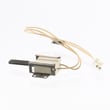
- Tappan range oven burner igniter 316489403 (bake ignition)
- Range oven igniter 5304506545 (often used for broil ignition on similar builds)
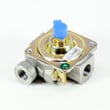
- Range oven gas valve 316404901 (less common, usually after confirming igniter is good)
Why it matters
A gas oven that does not ignite is usually failing to open the oven safety valve because the igniter is not heating correctly. Fixing the ignition system restores reliable lighting and helps prevent long preheat times and uneven baking.
Last updated: January 2026




