Owner’s manual
 Error Codes


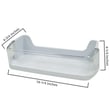
What size is the Samsung rs263tdbp?
The Samsung RS263TDBP side-by-side refrigerator is about 35-3/4 inches wide, 36-1/2 inches deep, and 69-7/8 inches tall, with about 25.5 cubic feet of total capacity. For the exact specs and clearance notes for your unit, use the owner's manual.
Key dimensions and capacity (typical published specs)
- Width: 35-3/4 in.
- Depth: 36-1/2 in. (cabinet depth can differ from depth with handles)
- Height: 69-7/8 in.
- Total capacity: 25.5 cu. ft.
- Refrigerator capacity: 15.8 cu. ft.
- Freezer capacity: 9.7 cu. ft.
What to measure at home (so it fits)
Even when the model number matches, real-world fit depends on how you measure. We recommend checking:
- Depth with handles (often deeper than cabinet depth)
- Depth with doors open (important for tight kitchens)
- Door swing clearance (space needed for bins and drawers to clear)
- Ventilation clearance behind and above the refrigerator
- Water line clearance if you use the dispenser/ice maker
Quick reference table
| Measurement | What it affects | What to do |
|---|---|---|
| Width | Cabinet opening fit | Measure the opening at top, middle, bottom |
| Depth | Counter and walkway clearance | Measure to the front of handles if present |
| Height | Overhead cabinet clearance | Measure floor to lowest cabinet/soffit |
| Capacity (cu. ft.) | Storage space | Compare to your current fridge’s usable space |
Why it matters
Correct sizing prevents installation headaches like doors that cannot open fully, shelves that hit walls, or a water line that kinks behind the cabinet. It also helps when ordering fit-related parts like a shelf or door bin.
If you are replacing fit parts for RS263TDBP, you can shop the parts list for your model on this page or search by model number on Sears PartsDirect.
Last updated: February 2026
Why is my Samsung refrigerator control panel not responding?
If the control panel on your Samsung RS263TDBP refrigerator is not responding, the most common causes are an active Control Lock (Child Lock/Dispenser Lock), a temporary software glitch, or a power supply issue. Start by unlocking the controls, then do a full power reset using the steps in the owner's manual.
Quick checks (fastest fixes first)
- Look for a lit lock icon or “Lock” indicator; if it’s on, press and hold the Lock button for about 3 seconds to unlock.
- Try a different button area; if only some keys fail, the touchpad may be partially unresponsive.
- Confirm the display is not in a “sleep” state; wake it with a firm, single press.
- Check for moisture or residue on the panel; dry it with a soft cloth.
- Make sure the doors are fully closed; some dispenser and control functions pause when a door switch is open.
Reset the refrigerator (safe power cycle)
- Unplug the refrigerator (or switch off the circuit breaker).
- Wait 5 minutes.
- Restore power and allow 1 to 2 minutes for the control board to reboot.
What to expect after a reset
| Result | What it usually means | Next step |
|---|---|---|
| Panel works normally | Temporary glitch | Monitor for repeat issues |
| Panel still dead | Power/control issue | Check outlet and breaker, then inspect wiring |
| Panel lights up but won’t accept input | Locked or touchpad failure | Recheck lock, then consider control panel service |
When the panel issue points to a parts problem
If the panel stays blank or keeps freezing up after resets, we typically see a loose connection, failing user interface, or a control board problem. If the issue is tied to dispenser functions (ice/water buttons not responding), also check for dispenser-related binding or electrical issues.
- For ice and dispenser-related symptoms, use why your Samsung fridge stopped making ice and how to fix it to narrow down common causes.
- If you’re ordering replacement parts for RS263TDBP, start with the parts list for your model on this page; you can also search by model on Sears PartsDirect.
Why it matters
A non-responsive control panel can prevent temperature adjustments and disable ice and water features. Fixing a lock setting or rebooting the control system quickly helps protect food temperatures and reduces the chance of repeat control glitches.
Last updated: February 2026
How do you reset the rs263tdbp?
To reset your Samsung RS263TDBP refrigerator, we recommend doing a simple control-panel reset first (power cycle), then using the button reset sequence listed in your RS263TDBP owner's manual. If the display or cooling problem returns right away, focus on the specific symptom (error code, no cooling, no ice) instead of repeating resets.
Quick reset options (safe first steps)
- Power reset (most common): unplug the refrigerator (or switch off the breaker) for 2 to 5 minutes, then restore power.
- Control-panel reset: press and hold Lighting and Energy Saver together for about 10 seconds (if your control panel has those keys).
- After a reset: allow 24 hours for temperatures to fully stabilize.
If you are resetting because of a specific problem
Use the symptom to guide the next step; resets rarely fix a failed part.
- Not making ice: confirm the ice maker is turned on, the freezer is cold enough, and the water supply is on. If the ice maker still will not cycle, replacement is often the fix.
- No water from dispenser: check for a clogged filter, frozen reservoir/lines, or a weak inlet valve.
- Warm refrigerator/freezer: check for airflow issues (blocked vents, frost buildup) and listen for the evaporator fan.
Common parts tied to these symptoms
| Symptom | Most common cause | Part to check on this model |
|---|---|---|
| Slow/no water, poor taste | Restricted filter | Refrigerator water filter da29-00020b |
| No ice but water works | Ice maker failure | Refrigerator ice maker assembly DA97-08059A |
| No water and no ice | Water supply or valve issue | Refrigerator water inlet valve DA62-02360B |
Why it matters
A reset clears temporary control glitches after a power interruption, but repeated resets can delay the real fix. Matching the troubleshooting to the symptom helps you avoid unnecessary downtime and protects food temperatures.
Ordering the right part
We list model-matched replacement parts for RS263TDBP on this page; you can also search by model number on Sears PartsDirect if you are comparing options.
Last updated: February 2026