 Owner’s manual
 Error Codes










What is the average lifespan of a Samsung dryer?
A Samsung dryer typically lasts 10 to 15 years. For your Samsung DVE52A5500C, consistent airflow maintenance (lint filter and venting), avoiding overloads, and addressing heat or error-code issues quickly are the biggest factors that keep it closer to the 15-year end.
What affects dryer lifespan the most
- Clean the lint filter before every load; restricted airflow overheats components.
- Keep the exhaust duct clear and properly routed; long or crushed ducts shorten life.
- Avoid overloading; it strains the drum belt, rollers, and motor.
- Use the right cycle; Sensor Dry can reduce over-drying and heat stress.
- Fix “no heat” or “long dry time” symptoms early to prevent thermostat and fuse failures.
Maintenance checklist we recommend
- Every load: Clean lint filter; check the door closes fully.
- Monthly: Inspect the vent hood outside for strong airflow.
- Every 6 to 12 months: Clean the full vent run and inside the cabinet (unplug power first).
- As needed: Review operating and cleaning steps in the DVE52A5500C owner's manual.
Common wear items and what they usually cause
| Symptom | Common wear area | What you may notice |
|---|---|---|
| Thumping or squealing | Drum support rollers, belt | Noise that gets worse with load size |
| Long dry times | Venting, thermostats, thermistor | Clothes still damp, hot cabinet |
| No heat | Heating circuit safety parts | Drum tumbles but air stays cool |
Why it matters
Most “early failures” are really heat and airflow problems. When airflow is restricted, the dryer runs hotter and longer, which can shorten the life of the heating system, thermostats, and motor.
Last updated: February 2026
Is it worth replacing a heating element in a Samsung dryer?
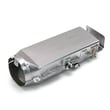
Yes. For a Samsung DVE52A5500C electric dryer, replacing the heating element is usually worth it when the dryer otherwise runs normally because the part cost is typically far less than replacing the dryer, and this model’s heater is a standard 5300W design; confirm the failure with basic checks in the DVE52A5500C owner’s manual.
When replacement makes sense
We see heating element replacement pay off most when the dryer tumbles, has good airflow, and simply will not heat or heats weakly.
- The drum turns and the timer advances, but clothes stay cold or damp
- No burning smell, no repeated overheating shutdowns
- Venting is clear and the lint filter is clean
- The dryer is in otherwise good condition (quiet drum support rollers, no major control issues)
- You can safely access the heater housing and wiring connections
Rule out common look-alikes first
A failed safety device or sensor can mimic a bad element. On this model, these parts are commonly involved in “no heat” complaints:
- Dryer thermal cut-off thermostat DC47-00016A (opens if the heater area overheats)
- Dryer high-limit thermostat DC47-00018A (limits heater temperature)
- Dryer thermistor DC32-00007A (helps the control regulate temperature)
Quick decision table
| Symptom | Most likely cause | What to check first |
|---|---|---|
| Runs but no heat | Open heater circuit or open safety device | Thermal cut-off, high-limit thermostat, element continuity |
| Heats then stops, long dry times | Airflow restriction or cycling limit | Lint filter, exhaust duct, outside vent hood |
| Overheating, burning odor | Restricted airflow or stuck cycling control | Venting, lint buildup, thermostat operation |
Why it matters
A restricted exhaust duct can overheat the heater housing and repeatedly trip thermal cut-offs. Fixing airflow first helps the new heating element and thermostats last longer and restores normal drying performance.
What we recommend before ordering parts
- Clean the lint filter and inspect the exhaust duct for kinks, crushing, or heavy lint buildup
- Verify the dryer is getting proper power (electric dryers need full 240V supply to heat)
- Use the troubleshooting steps and wiring diagrams in the DVE52A5500C owner’s manual
Last updated: February 2026
How to tell if a Samsung dryer heating element is bad?
On our Samsung dryer model DVE52A5500C, a bad heating element usually shows up as no heat or weak heat even though the drum tumbles normally; the most reliable check is a multimeter continuity test on the element and a ground-fault test to the heater housing (it should not show continuity to ground). For model-specific access and safety steps, use the DVE52A5500C owner's manual.
Quick symptoms that point to a heater problem
- Dryer runs but clothes stay cold or take much longer to dry
- Heat starts, then stops early in the cycle (cycling can also be airflow related)
- A burning smell or visible damage near the heater area (stop using and inspect)
- Repeated high-heat related behavior; clean lint filter and check venting first
How we test the heating element (basic multimeter checks)
- Unplug the dryer (electric shock hazard) and let it cool.
- Access the heater terminals (panel removal varies by model; follow the manual).
- Set the meter to ohms (Ω) or continuity.
- Test terminal-to-terminal on the element:
- Good: continuity present (a measurable resistance)
- Bad: no continuity (open circuit)
- Test each terminal to the metal heater housing:
- Good: no continuity to ground
- Bad: continuity to ground (shorted element)
Don’t skip these airflow checks first
Restricted airflow can mimic a bad heater and can also trigger overheating behavior.
- Clean the lint filter and confirm it seats correctly
- Check the vent duct for kinks, crushing, or heavy lint buildup
- Verify strong airflow at the outside vent hood
- Avoid overloading; bulky loads may need repositioning (noted in the manual)
Common heat-related parts for this model
If testing shows the heater is fine, thermostats, thermal cut-offs, or a thermistor can stop heat.
| Part type | What it does | When it’s suspect |
|---|---|---|
| Heating element assembly | Creates heat | No heat with proper voltage and airflow |
| Thermistor | Senses temperature | Temperature-related codes or erratic heat |
| High-limit thermostat / thermal cut-off | Prevents overheating | Dryer overheats or heat cuts out |
Model-matched examples we stock include the Samsung dryer heating element assembly DC93-00154A and the dryer thermistor DC32-00007A.
Why it matters
A failed heating element (open or shorted to ground) prevents proper drying and can cause repeated shutdowns or overheating symptoms. Confirming the element with a meter helps you avoid replacing the wrong part and keeps troubleshooting focused.
Last updated: February 2026
How to find part number for Samsung dryer?
For your Samsung dryer model DVE52A5500C, the fastest way to get the correct part number is to first confirm the model number from the appliance ID label, then match the failed part by name and location in the parts list. This prevents ordering a look-alike part that will not fit.
Where to find the model number (so parts match)
On most Samsung front-load dryers, the model and serial label is on the front frame behind the door. If that label is missing or unreadable, check the back of the dryer for a secondary label.
- Open the dryer door and inspect the front frame area
- Write down the full model number exactly: DVE52A5500C
- Record the serial number too (helps with version-specific changes)
- If the front label is damaged, look for a second label on the rear panel
- Use the model number to filter parts by exact fit
How to identify the right part number
Once the model is confirmed, identify the part by what it does (heat, tumble, sense temperature, start) and where it sits in the dryer.
| Symptom you see | Common part category to check | Example part for this model |
|---|---|---|
| No heat or overheating symptoms | Heating and safety thermostats/fuses | Dryer high-limit thermostat DC47-00018A |
| Dryer runs but clothes take too long | Airflow and temperature sensing | Dryer thermistor DC32-00007A |
| Drum will not tumble or squeals | Drum drive and support | Dryer drum belt (example: 6602-001655) |
Why it matters
Samsung dryers can use different components across similar-looking models. Confirming DVE52A5500C first, then matching the part by function and location, helps ensure the replacement fits and restores proper drying performance.
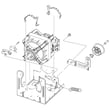
For diagrams, safety notes, and component locations, use the DVE52A5500C owner's manual.
Last updated: February 2026
What does E3 mean on a Samsung dryer?
On the Samsung DVE52A5500C dryer, an E3 code means the dryer is sensing an overload or severe load imbalance, so it stops to protect the motor and drum drive. Reducing the load and redistributing items typically clears the condition (see the DVE52A5500C owner's manual).
How to clear E3 quickly
- Press Power to stop the cycle.
- Remove several items; bulky loads (blankets, towels) trigger overload more easily.
- Shake out and redistribute the remaining items evenly.
- Restart on a timed cycle to confirm the drum tumbles normally.
- If E3 returns with a small load, stop using the dryer and inspect the drum drive system.
What usually causes E3
| Cause | What you notice | What to do |
|---|---|---|
| Load is too large | Drum struggles to start or stops soon after starting | Dry smaller loads; split heavy items |
| One heavy item (imbalance) | Thumping, banging, or the load “balls up” | Add a few similar items to balance, or dry the item alone on low heat |
| Drum drive friction | Squealing, grinding, or hard-to-turn drum | Check rollers and belt condition |
| Airflow restriction (can add stress) | Long dry times, very hot cabinet | Clean lint filter and venting |
When to suspect a part problem
If E3 happens with a light, well-balanced load, we focus on the drum drive components that can overload the motor:
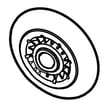
- Worn or seized rollers (example: dryer drum support roller DC97-16782E)
- A stretched, slipping, or damaged belt (example: Samsung dryer drum belt 6602-001655)
- A failing motor or blower assembly (less common, but possible)
Why it matters
E3 is a protective shutdown. Continuing to run repeated overload events can accelerate wear on the belt, rollers, and motor, and it can also increase drying time and energy use.
Last updated: February 2026







