 Owner’s manual
 Error Codes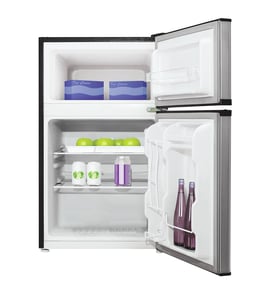

How many cubic feet is my Kenmore Elite refrigerator?
Your Kenmore Elite compact refrigerator model 56491499100 is 4.9 cubic feet. This capacity is listed in the model’s documentation and matches the “compact refrigerator” design, which is built for smaller spaces like offices, dorms, or basements.
The most reliable place to verify capacity (and other specs like electrical requirements and clearances) is the 56491499100 owner's manual.
Because Kenmore Elite refrigerators come in many sizes, confirm you are using the correct model number before comparing capacities.
- Check the model number plate (typically on the upper back area of the cabinet)
- Match the full model number exactly: 56491499100
- Use the same model number when ordering shelves, door bins, or a thermostat
- If your unit is a different Kenmore Elite model, its cubic feet can be very different
| Refrigerator type | Typical capacity range | Common use |
|---|---|---|
| Compact refrigerator | 1.7 to 5.5 cu. ft. | Office, dorm, extra drinks |
| Apartment-size top freezer | 10 to 14 cu. ft. | Small kitchens |
| Full-size French door | 20 to 30+ cu. ft. | Family kitchens |
Capacity affects how you set expectations for storage (milk jugs, beverage cans, leftovers) and how you plan airflow around shelves. In compact units, overpacking can block circulation and cause warm spots or frosting.
Last updated: January 2026
Is there a way to reset a Kenmore Elite refrigerator?
Yes. For the Kenmore Elite compact refrigerator model 56491499100, the most reliable reset is a power reset: unplug the refrigerator, wait a few minutes, then plug it back in and allow time for temperatures to stabilize. Use the 56491499100 owner's manual for control and restart guidance.
- Power reset: Unplug the refrigerator, wait 3 to 5 minutes, then plug it back in.
- Control reset (temperature change): If you adjust the cold control/temperature setting, give the unit 24 hours to reach the new setting.
- Breaker reset (if needed): If the unit is unresponsive, turn the circuit breaker off, wait 3 to 5 minutes, then turn it back on.
The manual warns that if you turn the cold control off, you should wait at least 3 minutes before restarting. This helps prevent blowing a fuse or tripping the circuit breaker.
- Confirm the outlet is 120V, 60 Hz, 15 amp and properly grounded.
- Do not use an extension cord.
- Make sure the refrigerator is level and has airflow (typically 4 inches behind the unit and 1 inch above).
| What you notice | What it usually means | What to do |
|---|---|---|
| Compressor starts and stops often | Normal cycling to hold temperature | Let it run; avoid frequent door openings |
| Temperature not stable right away | Normal after a setting change | Wait up to 24 hours |
| Still not cooling | Possible airflow, control, or sealed-system issue | Check vents, door seal, and room temperature |
A reset clears minor control glitches and restores normal cycling, but compact refrigerators also need proper ventilation and stable power to cool correctly. Resetting without fixing airflow or power issues can make the problem return.
Last updated: January 2026
What does Accela ice mean on a refrigerator?
Accela Ice (sometimes shown as “Accela ice”) is a fast ice-making mode on some Kenmore Elite refrigerators; it temporarily boosts ice production by running the cooling system more aggressively. On Kenmore Elite model 56491499100, this feature is not described in the 56491499100 owner's manual, so it may not apply to this compact refrigerator.
- Look for an “Accela Ice” button or indicator on the control panel.
- Check for a menu option in the temperature/control settings.
- Confirm the feature list and control layout in the 56491499100 owner's manual.
- If your unit has no ice maker, Accela Ice will not be a usable function.
- If you see the message on a display, note when it appears (after power loss, after changing settings, etc.).
| Mode | What changes | What you may notice |
|---|---|---|
| Normal ice making | Standard run time | Steady ice output |
| Accela Ice / fast ice | Longer compressor run time, colder operation | Faster ice production, more fan/compressor noise |
Fast ice modes can increase energy use and can make the freezer section run colder than usual. If you are troubleshooting temperature swings, frost, or unusual run time, knowing whether a fast ice mode is enabled helps you narrow down the cause.
- Keep the door closed as much as possible.
- Set the temperature and allow 24 hours for the cabinet to stabilize after changes.
- Make sure the refrigerator is level so the door seals tightly.
- Maintain airflow around the cabinet (typical guidance is at least 4 inches behind the unit).
Last updated: January 2026





