 Installation guide
 Owner’s manual
 Error Codes



Does the Whirlpool electric range have a reset button?
The Whirlpool RF367LXSB4 electric range does not use a dedicated reset button; we reset most control conditions by pressing OFF/CANCEL. If the range is completely unresponsive, restoring power at the breaker (then turning it back on) is the practical “reset.”
Use these steps when the display is acting up, a cycle will not start, or you want to stop an active function.
- Press OFF/CANCEL once to stop the current function.
- Wait about 30 seconds.
- Set the clock again if needed.
- Try BAKE or BROIL and press START.
- If the controls are locked, turn off control lockout (if your unit has it) and retry.
Reference: RF367LXSB4 owner’s manual
A power interruption or tripped breaker can make the range appear “dead.” The installation instructions and troubleshooting section point to these checks.
- Check the household fuse (replace if blown) or circuit breaker (reset if tripped).
- Confirm the range is plugged into the outlet.
- Verify the electrical supply is connected.
- After restoring power, turn on a surface element and the oven; after about 5 minutes, confirm the range heats.
- If the range stays cold after power is restored, stop and use a qualified technician.
Reference: RF367LXSB4 installation guide
| Symptom | Best reset step | What it tells us |
|---|---|---|
| Oven will not start, wrong mode selected | Press OFF/CANCEL | Clears the current command and returns controls to idle |
| Display frozen or keypad not responding | Breaker OFF for 1 minute, then ON | Reboots the electronic control |
| Entire range has no power | Check fuse/breaker and outlet | Confirms a supply issue vs. a range issue |
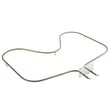
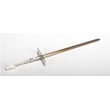
Using OFF/CANCEL first prevents unnecessary part replacement and helps separate a simple control state from a true power or wiring problem. If you do end up troubleshooting heat issues, common related parts on this model include the oven sensor WPW10181986 and the oven bake element WPW10308477.
Last updated: February 2026
Where to find model number on whirlpool electric range?
On your Whirlpool electric freestanding range model RF367LXSB4, the model number is printed on the model and serial number label attached to the appliance. On many Whirlpool freestanding ranges, that label is easiest to spot when you open the oven door and look around the door frame area; confirm the exact label location in the RF367LXSB4 owner's manual.
- Open the oven door and inspect the front frame (left and right sides) and the bottom edge.
- Check the storage drawer area; pull the drawer out and look on the frame behind it.
- Look behind the control panel area (only if the manual indicates access is safe and simple).
- Check the back panel of the range if it is accessible.
- Write down both the model number and serial number once you find the label.
The label typically includes:
- Model number (example format: RF367LXSB4)
- Serial number
- Electrical ratings (volts/amps)
- Manufacturer information
| You need this for | What to record | Why it helps |
|---|---|---|
| Ordering parts | Model number and serial number | Ensures the part fits your exact version |
| Service or troubleshooting | Model number and serial number | Helps match wiring, features, and revisions |
| Installation questions | Model number | Confirms clearances and anti-tip requirements |
Whirlpool often builds multiple versions under a similar-looking range design. Using the complete model number from the label helps us match the correct parts (like an oven sensor, bake element, or surface element switch) and avoid returns due to fit or wiring differences.
Last updated: February 2026
What is the average lifespan of RF367LXSB4?
The average lifespan of a Whirlpool electric freestanding range like model RF367LXSB4 is 15 years. Regular cleaning, correct installation, and replacing wear items (like elements or an oven sensor) on time helps you reach that service life.
- Heat stress from frequent high-temperature baking, broiling, or self-clean cycles
- Power quality (loose terminal connections or voltage issues can damage controls)
- Door seal condition (heat leaks make the oven work harder)
- Spills and corrosion on surface elements and wiring
- Ventilation and leveling (a range that is not level can cook unevenly and strain components)
- Keep the oven cavity and door area clean; avoid letting grease build up.
- Inspect the door seal; replace it if it is torn, brittle, or no longer seals evenly.
- If baking temperatures drift, test/replace the sensor rather than overusing calibration.
- Replace weak heating elements promptly to prevent long preheat times.
- Follow the cleaning and self-clean guidance in the owner's manual.
| Symptom | Most common cause | Typical fix |
|---|---|---|
| Oven won’t heat or heats unevenly | Failed bake element | Replace oven bake element WPW10308477 |
| Oven temperature swings widely | Sensor out of range | Replace oven sensor WPW10181986 |
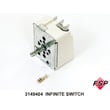
| Burner won’t regulate heat | Worn infinite switch | Replace range surface element control switch WP9758060 |
A range that is nearing the end of its typical 15-year lifespan often costs more in repeat service calls than in targeted part replacement. Identifying the failing component (element, sensor, or switch) keeps your RF367LXSB4 cooking accurately and safely.
Last updated: March 2026







