Installation guide
 Owner’s manual
 Error Codes





How long does a Frigidaire refrigerator last?
Most Frigidaire refrigerators, including the FPBC2277RFB bottom-mount model, typically last 10 to 15 years with normal household use. With consistent care (good airflow, clean filters, correct temperatures), it is common to reach the upper end of that range.
Typical lifespan and what affects it
A refrigerator’s life is mostly determined by compressor run time, heat load, and how well the sealed system and airflow stay clean.
- 10 to 15 years is the typical service life for modern refrigerators
- Heavy use (large families, frequent door openings) can shorten lifespan
- Poor ventilation and dusty condenser areas increase wear
- Water quality and filter changes affect ice maker and dispenser reliability
- Door seal condition affects run time and temperature stability
Maintenance that helps you reach 10 to 15 years
Use these habits to reduce strain on the compressor and keep temperatures stable.
- Keep installation clearances for airflow (sides/top and rear) as listed in the FPBC2277RFB installation guide
- Replace the water filter at least every 6 months as described in the FPBC2277RFB owner’s manual
- Replace the air filter on schedule to reduce odors and keep airflow fresh (use the correct refrigerator air filter EAFCBF)
- Make sure doors close and seal fully; adjust leveling so doors self-close properly
- Avoid overpacking vents in the fresh food and freezer compartments
Quick reference: what to service and when
| Item | Typical interval | What you’ll notice if overdue |
|---|---|---|
| Water filter | Every 6 months | Slow water flow, off taste/odor, smaller ice |
| Air filter | Every 6 months (typical) | Food odors linger, stale smell |
| Door gasket check | Every 3 to 6 months | Frost, sweating, warm spots, longer run time |
| Ventilation clearance check | Once a year | Hot cabinet sides, noisy/longer cooling cycles |
Why it matters
A refrigerator that runs longer to maintain temperature wears out key components faster (compressor, fans, controls). Proper clearances, filter changes, and good door sealing reduce run time and help your FPBC2277RFB reach its expected lifespan.
Last updated: February 2026
How to reset a Frigidaire refrigerator?
To reset the Frigidaire FPBC2277RFB refrigerator, we use the control panel reset options: press and hold Default Settings for 3 seconds to restore factory default settings, or press and hold Power for 3 seconds to turn cooling OFF and then back ON. For exact button locations, use the FPBC2277RFB owner's manual.
Quick reset options (most common)
- Factory default reset: press and hold Default Settings for 3 seconds.
- Cooling system reset (soft restart): press and hold Power for 3 seconds until the display reads OFF; wait about 30 seconds, then press and hold Power again for 3 seconds to turn cooling back on.
- Alarm reset: if a door was left open and the alarm sounds, press Mute Alarm to reset the alarm.
- Water filter status reset: after changing the filter, press and hold Water Filter for 3 seconds to reset the status.
- Air filter status reset: after changing the filter, press and hold Air Filter for 3 seconds to reset the status.
When to use each reset
| What you’re trying to fix | Best reset to try | What it changes |
|---|---|---|
| Control panel glitch, odd settings | Default Settings (3 sec) | Restores temps, display units, tones to defaults |
| Cooling needs a restart for cleaning or after a hiccup | Power OFF then ON (3 sec each) | Stops and restarts cooling, ice maker, dispenser functions |
| Door ajar or high temp alarm won’t stop | Mute Alarm | Silences and resets active alarms |
| Filter light says Order/Replace | Water Filter or Air Filter (3 sec) | Resets filter status indicator |
Why it matters
Using the correct reset prevents unnecessary part replacements and helps restore normal cooling and dispenser operation. If you are resetting after a filter change, resetting the filter status keeps the reminder accurate for your maintenance schedule.
Related maintenance help
- If you replaced the water filter, follow the steps in how to replace the water filter in a Frigidaire refrigerator.
- If odors are the issue and you are resetting the air filter reminder, the refrigerator air filter EAFCBF is the model-matched filter option.
Last updated: February 2026
How to put a Frigidaire fridge in diagnostic mode?
For the Frigidaire FPBC2277RFB, the control-panel button combination shown in our documentation is for Sabbath Mode (press and hold freezer “-” and refrigerator “+” together for 5 seconds), not a full diagnostic mode. For model-specific service tests and error displays, follow the procedures in the FPBC2277RFB owner’s manual.
What you can try on the control panel (common Frigidaire approach)
Different Frigidaire user interfaces enter service tests differently, but these steps help you reach the built-in status screens and confirm the controls are responding:
- Make sure the cooling system is ON (the display should not read “OFF”).
- Try a settings reset: press and hold DEFAULT SETTINGS/SET for 3 seconds (resets to factory defaults).
- Check whether Sabbath Mode is active; when enabled, the control panel and dispenser functions are disabled.
- Exit Sabbath Mode if needed: press and hold freezer “-” and refrigerator “+” together for 5 seconds.
- If you see an error or alarm behavior, use the model’s error code guidance to interpret it.
Diagnostic mode vs. Sabbath Mode (quick comparison)
| Feature | What it does | What you will notice |
|---|---|---|
| Sabbath Mode | Disables portions of controls for religious observance | Display shows “Sb”; lights and dispenser controls do not work until deactivated |
| Factory default reset | Restores temperature and feature settings to defaults | Settings revert; useful after power issues or accidental changes |
| Service diagnostics (model-specific) | Runs component tests (fans, sensors, defrost, etc.) and may show error codes | Access method varies by control style and is listed in the manual/service info |
Why it matters
Using the wrong button sequence can make it look like the refrigerator “locked up” when it is actually in Sabbath Mode. Starting with the manual’s documented sequences prevents unnecessary parts replacement and helps you troubleshoot issues like temperature alarms, fan problems, or ice maker concerns.
Helpful reference
- Use Frigidaire refrigerator error codes to identify what an error display or alarm pattern means before testing parts.
Last updated: February 2026
What are common problems with Frigidaire refrigerators?
Common problems we see with Frigidaire refrigerators like model FPBC2277RFB include not cooling well, frost buildup in the freezer, ice maker or dispenser issues, and the unit running too often. Many of these trace back to airflow, door sealing, temperature sensing, or water supply and filtration.
Most common symptoms and what they usually point to
- Not cooling or warm temperatures: blocked airflow, dirty condenser area, evaporator fan issue, or a temperature sensor problem
- Freezer frost buildup: door not sealing, frequent door openings, or a defrost system issue
- Ice maker not making ice: ice maker turned off, water valve closed, kinked water line, or a clogged/unseated water filter
- Runs constantly: warm room conditions, doors not sealing, or restricted airflow at the toe grille
- Bad odors: expired air filter, spills, or uncovered foods
Quick checks we recommend first (FPBC2277RFB)
Start with these no-tools steps before replacing parts:
- Confirm the refrigerator is level and the doors close fully (a slight backward tilt helps doors seal)
- Make sure the toe grille is not blocked so air can circulate
- Verify room temperature stays roughly 55°F to 110°F; extremes can impair cooling
- If the ice maker is not used or no water line is connected, keep the ice maker switched Off
- For ice maker issues, confirm the water supply valve is open and the supply line is not kinked
Parts that commonly solve these problems
If symptoms persist after the quick checks, these model-matched parts are common fixes:
| Symptom | Common part to inspect/replace | Example model-matched part |
|---|---|---|
| Ice maker not making ice | Ice maker assembly | Refrigerator ice maker 243297613 |
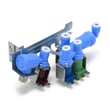
| No water to ice maker/dispenser | Water inlet valve | Refrigerator water inlet valve assembly 242253002 |
| Temps swing or won’t stabilize | Temperature sensor (thermistor) | Refrigerator temperature sensor 5303918775 |
| Odors in fresh food section | Air filter | Refrigerator air filter EAFCBF |
Helpful guides for troubleshooting
- Use the FPBC2277RFB owner’s manual for the “Before you call” troubleshooting chart (especially for ice maker and water filter checks).
- If the display shows a fault, Frigidaire refrigerator error codes helps narrow the cause quickly.
Why it matters
Catching airflow restrictions, door seal leaks, and water supply problems early prevents food spoilage, reduces compressor run time, and helps avoid repeat ice maker and dispenser failures.
Last updated: February 2026