 Installation guide
 Owner’s manual











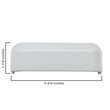
What are the common problems with whirlpool dryers?
For the Whirlpool WED7300DW2 dryer, the most common problems are no power or no start, the drum not tumbling, no heat or poor drying, and overheating or shutting off mid-cycle. These issues usually trace back to airflow restrictions, a worn belt, a failed heater circuit part, or a door switch problem.
Most common symptoms (and what they usually mean)
- Won’t start: tripped breaker, bad door switch, failed control, or thermal safety device opened
- Runs but won’t heat: heating element or thermostat issue, or restricted venting
- Not spinning/tumbling: broken belt, worn idler pulley, or motor problem
- Long dry times: clogged lint screen, blocked vent, weak airflow, or blower wheel issue
- Stops mid-cycle/overheats: restricted venting, high-limit thermostat opening, or thermistor problem
Quick checks we recommend first
Use the steps and wiring/diagnostic info in the WED7300DW2 owner’s manual before disassembly.
- Confirm both breakers for the dryer circuit are ON (electric dryers can run but not heat on one leg)
- Clean the lint screen and check the lint screen housing for buildup
- Inspect the vent path (dryer outlet to outside hood) for kinks, crushing, or lint blockage
- Make sure the door fully closes and the latch engages consistently
- Listen for symptoms: motor hum, squeal, thump, or no sound when Start is pressed
Parts that commonly fix these problems on WED7300DW2
| Symptom | Common suspect part | Example part for this model |
|---|---|---|
| Drum won’t tumble | Belt or idler pulley | Belt 341241, dryer idler pulley WP691366 |
| No heat | Heating element or thermostat | Dryer heating element 279838, dryer high-limit thermostat WP3977767 |
| Won’t start when door is shut | Door switch | Dryer door switch WP3406107 |
Why it matters
Dryer problems often overlap, but airflow is the foundation. A restricted vent can cause long dry times, no-heat complaints, and repeated high-limit shutdowns. Fixing airflow first helps protect the heating element, thermostats, and motor.
Last updated: February 2026
What does E2 and F6 mean on a whirlpool dryer?
On Whirlpool dryer model WED7300DW2, the F6 E2 code points to a control communication or user interface (console) problem; the main control and the console are not “talking” normally, or a signal is out of range. We use the WED7300DW2 owner’s manual to confirm the exact reset and diagnostic steps for your unit.
What to do first (safe, quick checks)
- Press Power/Cancel to clear the display; wait 1 minute and restart a cycle.
- Unplug the dryer (or switch off the breaker) for 2 to 5 minutes, then restore power.
- Make sure the door closes firmly; a weak door switch can cause odd behavior (see dryer door switch WP3406107).
- Check for a stuck key on the console (buttons that feel jammed or don’t click normally).
- If the code returns immediately, stop using the dryer until you complete the checks below.
What usually causes F6 E2 on Whirlpool dryers
In most Whirlpool electronic dryers, F6 E2 is triggered by one of these conditions:
| Likely cause | What you may notice | Typical fix |
|---|---|---|
| Loose connection between console and main control | Code appears randomly, buttons lag | Reseat wiring connectors (power off) |
| Failed user interface (console) | Some keys do nothing, beeps, erratic display | Replace console or UI components |
| Failed main electronic control | Dryer won’t start, code returns right away | Replace electronic control |
| Door switch not closing reliably | Dryer stops when door is bumped | Replace door switch |
Deeper troubleshooting (power off)
- Disconnect power.
- Access the console and control area using the steps in the WED7300DW2 installation guide.
- Reseat the console ribbon plug and harness connectors (look for corrosion or a partially backed-out plug).
- Restore power and run a timed dry test.
Why it matters
When the console and main control can’t communicate correctly, the dryer may not start, may stop mid-cycle, or may overrun a cycle. Fixing the connection or the failed control part restores normal operation and prevents repeat shutdowns.
Last updated: February 2026
How do I know if my whirlpool dryer thermal fuse is blown?
If your Whirlpool WED7300DW2 dryer runs but won’t heat, or it won’t run at all, a blown thermal fuse is a top suspect. We confirm it by unplugging the dryer and checking the fuse for continuity with a multimeter; a good fuse reads near 0 ohms.
Quick symptoms that point to a blown thermal fuse
- Dryer will not start (some designs cut power to the motor circuit)
- Dryer runs but produces no heat (electric models commonly show this)
- Cycle ends early because the heater shuts down
- Burning smell or very hot cabinet before the failure (often airflow-related)
- Lint buildup in the lint screen housing or vent path
How we test the thermal fuse (safe, reliable method)
- Unplug the dryer (or switch off the breaker). For gas dryers, also shut off the gas.
- Access the thermal fuse location shown in the WED7300DW2 owner’s manual.
- Pull the two wires off the fuse terminals (grip the connector, not the wire).
- Set your multimeter to continuity or the lowest ohms setting.
- Touch one probe to each terminal.
Interpreting the meter reading
| Meter result | What it means | What to do next |
|---|---|---|
| 0 to 1 ohm (or beeps) | Fuse is good (has continuity) | Check heating element, thermostats, airflow |
| OL / infinite / no beep | Fuse is blown (open circuit) | Replace the fuse and fix the overheating cause |
What usually causes the fuse to blow (and what to check)
A thermal fuse typically blows because the dryer overheated from restricted airflow.
- Clean the lint screen and lint chute
- Inspect and clear the vent duct to the outside
- Confirm the outside vent hood opens freely
- Check the blower wheel for damage or looseness
- If you also have no heat, test the dryer heating element 279838 and high-limit thermostat
Why it matters
Replacing a thermal fuse without correcting the airflow problem often leads to repeat failures. Restoring proper venting protects the heater, thermostats, and drive motor, and helps clothes dry faster.
Last updated: February 2026










