 Installation guide
 Owner’s manual
 Error Codes





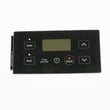


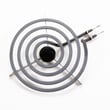
How do I know what model my Kenmore oven is?
Your Kenmore range model number is printed on the appliance’s serial plate; for model 79093002314, the Use & Care Guide specifically calls this out under “Product Record/Serial Plate Location.” Use that label (not the control panel styling) to match the correct parts and manual.
Check these common serial plate locations first:
- Behind the oven door, along the door frame (door jamb)
- On the frame behind the storage drawer or warming drawer (pull the drawer out)
- On the back of the range near the power cord/terminal block cover
- Along a side frame rail (visible when the drawer is removed)
For model-specific diagrams and wording, use the 79093002314 owner's manual.
Most Kenmore electric ranges use a paper or foil label that includes both a model and serial number.
| Label item | What it tells you | Why you need it |
|---|---|---|
| Model number (example: 79093002314) | Exact configuration of your range | Ensures correct parts fit |
| Serial number | Production code/date info | Helps identify revisions |
| Electrical rating | Voltage/amps requirements | Helps with safe installation and troubleshooting |
Kenmore model numbers can look similar, but small differences change the correct bake element, control board, or surface element switch. Using the exact model number helps us match the right diagrams, wiring, and replacement parts the first time.
- Copy the model number exactly as printed, including all digits
- Take a clear photo of the serial plate before ordering parts
- If the label is worn, check behind the drawer area and the rear panel next
- Use the 79093002314 installation guide if you are moving the range and need safe access to the back panel
Last updated: February 2026
How do I reset my Kenmore Elite electric oven?
For the Kenmore electric freestanding range model 79093002314, the reliable “reset” is a power reset: turn the range off, shut off power at the breaker (or unplug), wait about 1 minute, then restore power and reset the clock and any oven function settings per the 79093002314 owner's manual.
- Cancel a cooking mode: press Cancel/Clear Off to stop Bake or Broil.
- Power reset (best for glitches): breaker off (or unplug) for about 60 seconds, then power back on.
- After any power interruption: reset the clock before using the oven.
- If the display is acting odd: confirm the control is not in °C mode (you can toggle °F/°C by holding Broil 6 to 8 seconds).
- Turn all surface element knobs to Off.
- Turn off the range circuit breaker (or unplug the cord if accessible).
- Wait 1 minute.
- Restore power.
- Set the clock (the display often flashes 12:00 after power is restored).
| Action | What it fixes | What it won’t fix |
|---|---|---|
| Cancel/Clear Off | Stops an active cycle | Dead display, no heat, repeated error behavior |
| Power reset | Clears many control glitches after a power event | Failed bake element, bad sensor, damaged wiring |
| °F/°C toggle | Wrong temperature units on display | Actual temperature accuracy issues |
These checks point you toward the most common failed parts on this model:
- Bake not heating: inspect and test the frigidaire range bake element 316225001.
- Broil not heating: inspect and test the frigidaire range broil element 316203200.
- Temps way off or erratic: test the range oven temperature sensor 316233903.
- Intermittent power or burning smell: stop using the range and have wiring/terminal connections checked (see the 79093002314 installation guide for safe installation and grounding basics).
Resetting correctly helps prevent the range from resuming operation unexpectedly after power returns, and it restores required settings like the clock so the oven controls operate normally.
Last updated: February 2026
What causes a Kenmore oven to stop working?
On the Kenmore 79093002314 electric freestanding range, an oven that stops working is usually caused by a power interruption (tripped breaker), a failed heating circuit (bake or broil element), or a control-related issue such as a bad temperature sensor or electronic control. Use the 79093002314 owner's manual troubleshooting section to narrow it down safely.
- Confirm the range has power; reset the double-pole breaker for the 240V circuit.
- If the display shows “12:00” after an outage, set the clock; some functions may not run until the clock is set.
- Press STOP to clear a stuck or incorrect setting, then try BAKE again.
- Test BROIL; if broil works but bake does not, the bake circuit is the likely failure.
- Look for obvious damage: burned wiring, melted terminal connections, or a loose power cord.
| Symptom | Most likely cause | Part to consider for model 79093002314 |
|---|---|---|
| Oven will not heat on Bake | Burned-out bake element | Frigidaire range bake element 316225001 |
| Oven will not heat on Broil | Burned-out broil element | Frigidaire range broil element 316203200 |
| Temperature is erratic or shuts off | Faulty oven temperature sensor | Range oven temperature sensor 316233903 |
| No heat and controls act abnormal | Failed control board or wiring issue | Frigidaire range oven control board 316455420 |
- Power reset: Turn the breaker off for 1 minute, then back on.
- Function test: Try Bake and Broil separately to see if one mode still heats.
- Visual inspection (power off): Check elements for blisters, cracks, or burn spots.
- Electrical testing (power off): Use a meter to check element continuity and inspect connections at the terminal block.
A range can look “dead” from a simple power interruption, but a failed bake element, sensor, or control board can also stop heating. Identifying whether the issue is power, an element, or temperature feedback prevents unnecessary parts replacement and helps restore safe, consistent cooking.
Last updated: February 2026
Why is my Kenmore electric oven not getting hot?
If your Kenmore 79093002314 electric range oven isn’t getting hot, the most common causes are a failed bake element, a temperature sensor issue, or a control problem. We recommend confirming basic settings first, then testing the heating circuit parts safely.
- Confirm you’re using Bake (not Broil) and the temperature is set correctly.
- Allow a full 10 to 15 minutes of preheat time.
- Make sure the oven door is fully closed.
- If you recently cleaned the oven, check that no cleaner residue is on the temperature sensing bulb (residue can affect heating accuracy).
- If the oven heats sometimes but not others, note whether it fails only on certain modes.
For this model, these parts commonly affect oven heat:
- Bake element: look for blisters, cracks, or a visible break; test for continuity. Use bake element 316225001 if yours is damaged or fails a continuity test.
- Broil element: some ovens use broil assist during preheat; if it’s open, preheat can feel weak. Consider testing the broil element 316203200.
- Oven temperature sensor: if the sensor reads wrong, the control can limit heat output. Check wiring and replace if out of spec using oven temperature sensor 316233903.
- Control board or wiring: loose or burned connections can interrupt power to the elements.
- Visual inspection of bake and broil elements.
- Continuity test on the element(s) and sensor (power off at the breaker).
- Check connections for heat damage at terminals and harness plugs.
| Symptom | Most likely cause | Next step |
|---|---|---|
| Oven won’t heat at all | Open bake element, wiring issue | Test bake element and connections |
| Preheats very slowly | Weak/failed broil assist or sensor drift | Test broil element and sensor |
| Temperature is far off | Sensor dirty/mispositioned or failing | Clean/check sensor bulb, then test sensor |
An oven that won’t heat correctly can be caused by a simple failed heating element, but overheated wiring or poor connections can also create repeat failures. Testing the circuit parts in a logical order helps you fix the root cause and restore normal baking performance.
For model-specific operating and cleaning guidance (including sensor care and safe cleaning precautions), use the 79093002314 owner’s manual.
Last updated: February 2026




